Please, make sure to follow the instructions below
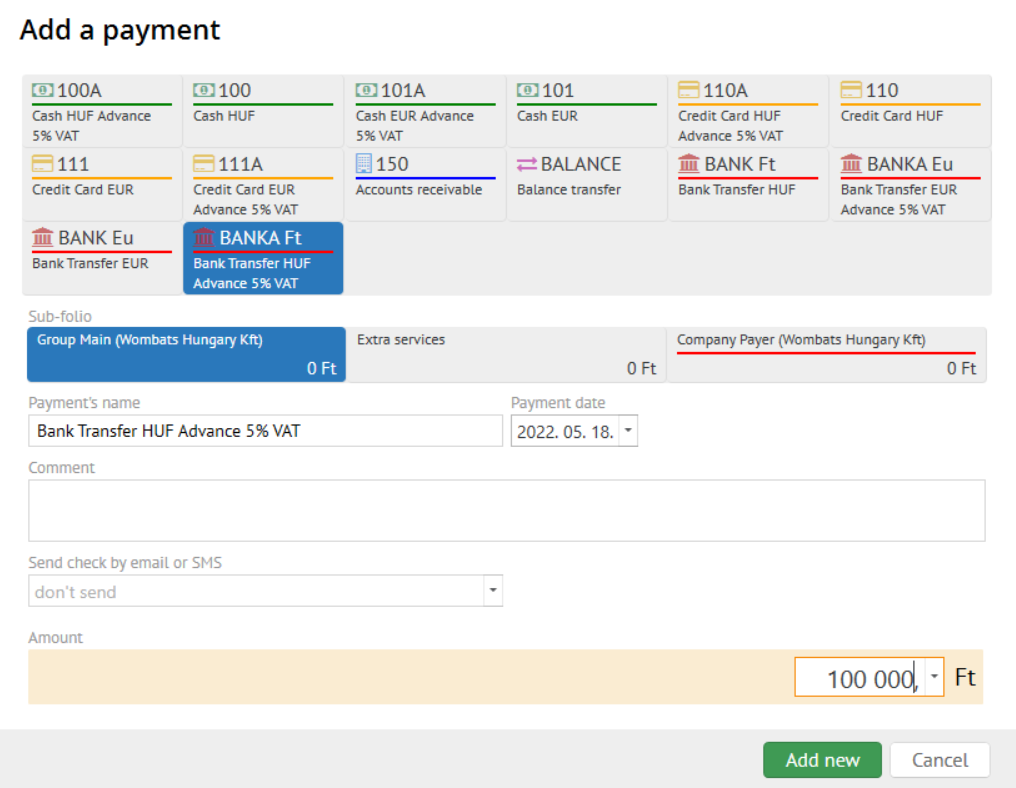
Goto Folio Section. Click the "Add payment" button and select the desired Advance payment method.
No transaction should be ticked in case of advance payment
- Pick the desired advance payment method (Eur or HUF)
- Don`t forgent to fill the payment date in case of Bank deposit like its shown below
- Select the desired folio pocket
- Amount
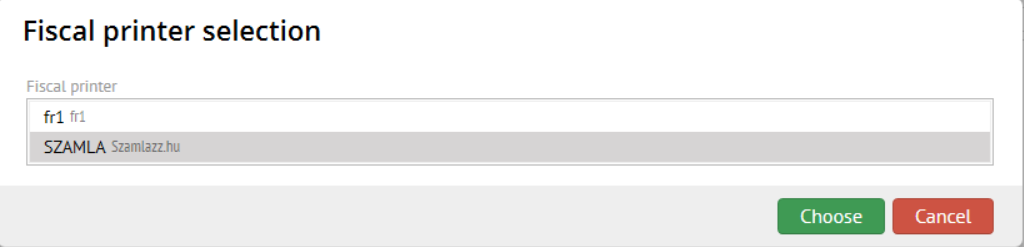
- Confirm the payment fiscalization
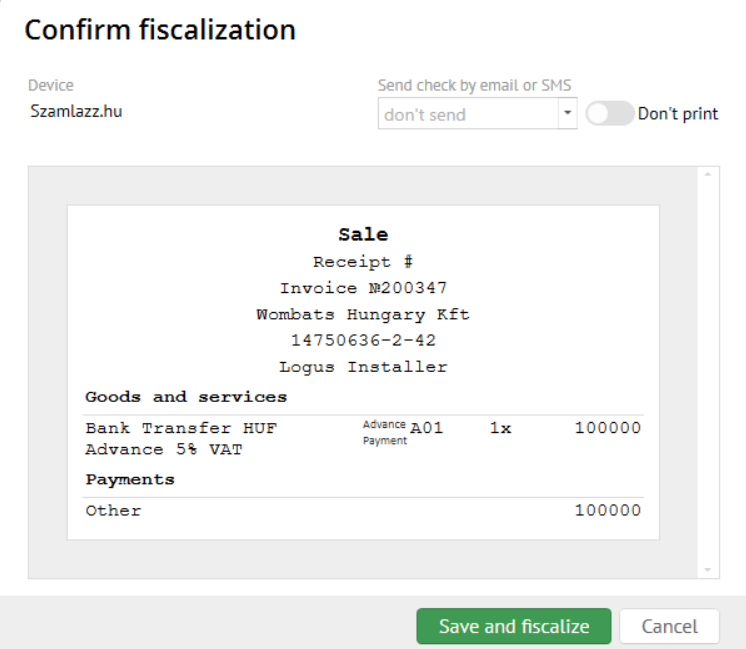
As a result you will have an advance payment transaction with the first fiscal status like this: