1.1 Guest room availability
Release | 2.4 |
Logus The Box | Yes |
Room Availability Table is one of the most important tools that is used to check room availability.
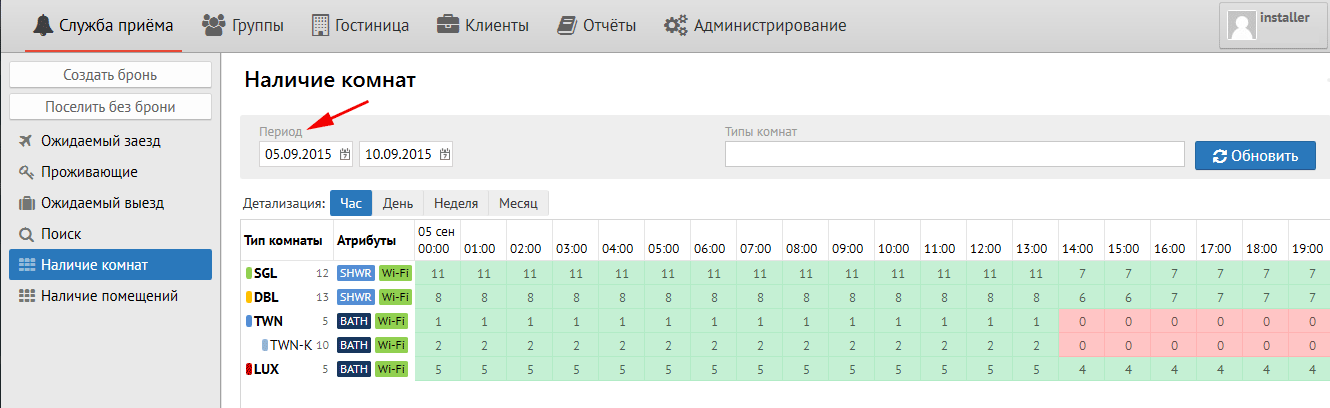
In the upper field “Period”, the period of dates that you need is indicated.
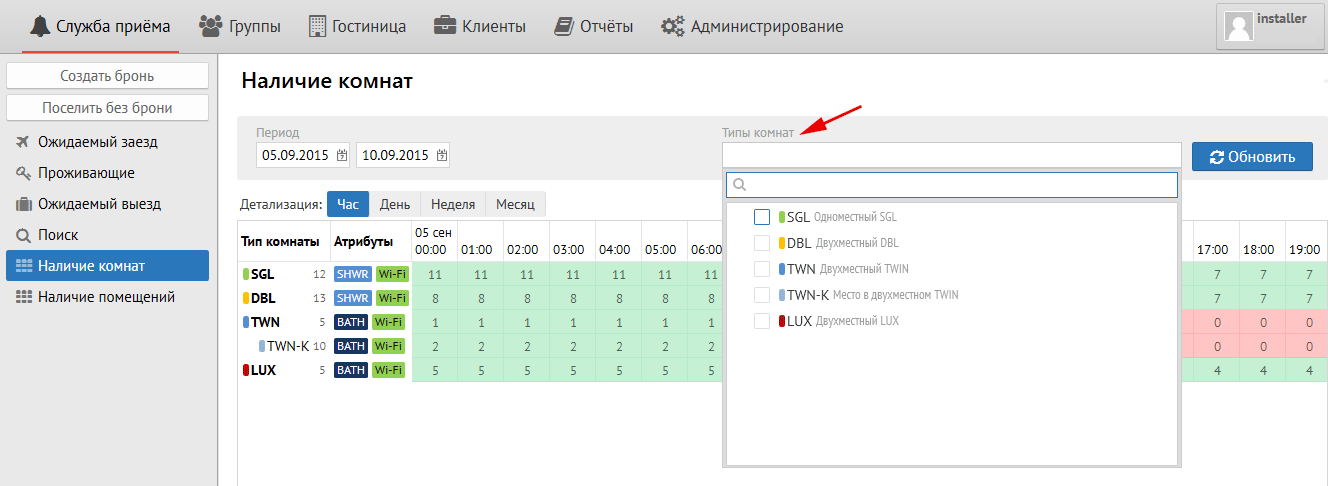
“Room type categories” is selected the category of room types. To the right of it is the "Room Type" field, which is a filter for the room types selected in it (SNGL, DBL, TWN, etc.) To get the result click the "Refresh" button.
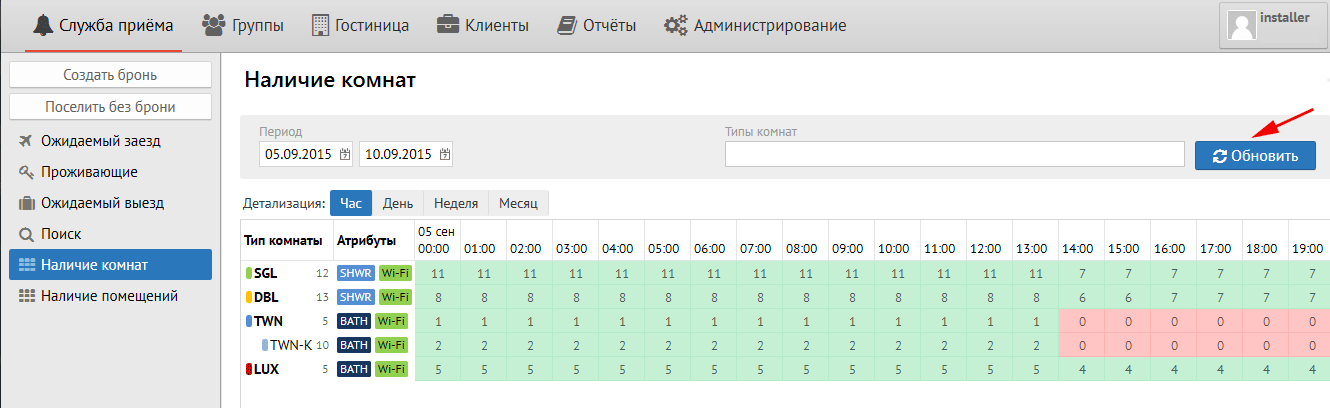
The Refresh button is intended for updating the availability table. It is not updated online.
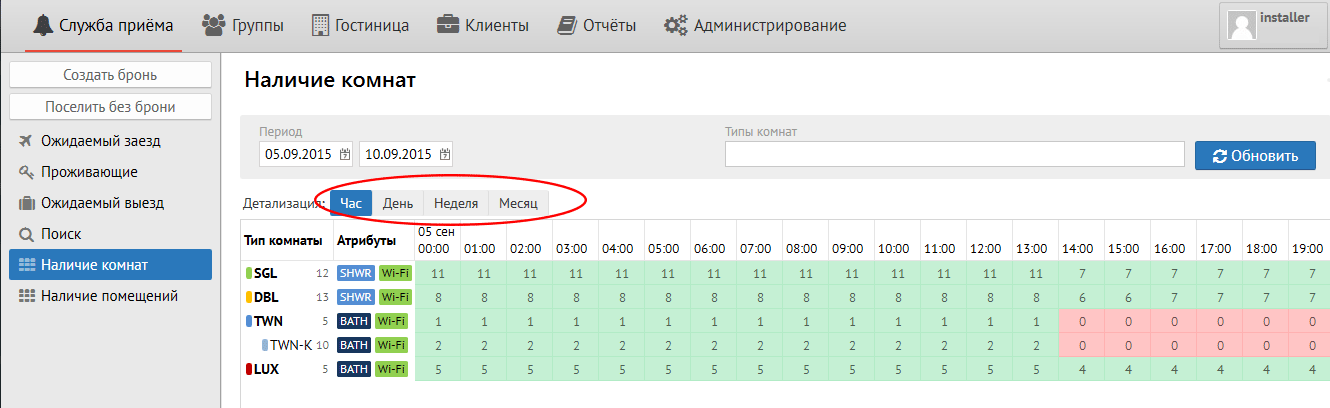
Detailing: Layout of accommodation Day / Night is determined by the rate
Hour - availability of rooms by hour
Day - availability of rooms by day
Week - availability of rooms by week
Month - availability of rooms by month
The room availability field is painted in 2 colors: green and red. They indicate the number of rooms available on the date.
When you put your cursor over the precise spot in availability column on available number of rooms, then pop-up menu come.
This menu shows:
Total rooms - the number of rooms according to the configuration of this type of room.
Out of inventory - rooms to be repaired
Wait list - the number of reservations of this type of room in the waiting list.
Reserved - the amount of reservation for this room type on the date.
Guaranteed - the number of guaranteed reservations (with the guarantee of payment "Cashless") of this type of room.
Hard blocks - the number of group blocks of this type of room.
Soft blocks - not used in release 2.3 and higher.
Out of order - the number of rooms under repair (out of sales) of this type of room.
Overbooking limit - is the limit (number of rooms) that you can go to minus (overbooking) of this type of room.
When you right-click on the availability number, 2 hints appear in pop-up menu: “To the list of reservations” and “Diagnostics of availability ...”
“To the list of reservations” - go to the list of reservations of this type of room for the selected date
"Diagnosis of availability ..." - a log file used to clarify details: when and how many reservations of the selected type and date was made. The list has the ability to upload to Excel.
ATTENTION: By default the table of Availability of rooms opens by day
| Page properties | ||||
|---|---|---|---|---|
|
Таблица Наличия Комнат – один из главнейших инструментов, который используется для отслеживания количества свободных комнат.
В верхнем поле «Период» указывается период дат, который Вам необходим.
Справа от него поле «Типы комнат», который является фильтром по выбранным в поле типам комнат (SNGL, TWN, DBL и т.д.), для получения результата необходимо нажать кнопку «Обновить».
Кнопка «Обновить» предназначена для обновления таблицы наличия. Онлайн она не обновляется.
Детализация:
Час – наличие комнат по часам
...
Месяц – наличие комнат помесячно
Поле наличия комнат окрашено в 2 цвета: зеленый и красный. В них указывается количество свободных комнат на дату.
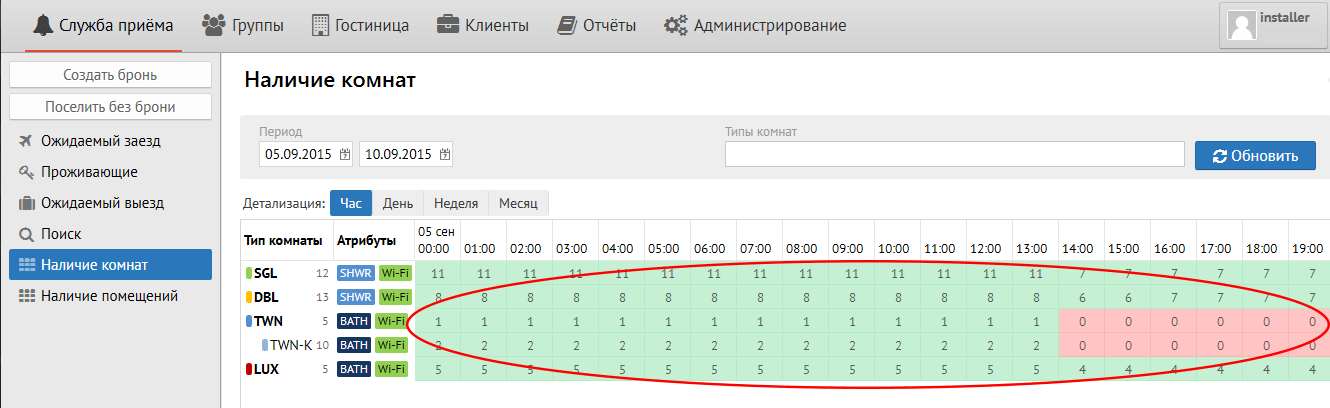
При наведении мышкой на цифру в поле наличия комнаты всплывает вспомогательное окно со следующими пунктами:
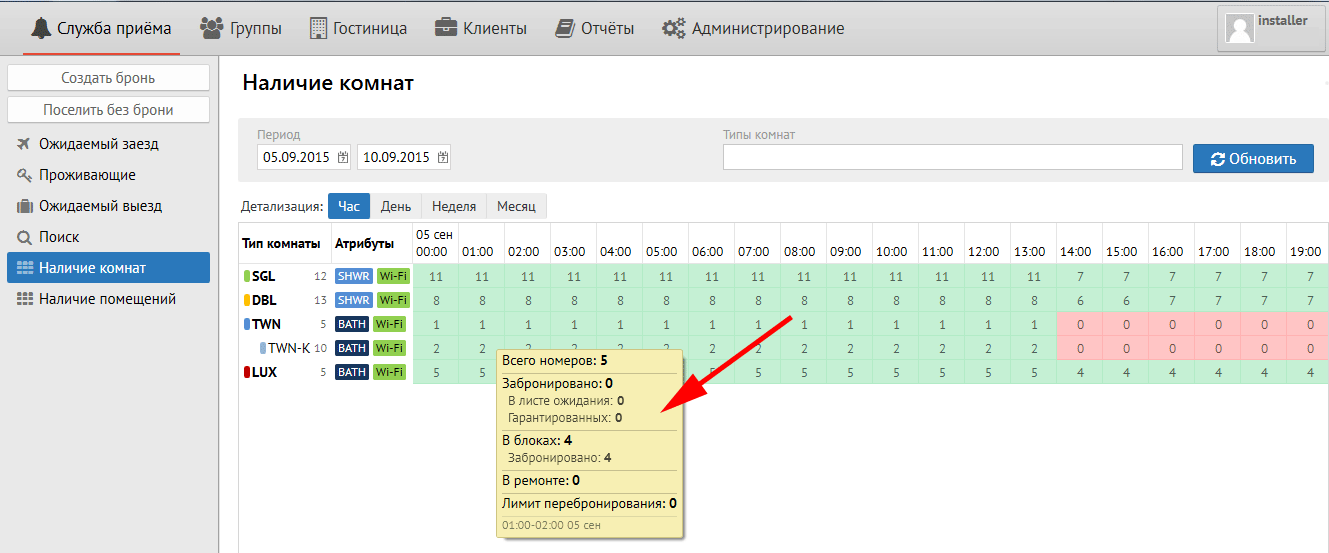
Всего номеров – количество номеров по конфигурации данного типа комнаты.
...
Лимит перебронирования – лимит (количество комнат), на которое можно уходить в минус (овербукинг) данного типа комнаты.
При нажатии правой кнопки мыши на цифру наличия в поле появляются 2 подсказки: «К списку броней» и «Диагностика наличия…»
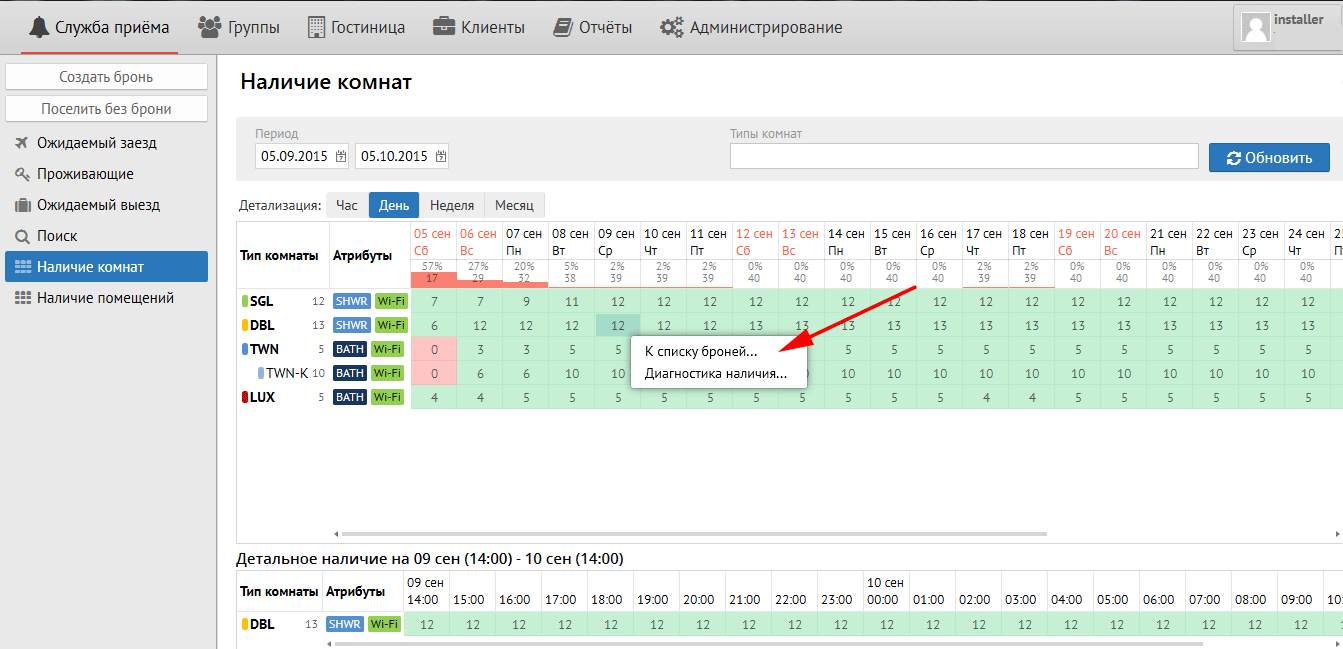
«К списку броней» – перейти к списку броней данного типа комнаты на выбранную дату
«Диагностика наличия…» – лог файл, использующийся для детального выяснения: когда и какое кол-во броней выбранного типа на выбранную дату было сделано. Имеет возможность выгрузки в Excel.
ВНИМАНИЕ: Таблица Наличия Комнат по умолчанию открывается по дням
...