...
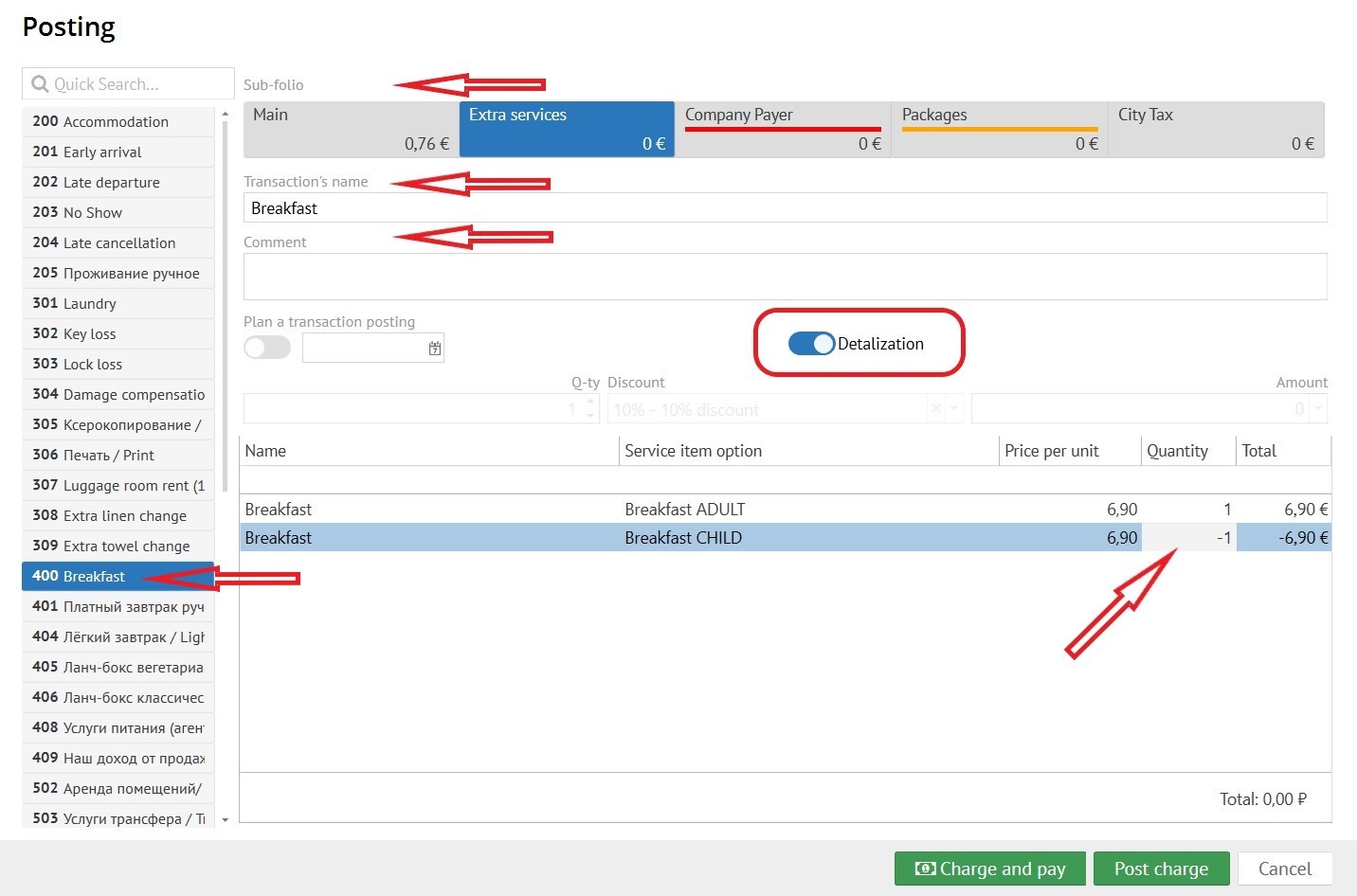
Comment - here you can type the comments you need.
Detalization - показать услуги с детализацией (например, позиции мини бара). Shows the services included in the transaction code (for example, the position of a mini-bar like crisps, snacks and etc.). You should choose quantity of services or write a correct amount in columns.
Plan a transaction posting -если Вам необходимо, чтобы транзакция начислилась в определенную дату, необходимо нажать на эту кнопку (эта возможность требует наличия у пользователя права "Начислять запланированные транзакции").
Discount -
Amount - в это поле необходимо вбить сумму либо она автоматически будет заполнена из настройки.
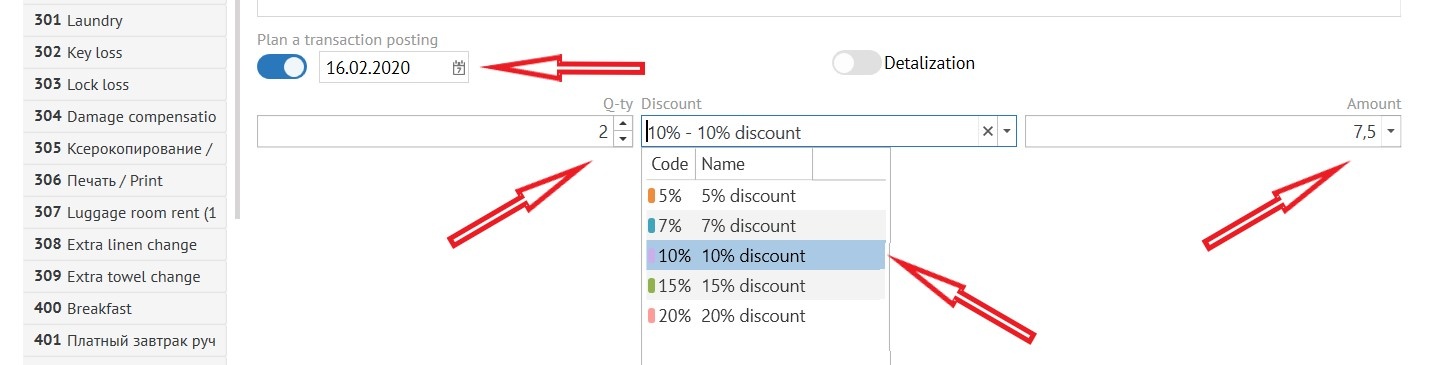
if you need the transaction to be posted on a certain date, you must click on this button and select a date (this option requires the user to have the “Post scheduled transactions" permission).
Discount - if you need to make a discount to this transaction click this gap and in pop-up window choose percent of discount.
Amount - in this gap, if it necessary, enter an amount or it will be automatically filled in from the settings.
To post the transaction click "Post charge"
To post and pay immediately click "Charge and pay"
 Далее необходимо нажать кнопку "Начислить" и услуга будет начислена.
Оплата
При нажатии кнопки "Оплатить" выпадает окно со следующими полями:
...