| Page properties | ||||
|---|---|---|---|---|
|
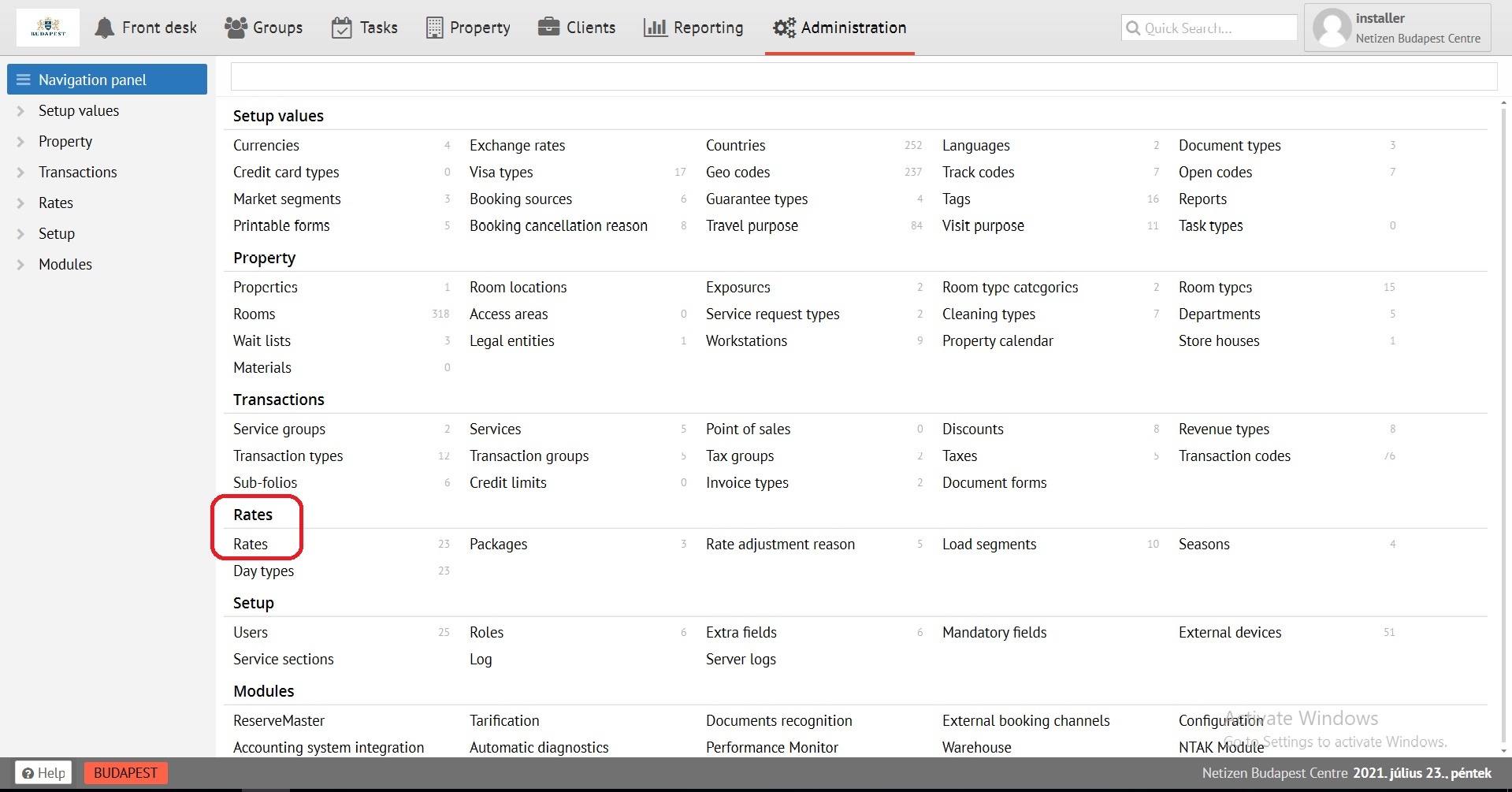
Create a rate using the "Add new" button in Administration, section Rates.
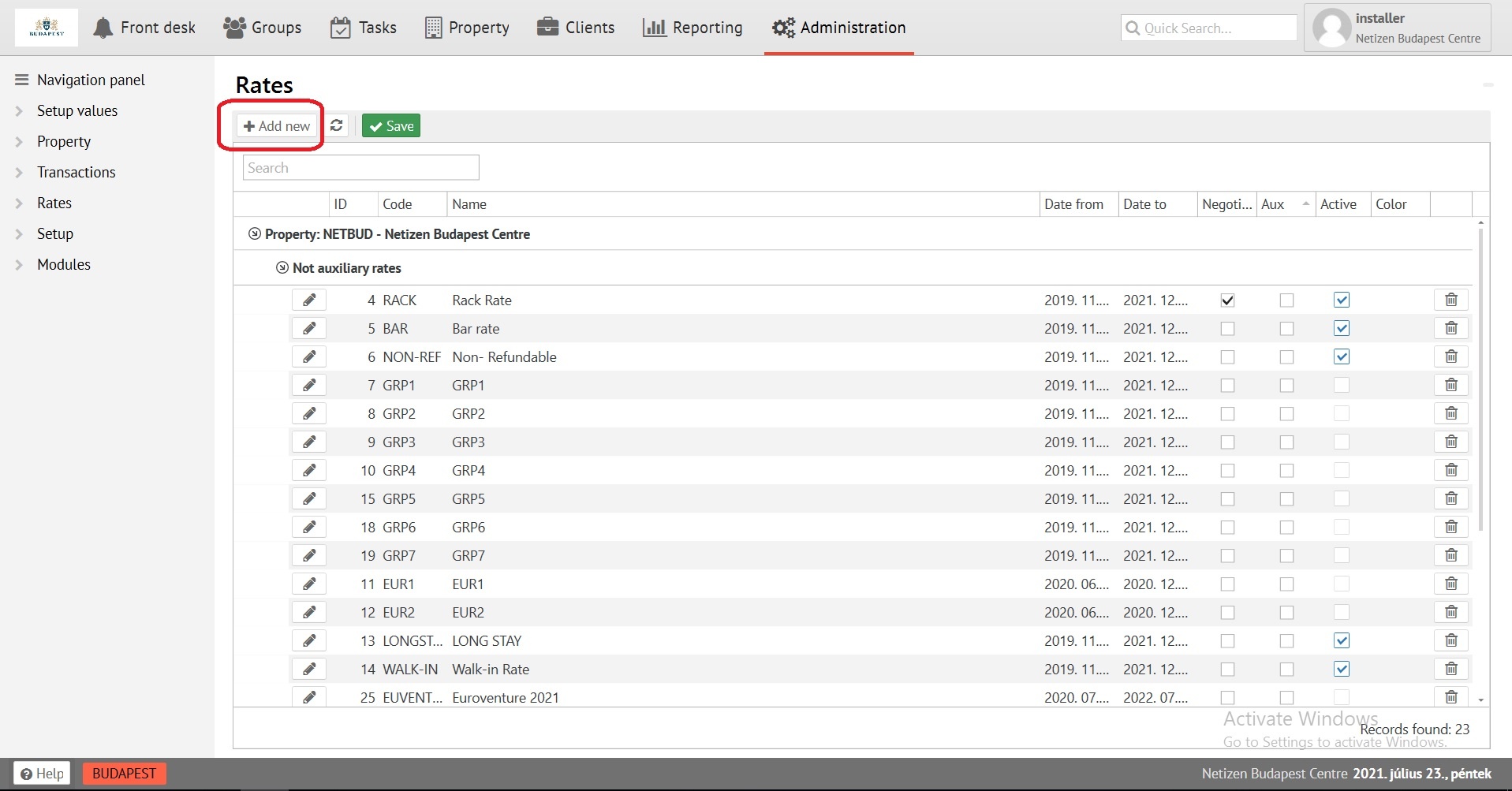
Fill in the first tab of the «General information»
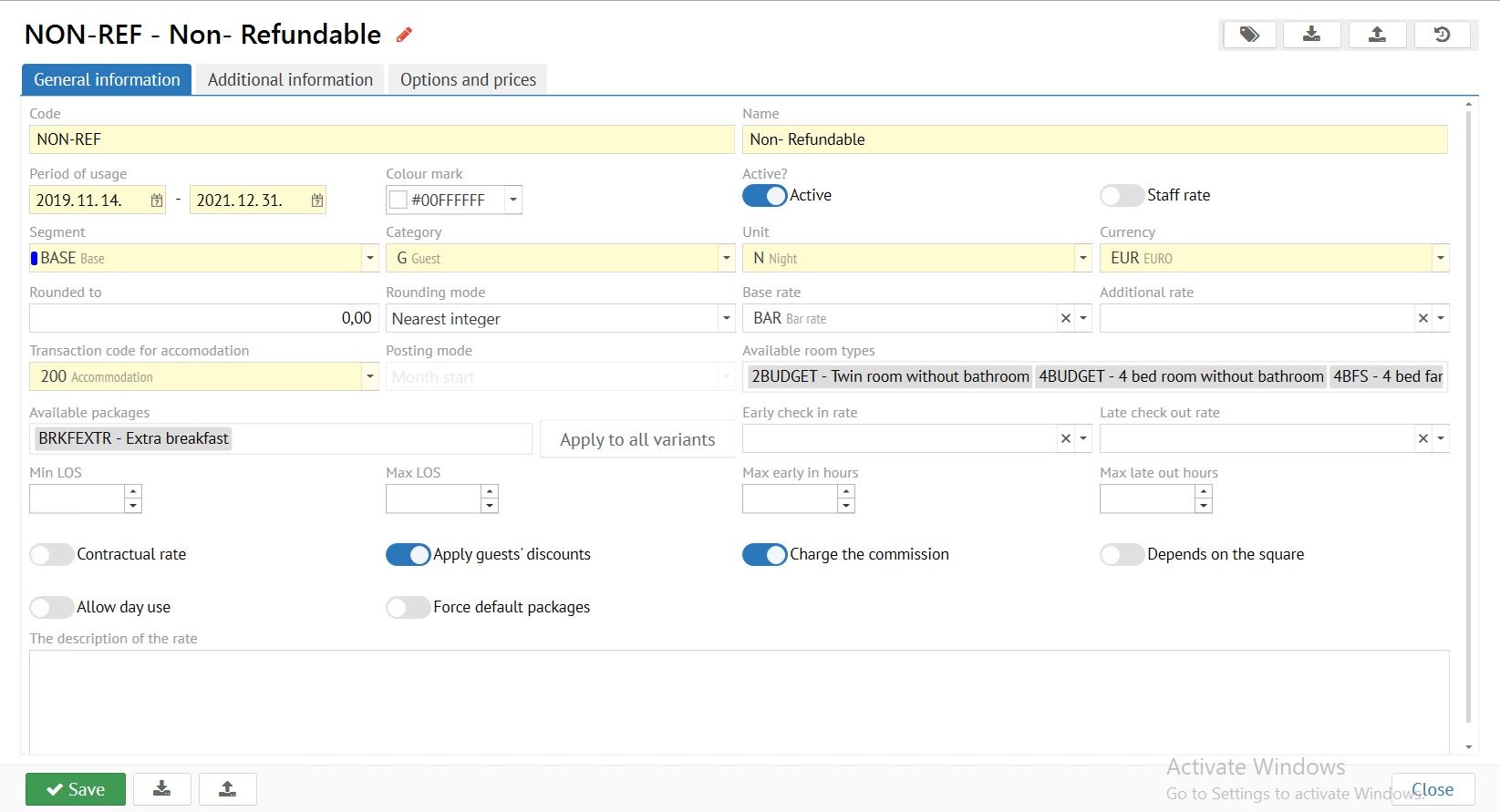 «General information»
Code - maximum 8 digits, displayed as rate identifier in all cards.
...
Period of usage- period of use of your rate.
Colour mark - rate visual colour.
Active? - DO NOT ACTIVATE TILL THE FIRST SAVING!
Staff rate - enable Enable to restrict access rights.
Marketing Segment - marketing information affecting to some reports, from statistics bar.
Category - rate category for Guests, Employees or Preferential. (affecting to "Manager report")
Unit - units of measurement: Units of measurement for standard rate NIGHT, DAY for standard rate, ; HOUR, MONTH for rent of premises or apartments. The same rate with the unit of measure H HOUR can be used for early arrival Check-in and late departure Check-out rates.
Currency: - EURO, Forint - standard, % - for calculating as a percentage of the maternal rate, applied for early arrival Check-in and late departure Check-out rates.
Rounded to / Rounding mode - allows rounding of room price in rate.
If Base rate - if it is necessary to calculate a rate from the already available to , select it for further calculation.
Select available room types for rate
...