...
- Go to Folio section
Tick the posted earlier transactions
Note Scheduled transactions could be committed first as well by ticking them and clicking on Save button
Click New document button - Choose "Invoice"
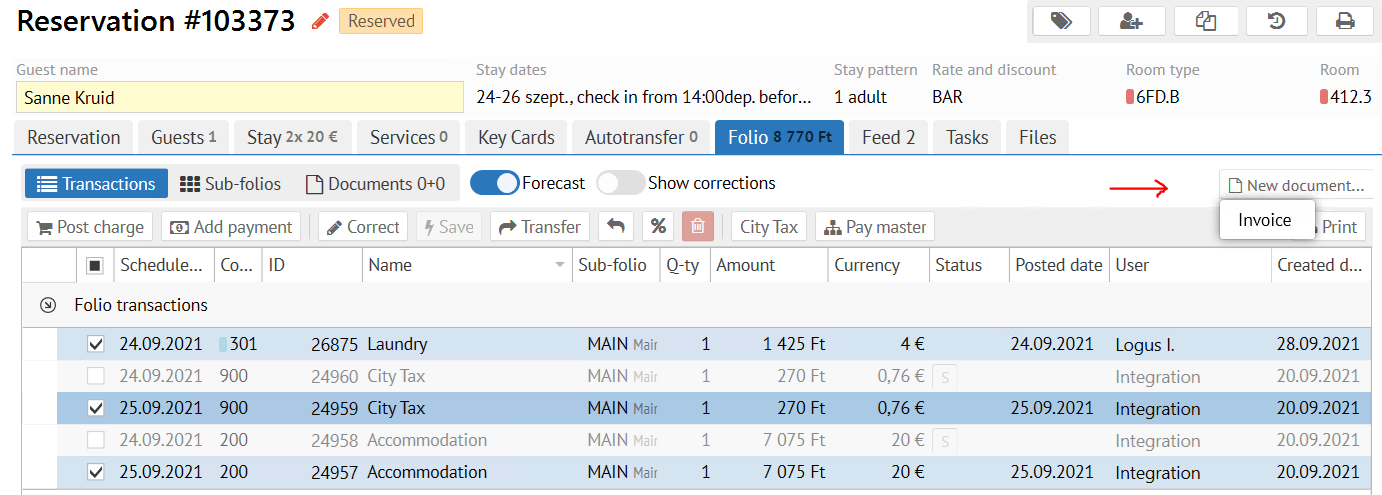
- Confirm an Invoice creation
Info Invoice creation will recalculate the local currency amount in the already posted transactions
Confirm an Invoice creation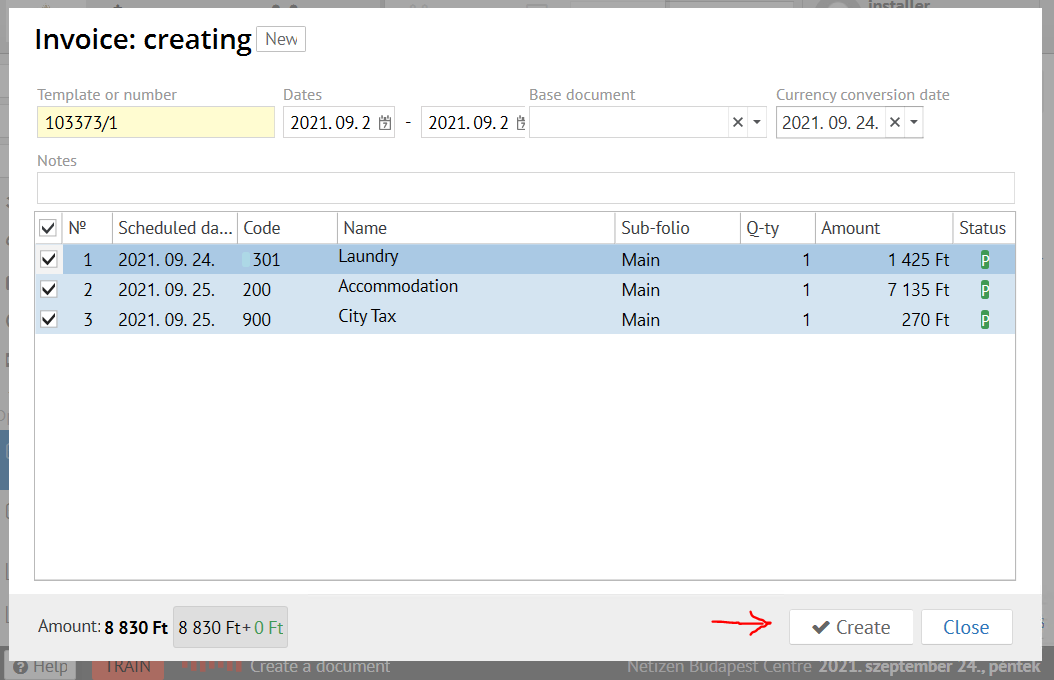
- Now click the "Add payment" button on the invoice generated and select the desired payment method like it shown on the screen below
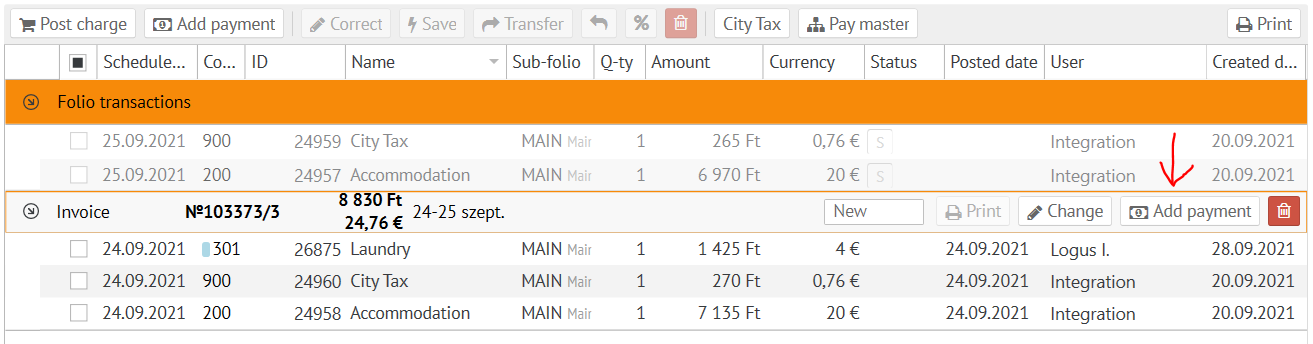
- Pick the necessary HUF payment method / Accept the payment
- Pick the desired invoice fiscalization method
- Confirm the payment fiscalization.
...