...
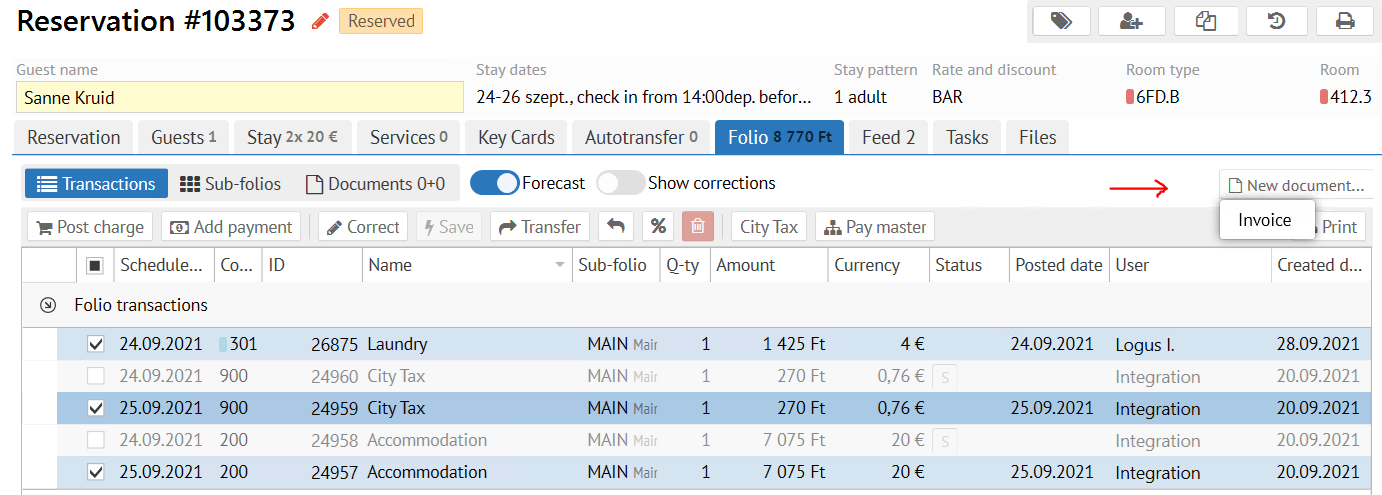
- Go to Folio section
Tick the posted earlier transactions
(include advance payment if any)
Note Scheduled transactions could be committed first as well by ticking them and clicking on Save button
Click New document button - Choose "Invoice"
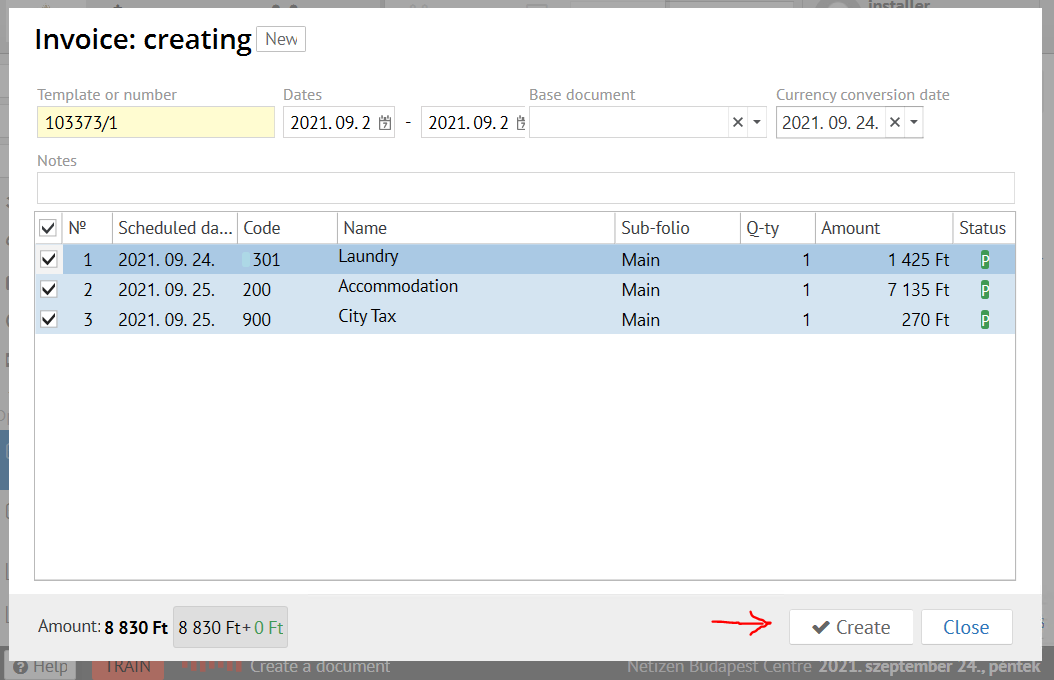
- Confirm an Invoice creation
Info Invoice creation will recalculate the local currency amount in the already posted transactions
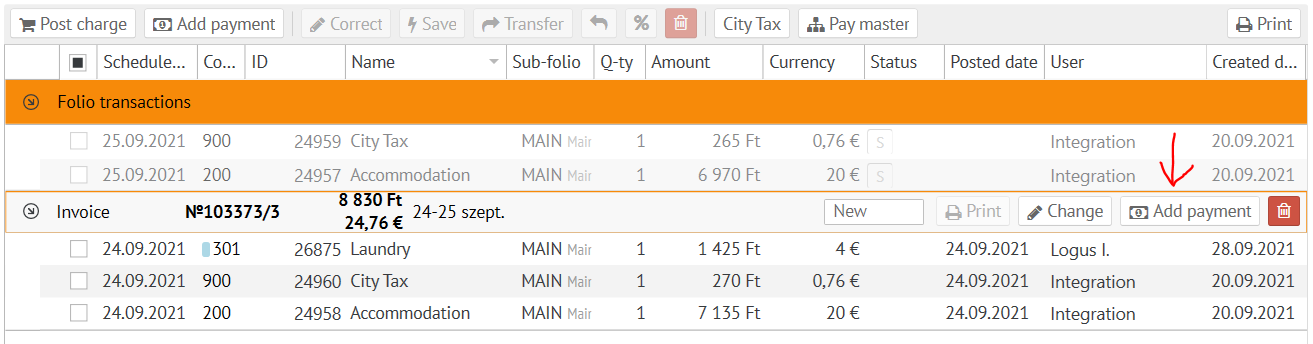
- Now click the "Add payment" button on the invoice generated and select the desired payment method like it shown on the screen below
- Pick the necessary HUF payment method / Accept the payment
- Pick the desired invoice fiscalization method
- Confirm the payment fiscalization.
...