...
Please, make sure to follow the instructions below in case you have previously posted transactions in the folio
| Tip |
|---|
Now With this method you do not need to recalculate the amount in local currency or change the date of the exchange rate. |
...
- Go to Folio section
Activate forcast
Mark the required revenue transactions
And click on "⚡️Save"
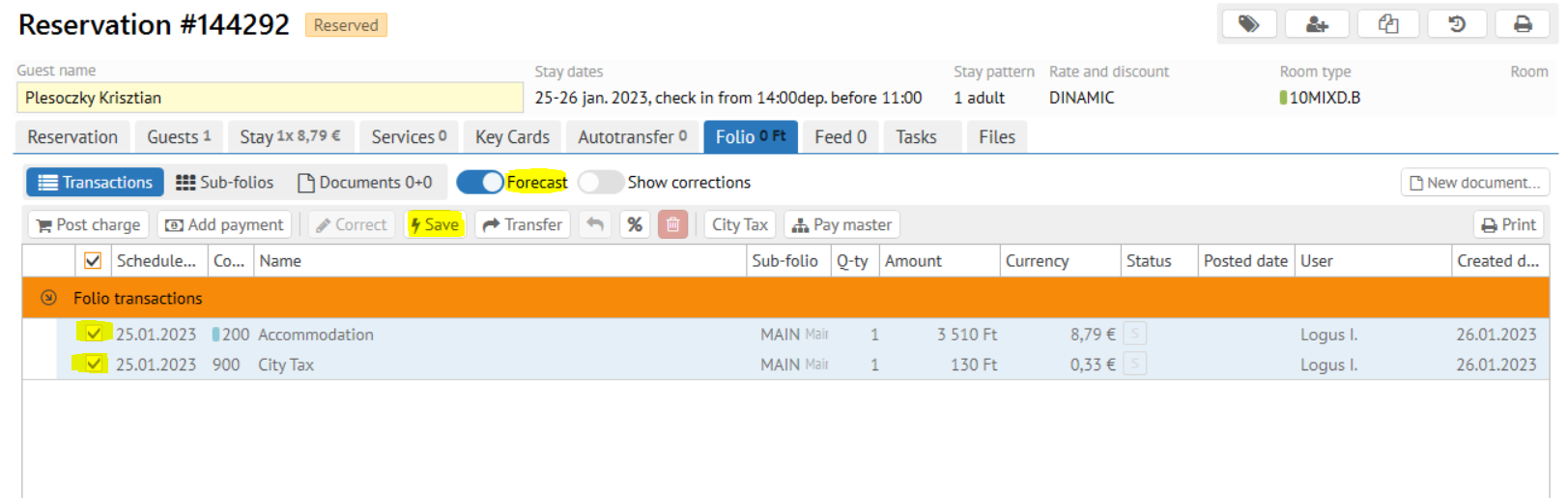
- Again mark now the commited transactions
- And click New document \ Invoice
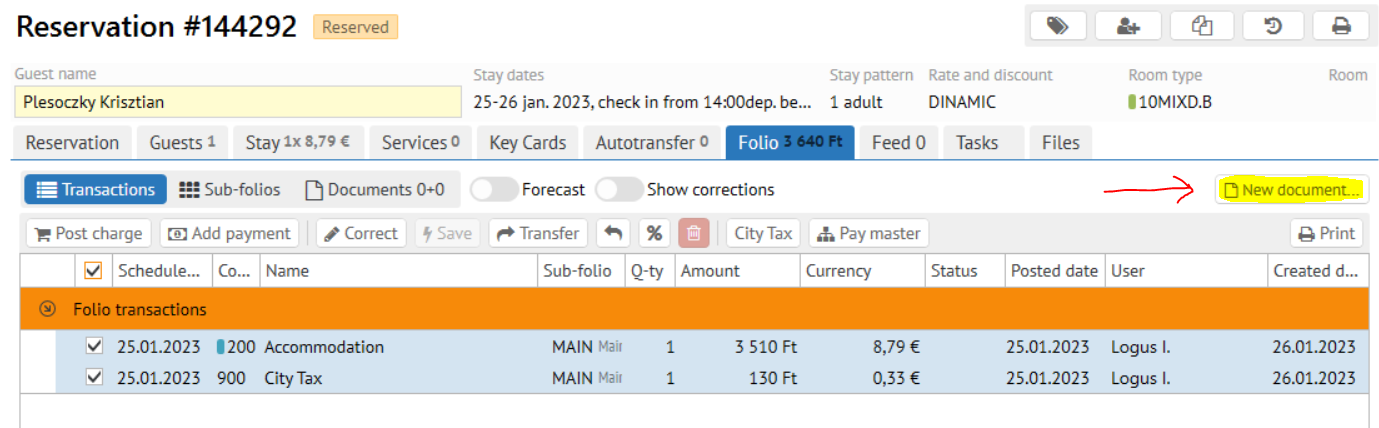
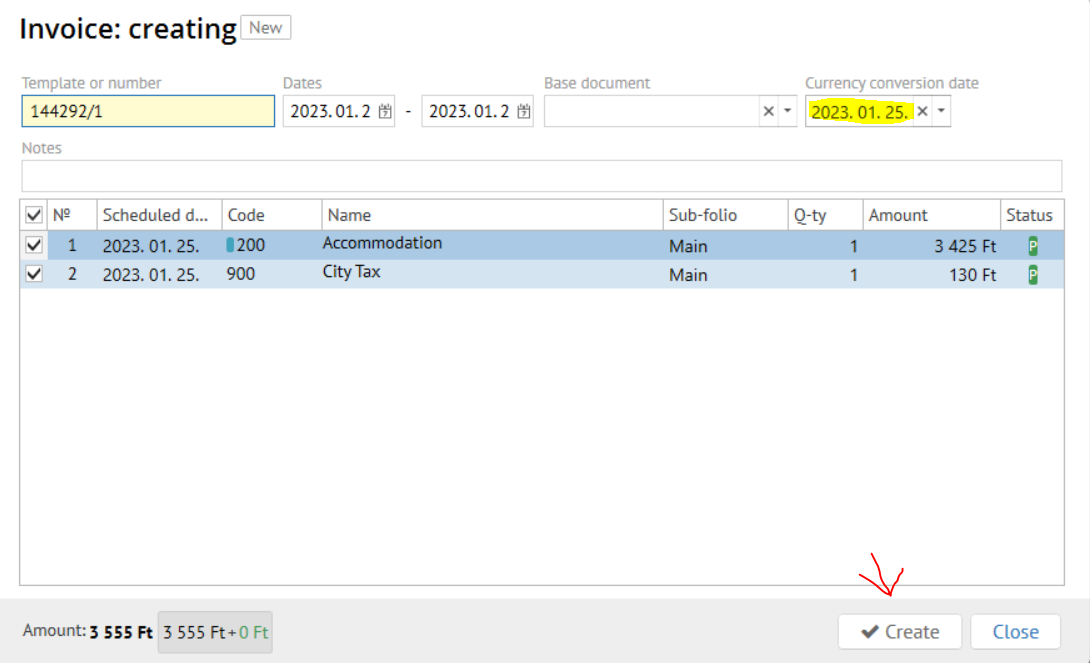
- Make Just make sure the currency exchange date in the invoice is right
- Confirm invoice creation
- Click the "Add payment" button on the new invoice created (exactly like it shown on the screen below)
- Pick the necessary EUR payment method payment method (HUF or EUR) / Accept the payment
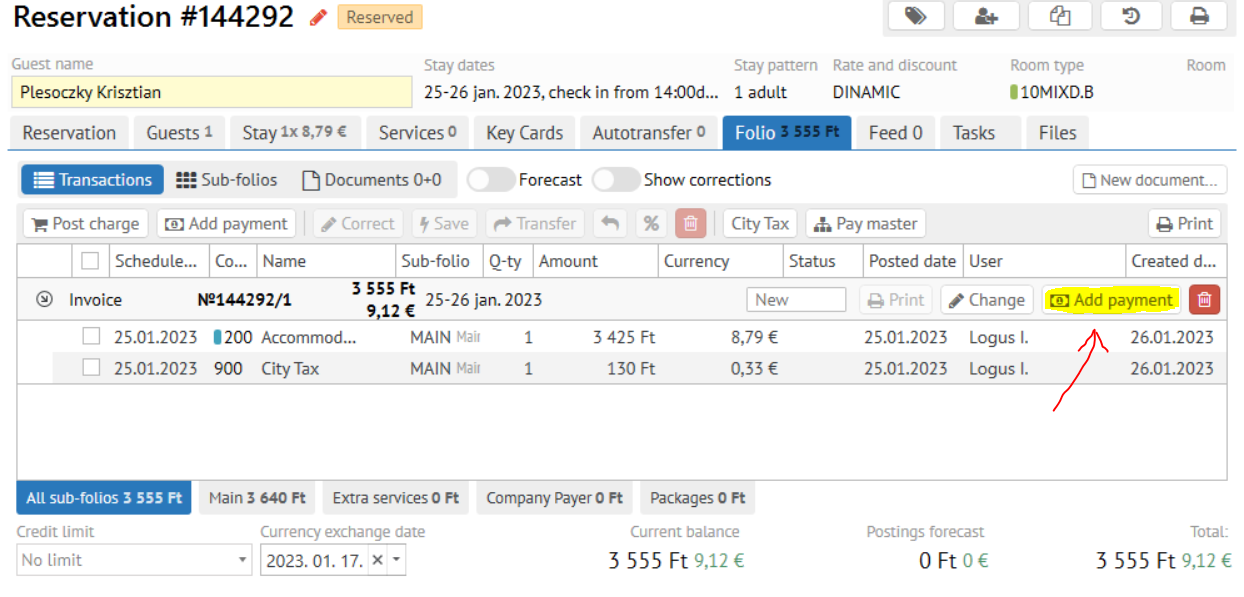
- Confirm the payment fiscalization.
...