Please, make sure to follow the instructions below
| Tip |
|---|
| When paying in euros, you do not need to recalculate the amount in local currency or change the date of the exchange rate. |
- First go to Folio section and turn on Forcast slider.
Tick the scheduled and posted transactions before accepting payment.
Note Revenue transactions should be ticked before accepting payment.In case of EUR currency payment it is unnecessary to recalculate the local currency amount before payment.
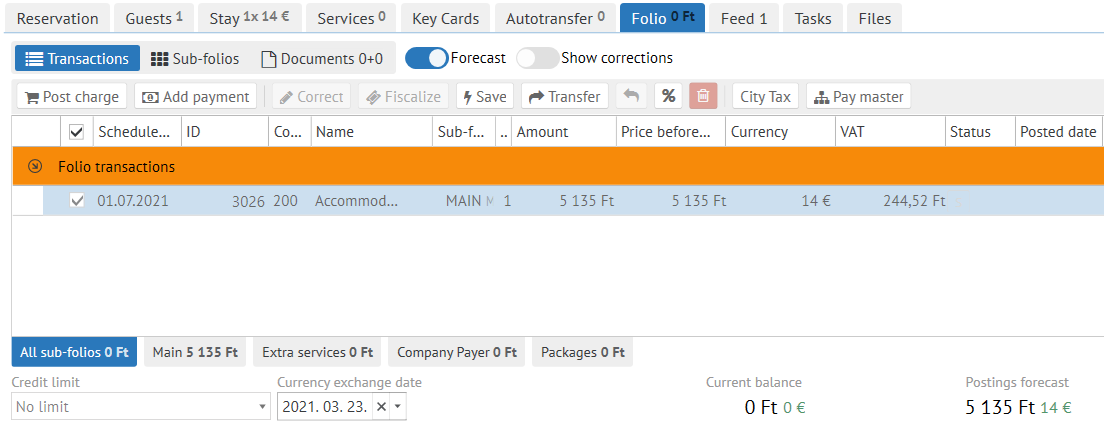
Now click the "Add payment" button and select the desired payment method in EUR currency.
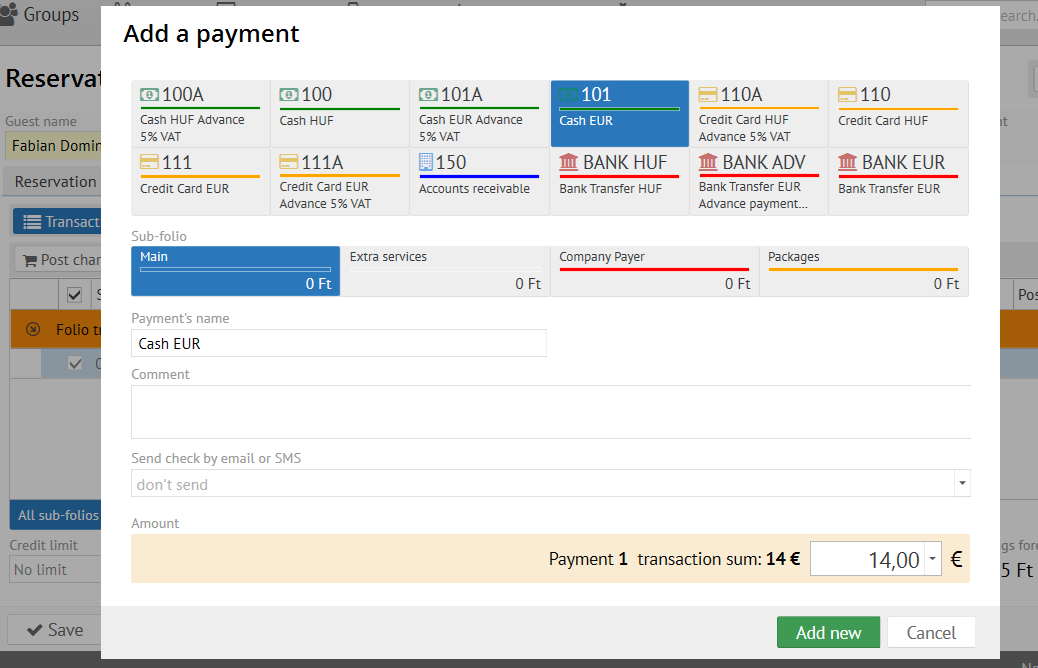
- Pick the desired invoice method
Confirm the payment fiscalization.
Info The local currency amount will be automatically equalized to the currency exchange the date of payment currency exchange rate