This guide walks you through the process of
...
payment in HUF upon arrival
It can also be used when revenue transactions have already been posted previously to the folio.
| Tip |
|---|
With this method you do not need to recalculate the amount in local currency or change the date of the exchange rate. |
...
- Go to Folio section
Activate forcast
Mark the required revenue transactions
And click on "⚡️Save"
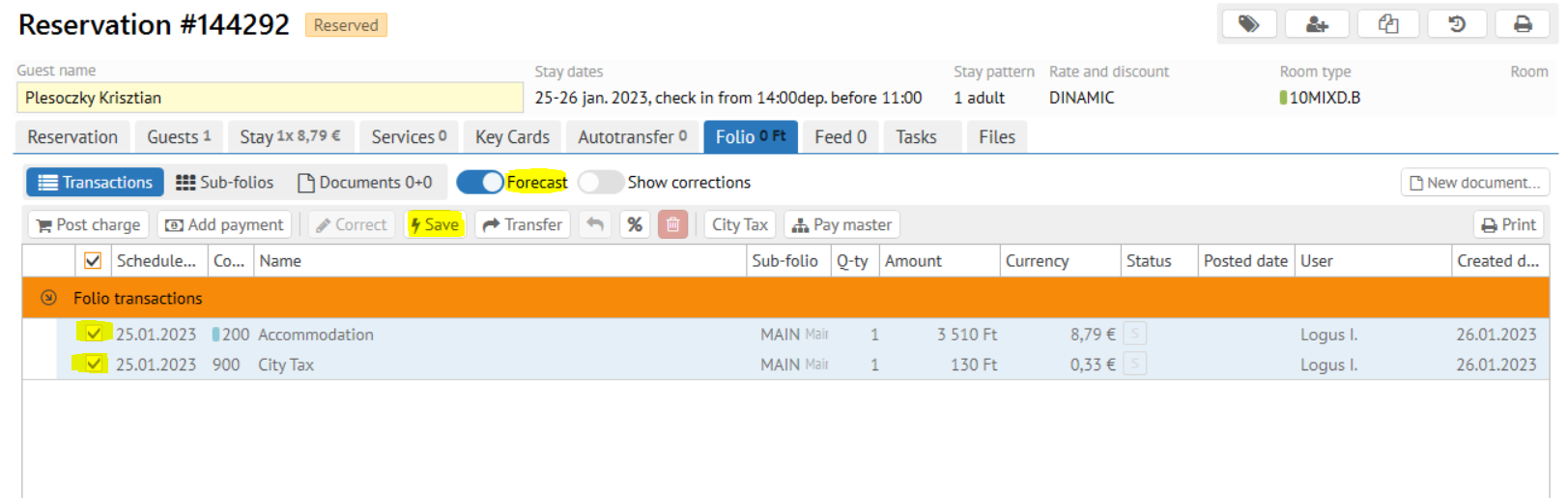
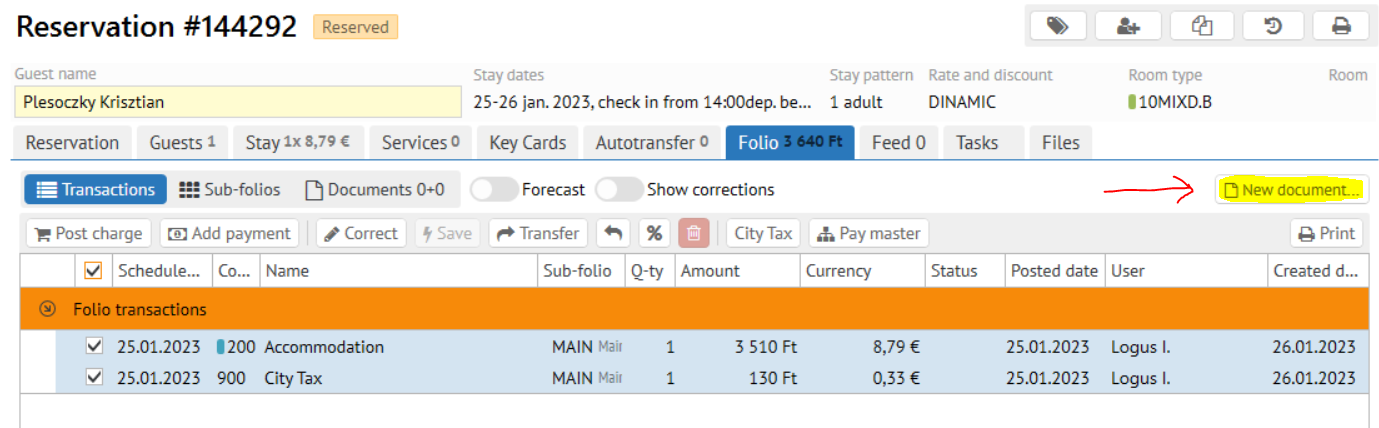
- Again mark now the commited transactions
- And click New document \ Invoice
- Just make sure the currency exchange date in the invoice is right
Confirm invoice creation
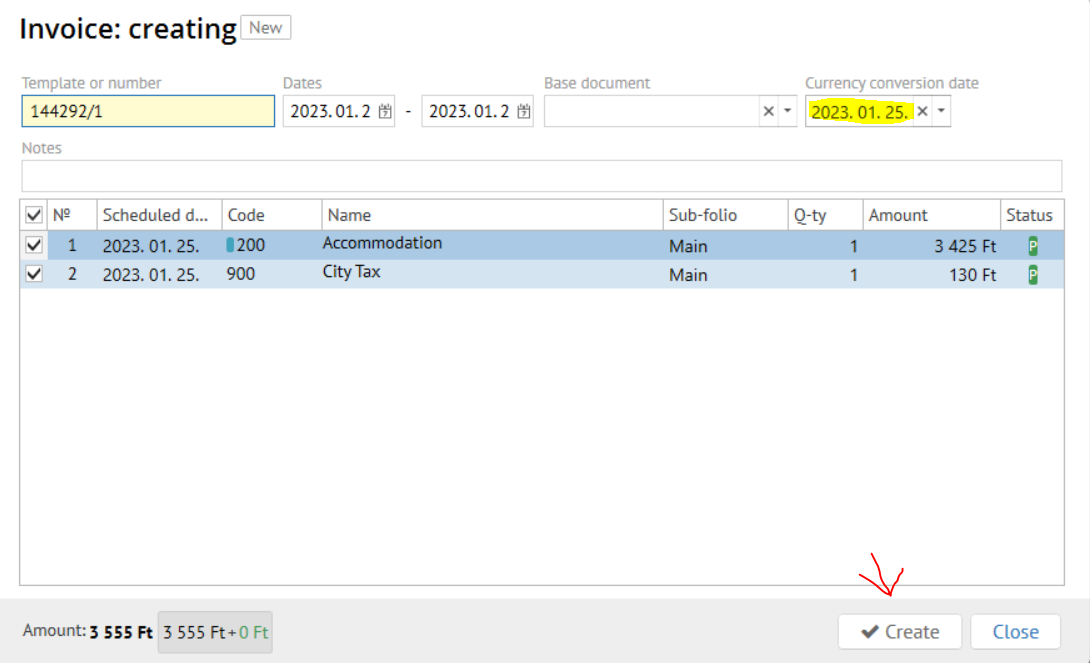
Info When creating an invoice, the amount in local currency will be recalculated and an exchange rate correction transaction will be added, if necessary.
- Click the "Add payment" button on the new invoice created (exactly like it shown on the screen below)
- Pick the necessary payment method (HUF or EUR) / Accept the payment
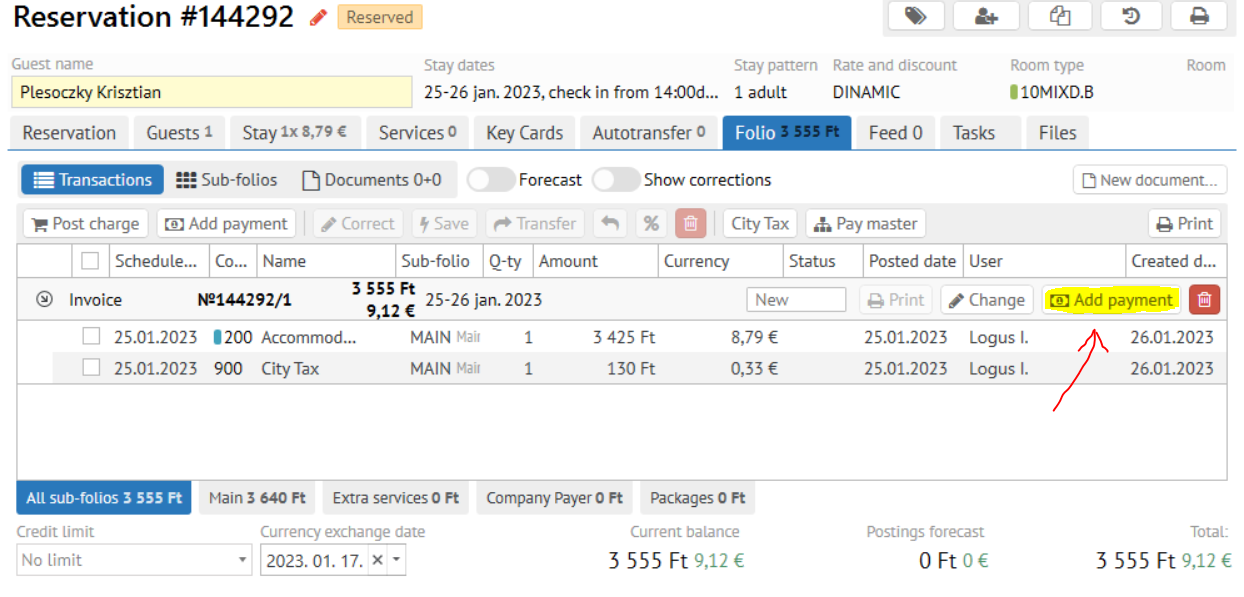
- Confirm the payment fiscalization.
...