...
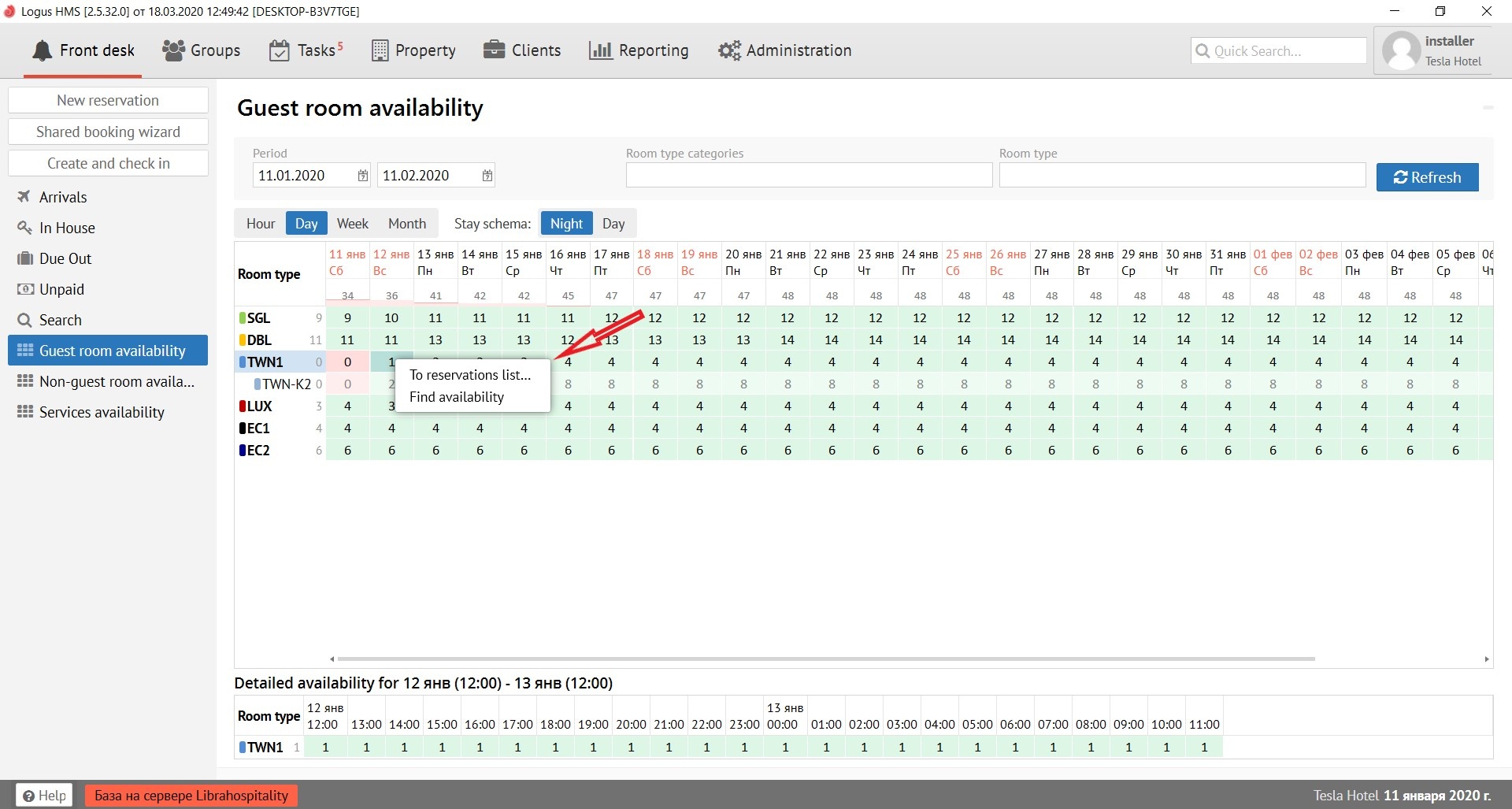
The room availability field is painted in 2 colors: green and red. They indicate the number of available rooms on the date.
При наведении мышкой на цифру в поле наличия комнаты всплывает вспомогательное окно со следующими пунктами:
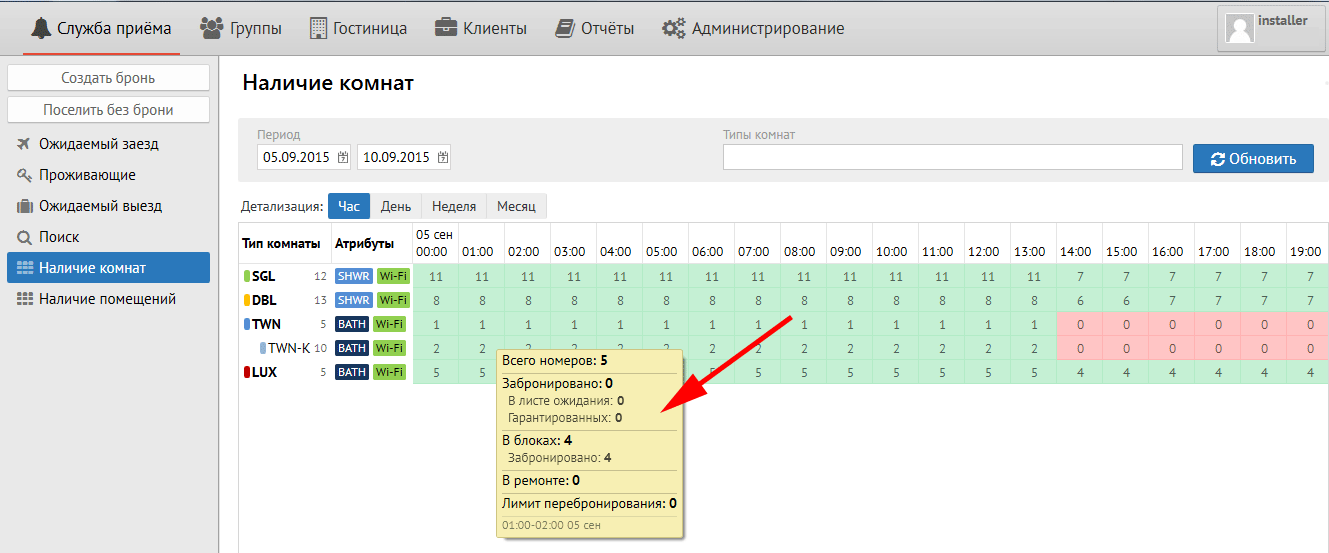
Всего номеров – количество номеров по конфигурации данного типа комнаты.
Забронировано – количество броней данного типа комнаты на дату.
В листе ожидания – количество броней данного типа комнаты в листе ожидания.
Гарантированных – количество гарантированных броней (с гарантией оплаты «Безнал») данного типа комнаты.
В блоках – количество групповых блоков данного типа комнаты.
В ремонте – количество комнат на ремонте (вне продаж) данного типа комнаты.
Лимит перебронирования – лимит (количество комнат), на которое можно уходить в минус (овербукинг) данного типа комнаты.
При нажатии правой кнопки мыши на цифру наличия в поле появляются 2 подсказки: «К списку броней» и «Диагностика наличия…»
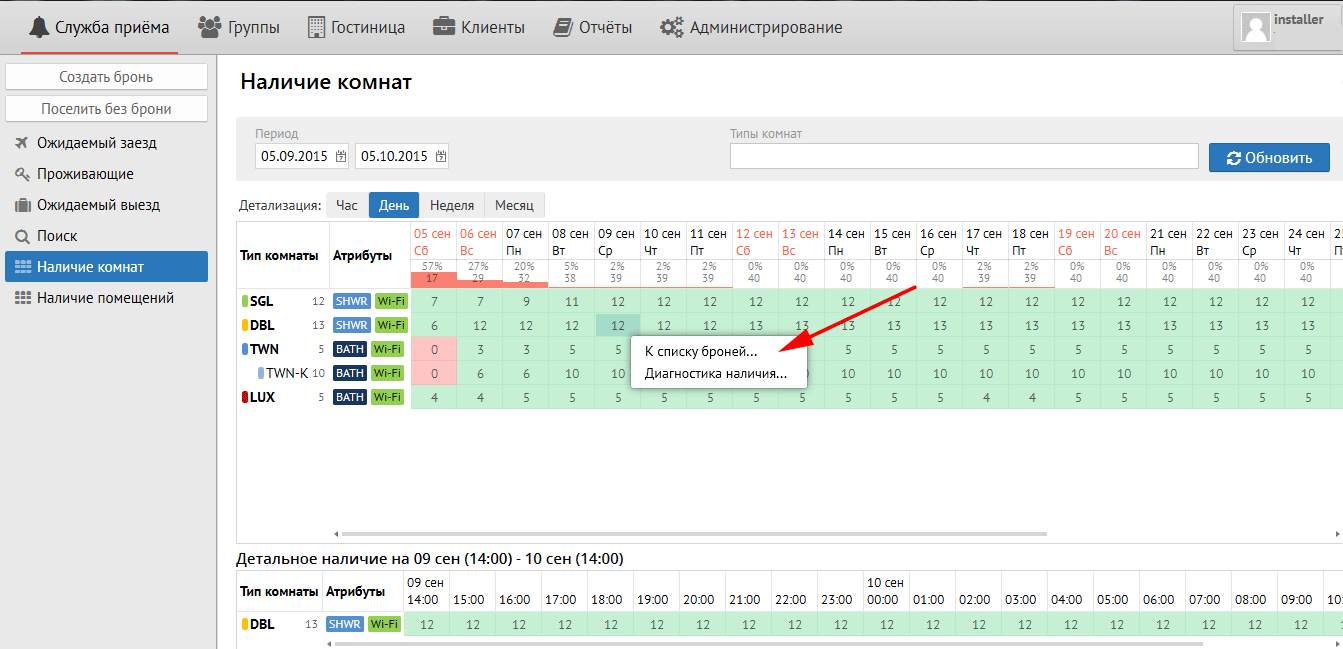
«К списку броней» – перейти к списку броней данного типа комнаты на выбранную дату
«Диагностика наличия…» – лог файл, использующийся для детального выяснения: когда и какое кол-во броней выбранного типа на выбранную дату было сделано. Имеет возможность выгрузки в Excel.
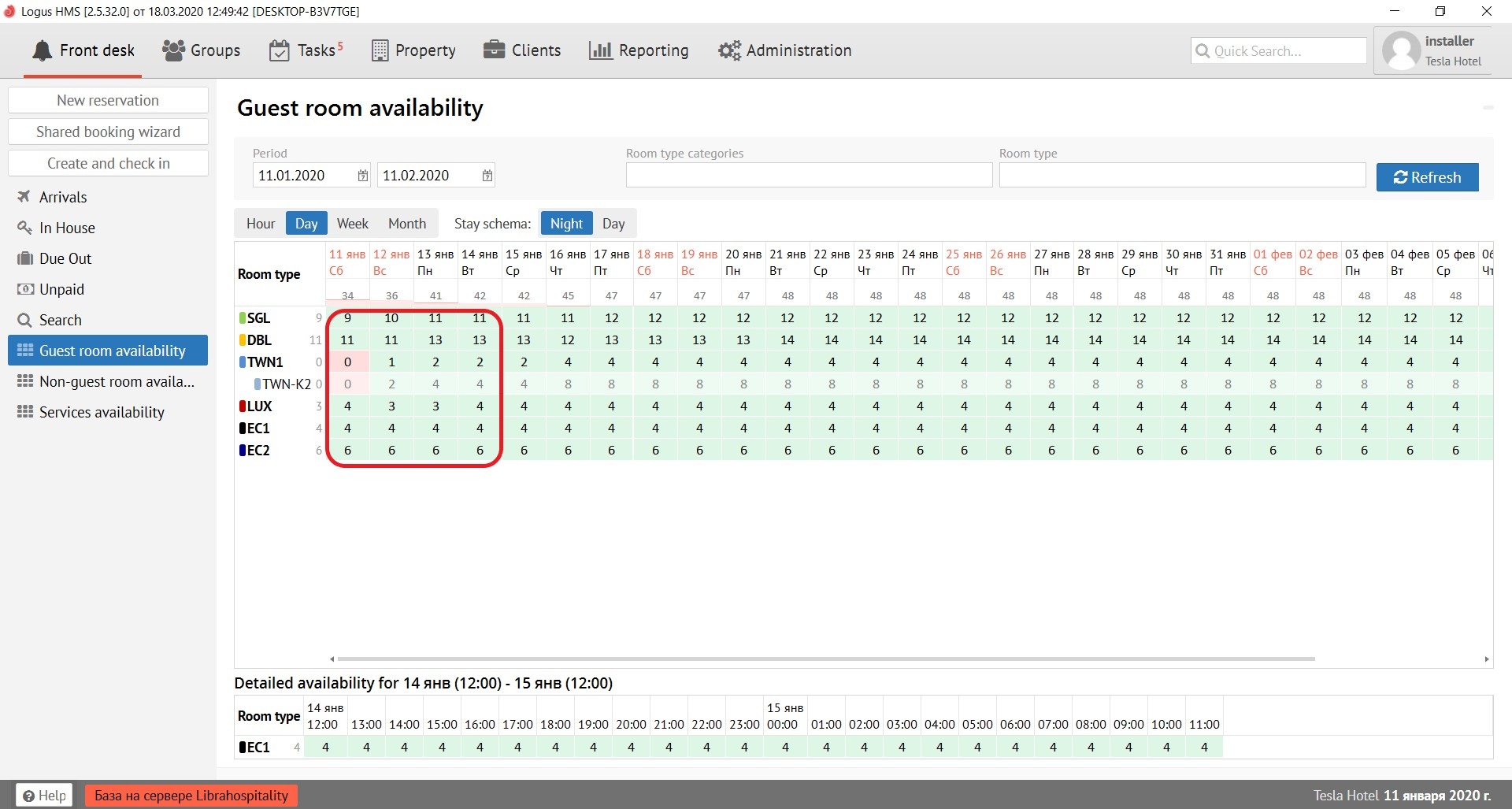
When you put your cursor over the precise spot in availability column on available number of rooms, then pop-up menu come.
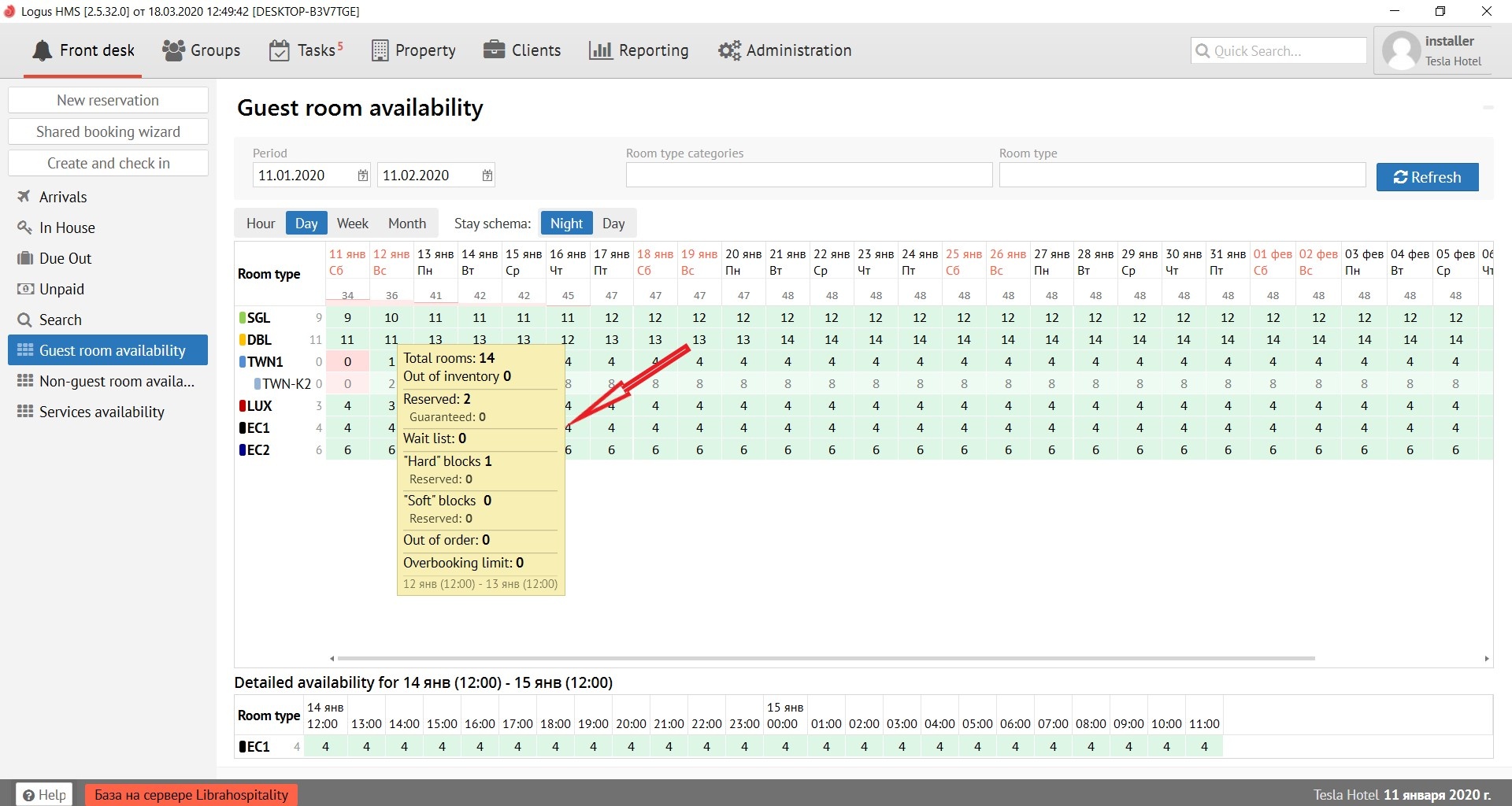
This menu shows:
Total rooms - the number of rooms according to the configuration of this type of room.
Out of inventory - rooms to be repaired
Wait list - the number of reservations of this type of room in the waiting list.
Reserved - the amount of reservation for this room type on the date.
Guaranteed - the number of guaranteed reservations (with the guarantee of payment "Cashless") of this type of room.
Hard blocks - the number of group blocks of this type of room.
Soft blocks - not used in release 2.3 and higher.
Out of order - the number of rooms under repair (out of sales) of this type of room.
Overbooking limit - is the limit (number of rooms) that you can go to minus (overbooking) of this type of room.
When you right-click on the availability number, 2 hints appear in pop-up menu: “To the list of reservations” and “Diagnostics of availability”
“To the list of reservations” - go to the list of reservations of this type of room for the selected date
"Diagnosis of availability" - a log file used to clarify details: when and how many reservations of the selected type and date was made. The list has the ability to upload to Excel.
ATTENTION: By default the table of Availability of rooms opens by day.ВНИМАНИЕ: Таблица Наличия Комнат по умолчанию открывается по дням