This instruction can only be used before the arrival of the guest or upon check-in.
If you already have transactions posted previously in the folio, please goto Payment in HUF (new)
| Tip |
|---|
Please, make sure to follow the instructions below
| Note |
|---|
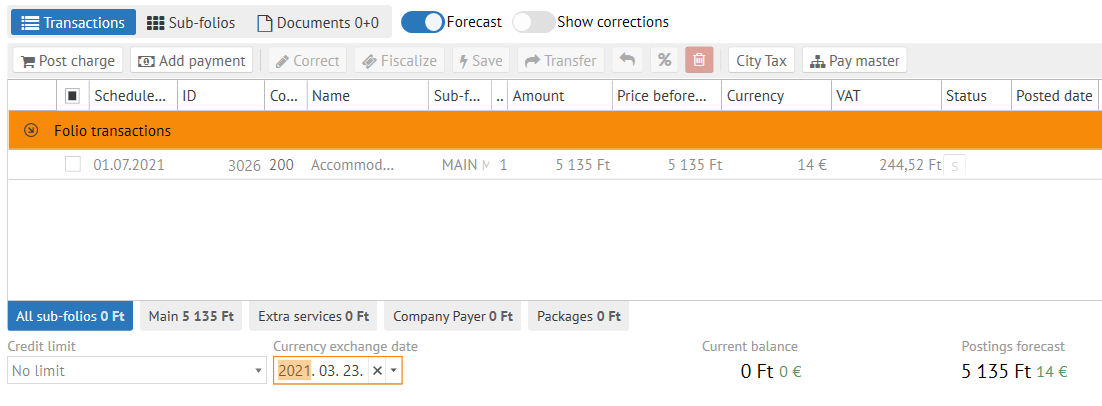
The Currency exchange date in the folio is normally set to the date of arrival.You can a date of arrival. |
| Note |
|---|
| You might need first to manually change the currency exchange date if you need to. |
| Tip |
|---|
| Don`t forget value to a current date. You also need to Recalculate local currency stay amount if you after you have changed the Currency exchange date. |
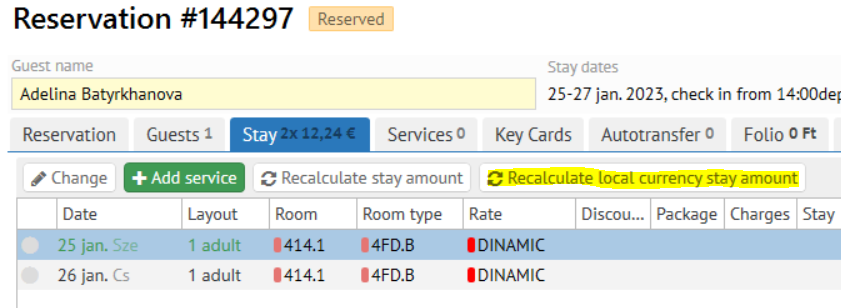
- Then go to Folio section and turn on Forcast slider. (Local currency amount of stay now could be seen in the scheduled transactions)
Tick the scheduled transactions before accepting payment.
Note title Necessarily Scheduled transactions should be ticked before accepting payment
...