1. Work with Groups
Click the Groups tab to start working with "Groups":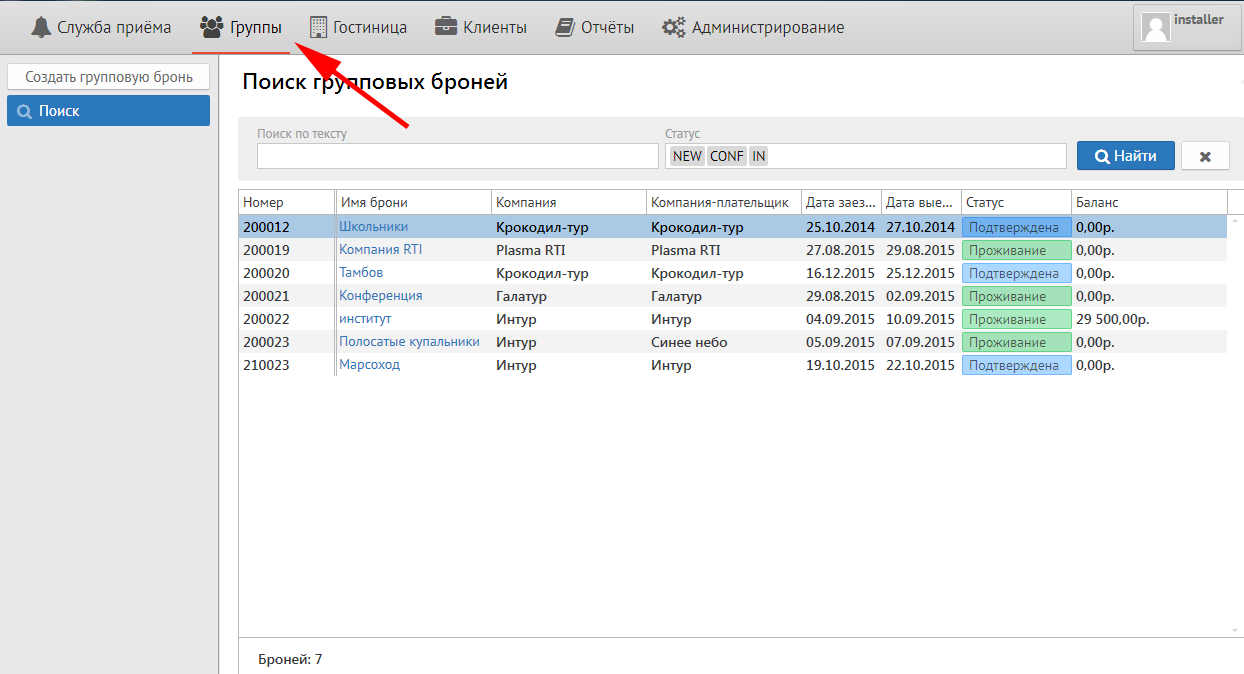
After that from the left will be three buttons:
1) New group reservation
2) Search (This button follows to search group reservation with any status)
3) Blocks under pickup
2. To make a new group reservation
To make a new group reservation press the button "New group reservation". You will see the next screen:
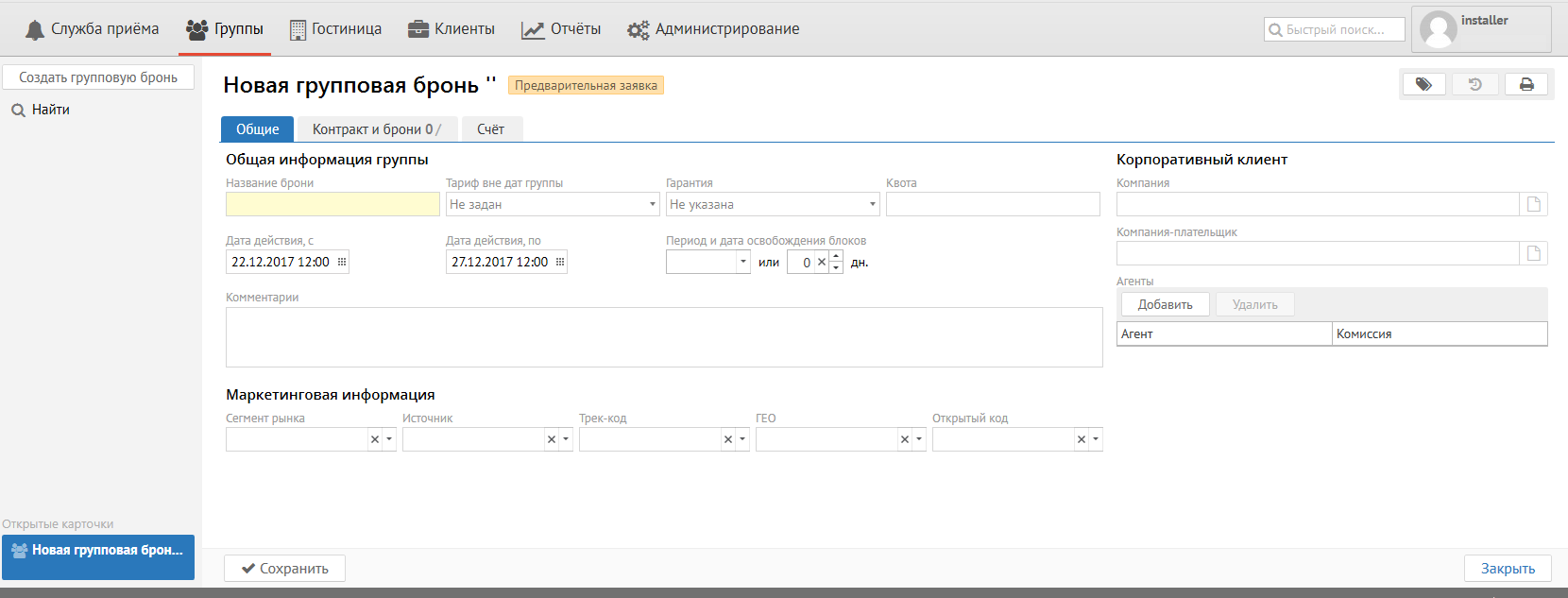
It shoud be fill in the next fields in "General" tab:
Reservation name - Any name for group identification.
Rate is outside of group dates - Fill it in case of any guest will prolong its stay at the hotel after check out the group (choose the rate that will be used by guest after group check out).
Guarantee - Payment guarantee (Cash, Bank transfer, Bank card, etc.).
Company - Company name.
Account Receivable - Fill it in case of Bank transfer payment only.
From date ..... To date .... - First date for check in of first guest from group ...... Last date for check out of last guest from group.
Room block release date - Date or quantity of days for release unpickable rooms for sale
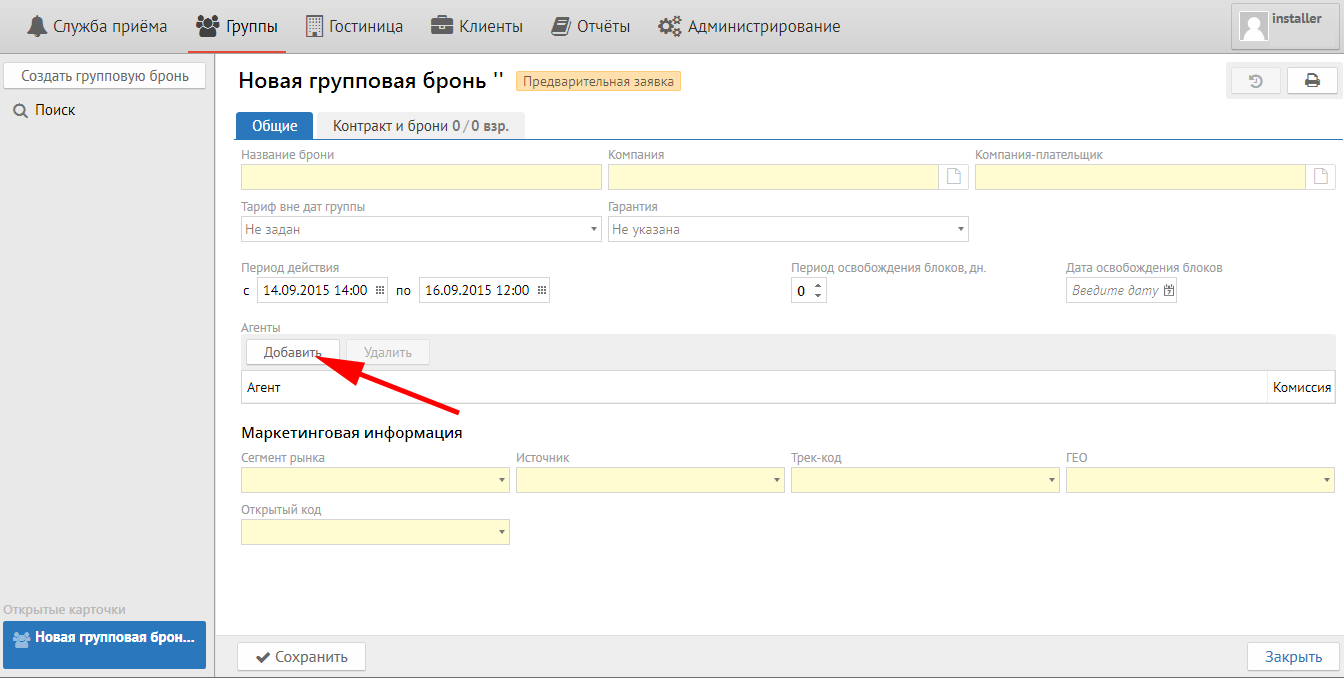
Agents:
Click "New" button and choose Agent from the list in special field in case of Group come from Travel Agency and you should pay comission.
Market information:
Market segment - segment of bussines
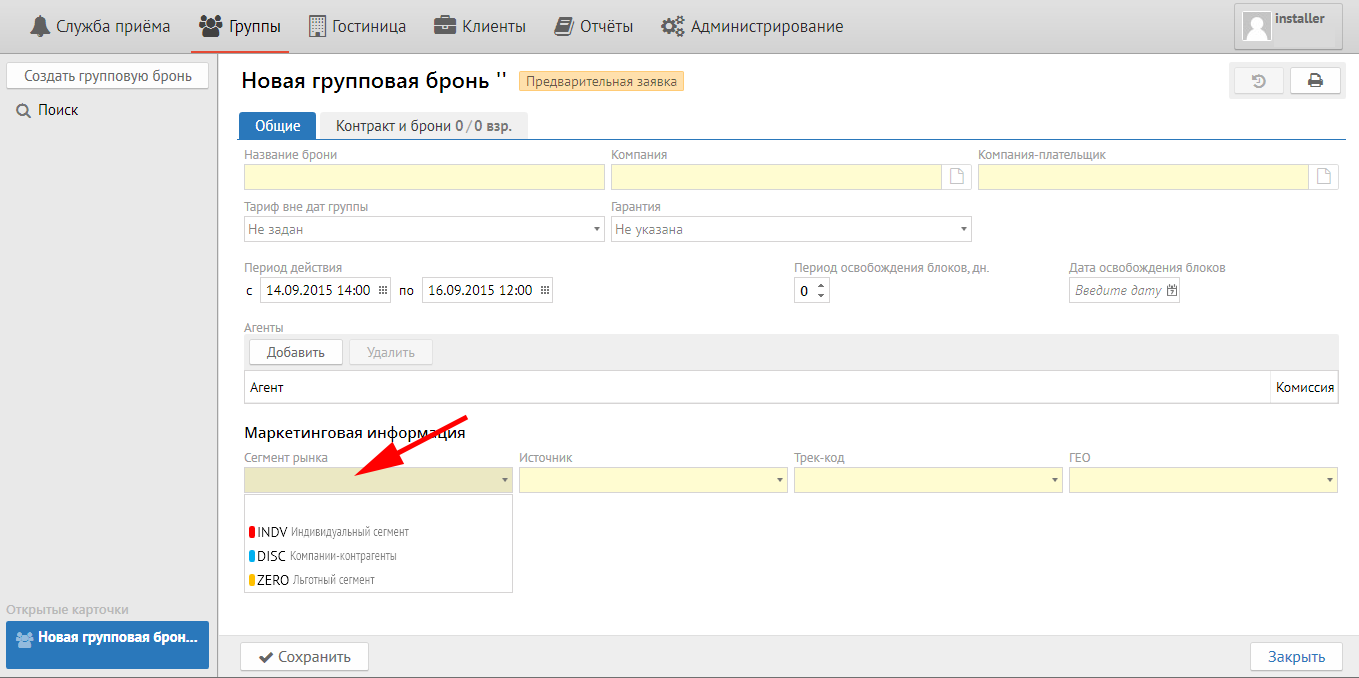
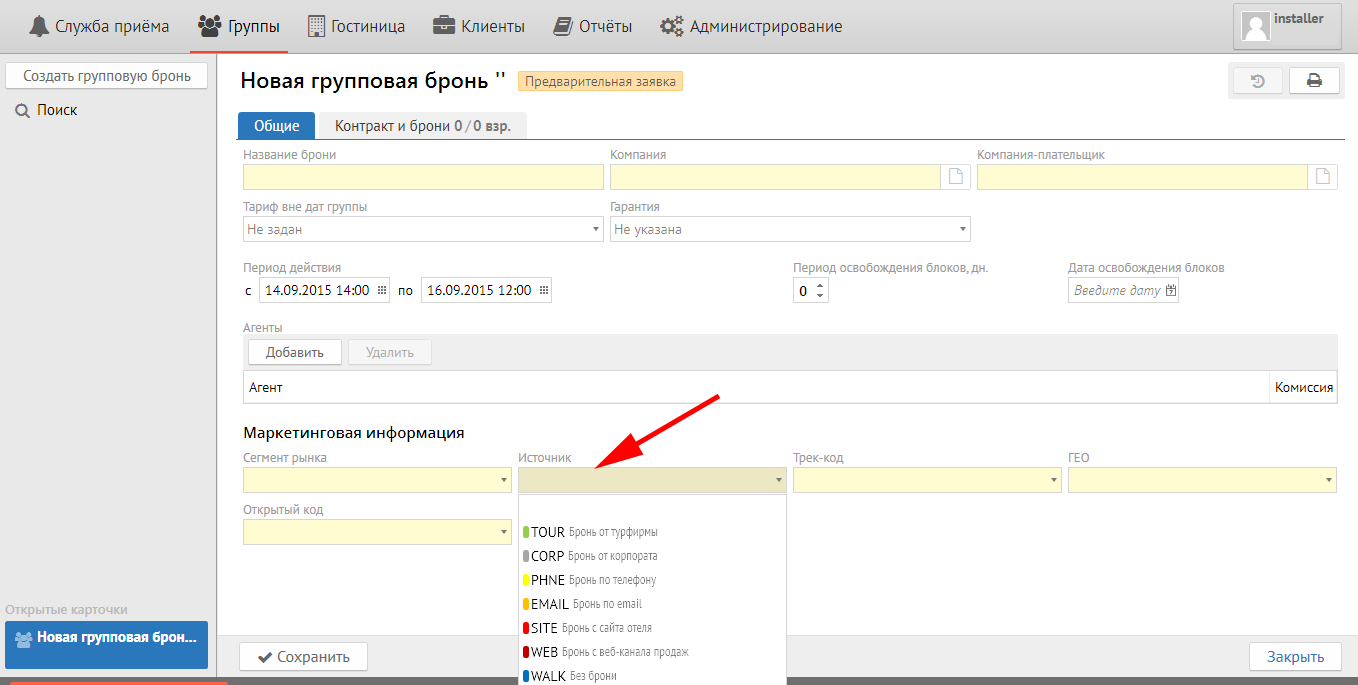
Source - source of reservation:
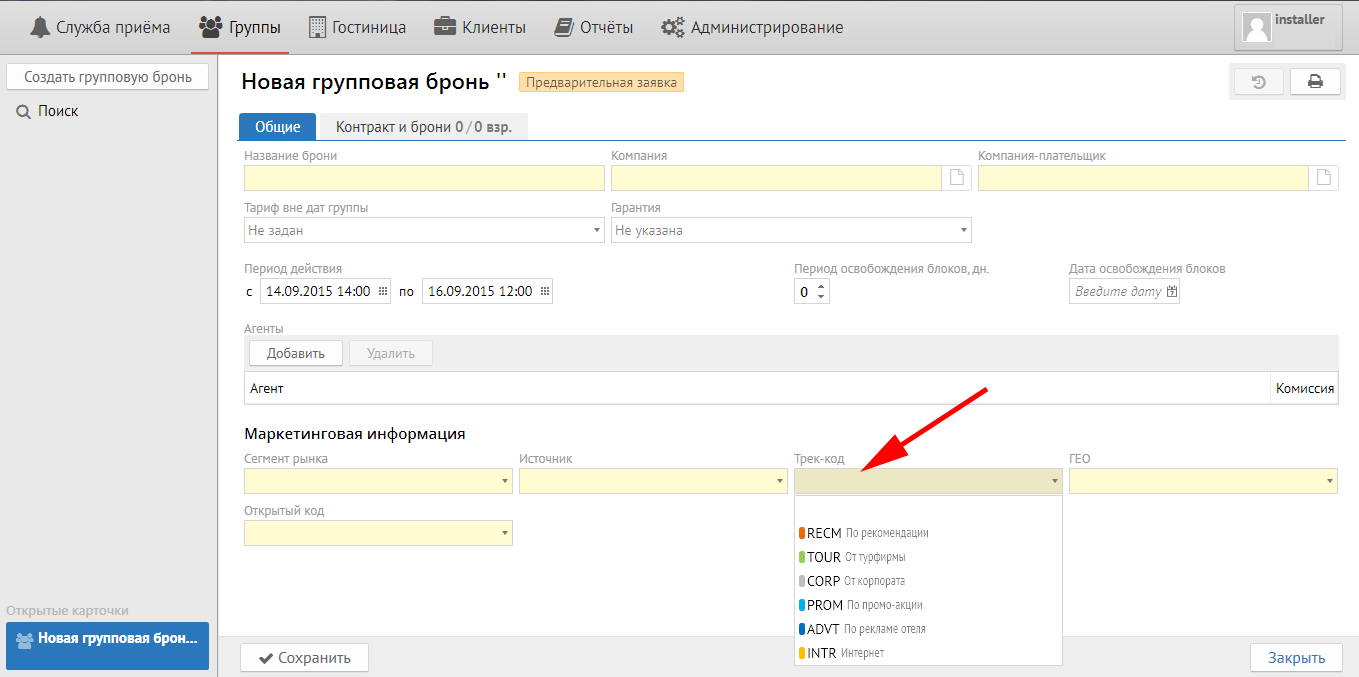
Track - purpose of visit at the hotel:
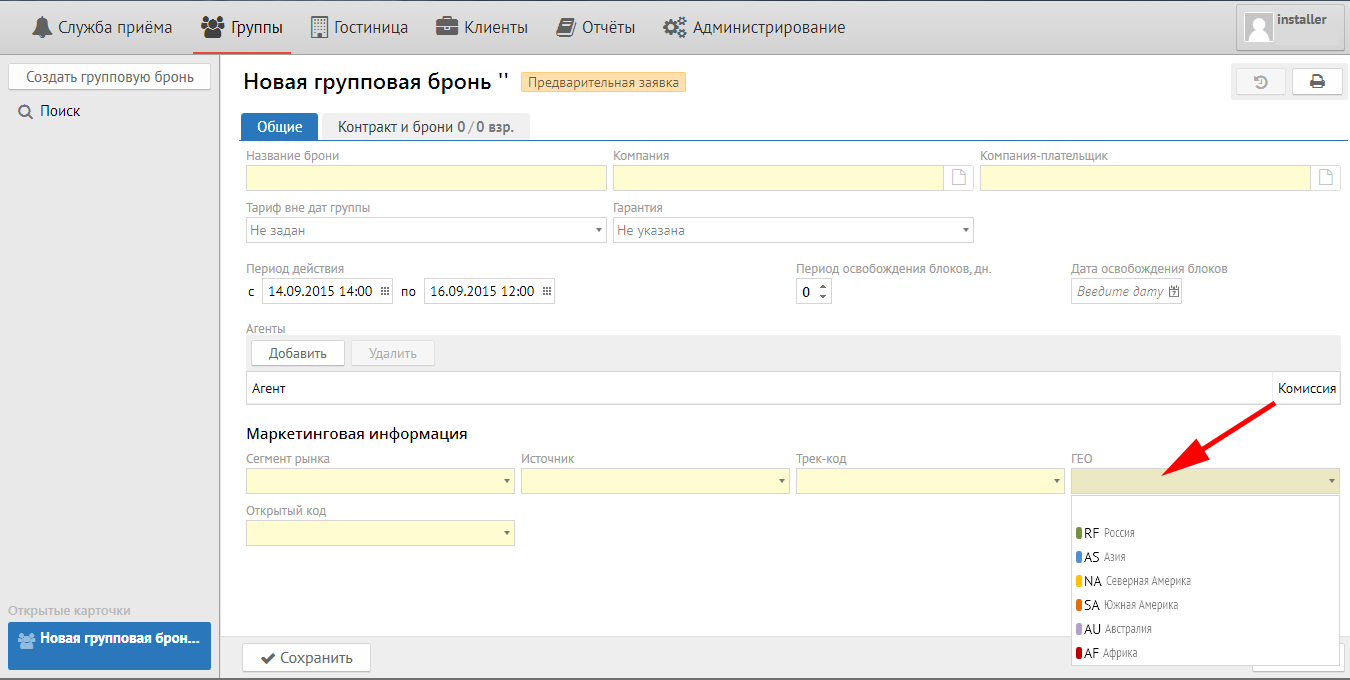
Geo- geografy of guest (country, region or city):
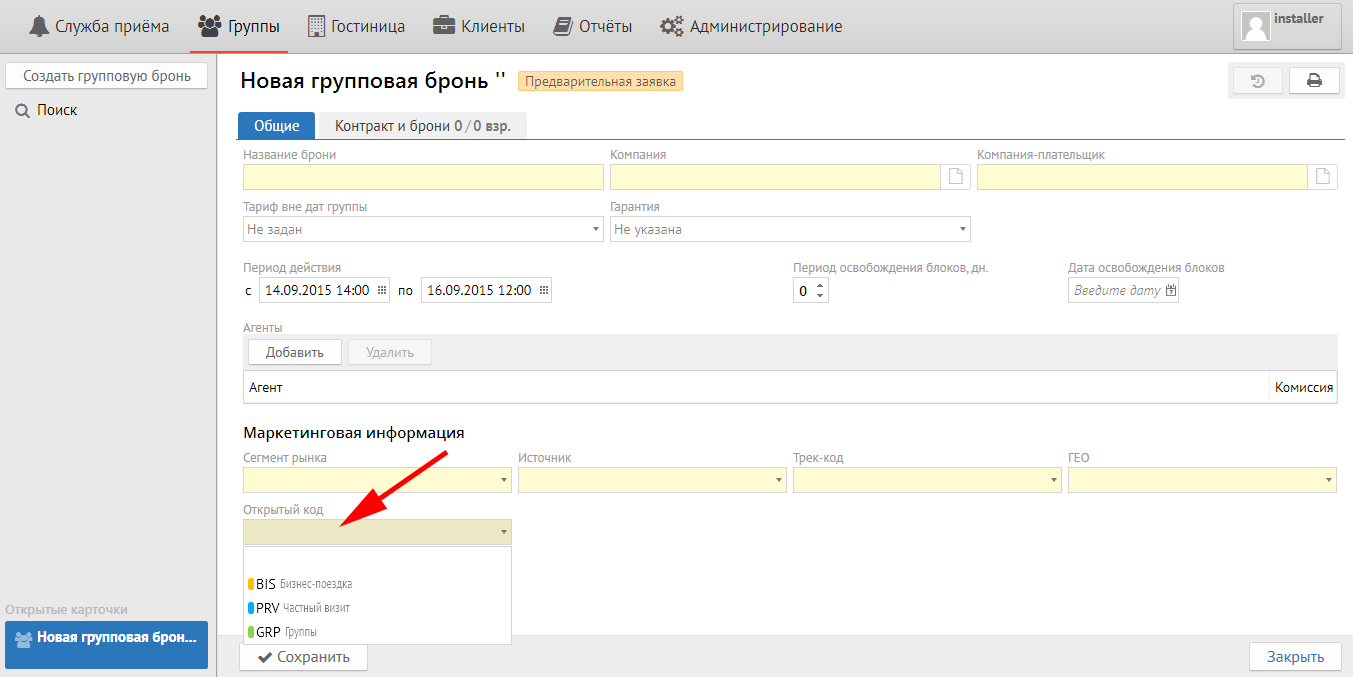
Open code - any information neccessary for hotel from Open code setup (purpose of visit, type of advertizing, company legal name, etc.):
Contract tab
Press "New contract" button for adding contract.
Important: quantity of accommodation variants is equal to quantity of contracts.
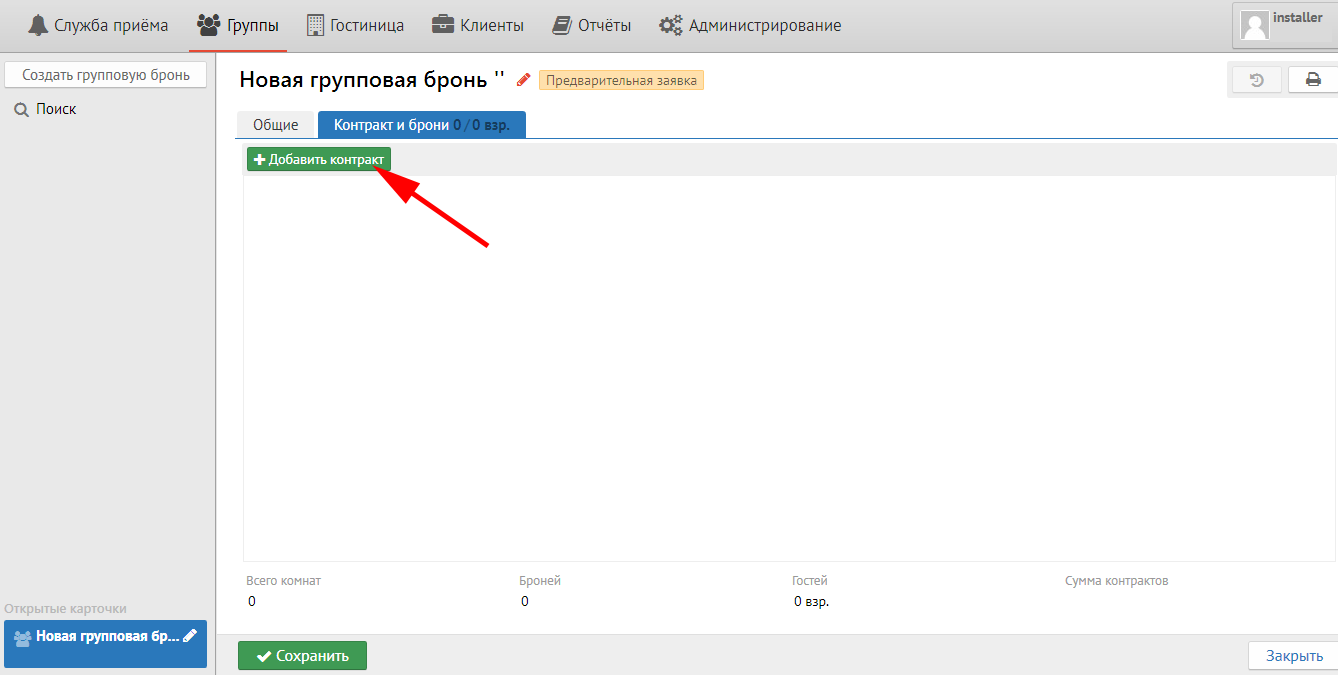
Then you will see the next sceen:
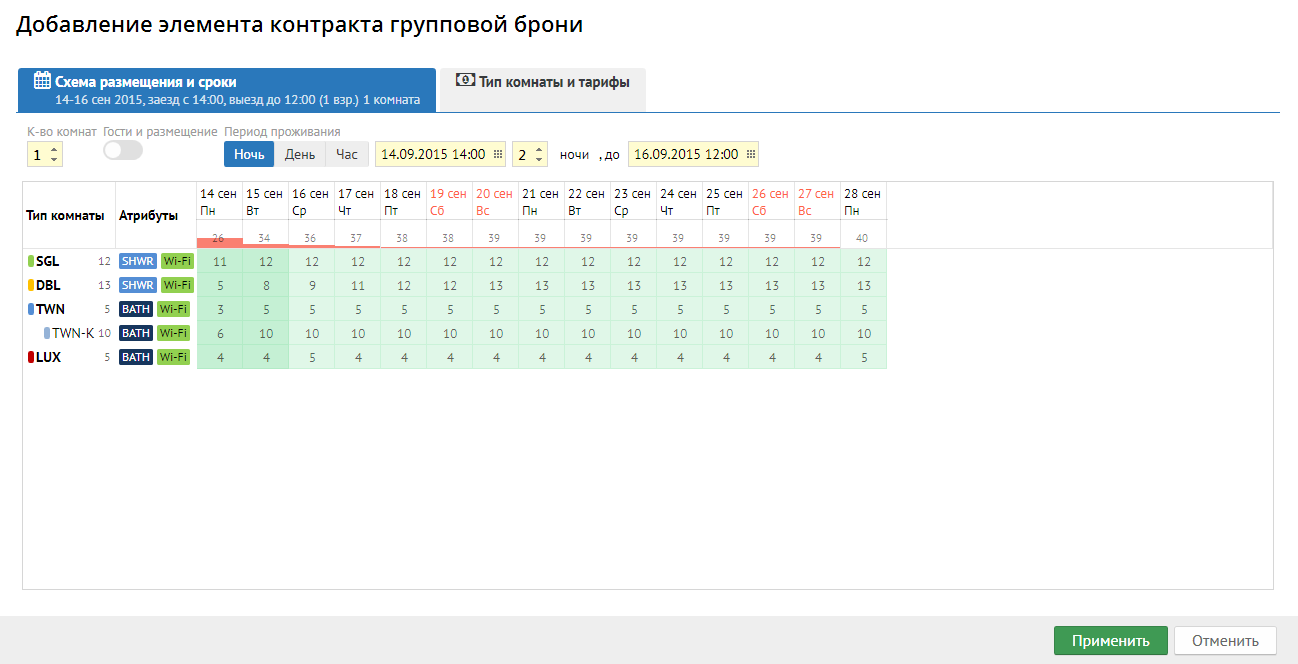
Stay type and terms tab:
Room q-ty - Quantity of rooms that will be in the Contract.
Guests and stay - Quantity of guests in each room.
Stay period - It is inherited from the General tab (first and latest dates) and it can be changed if it is necessary.
Room types and rates tab:
Room types and rates are inherited from Rate setup.
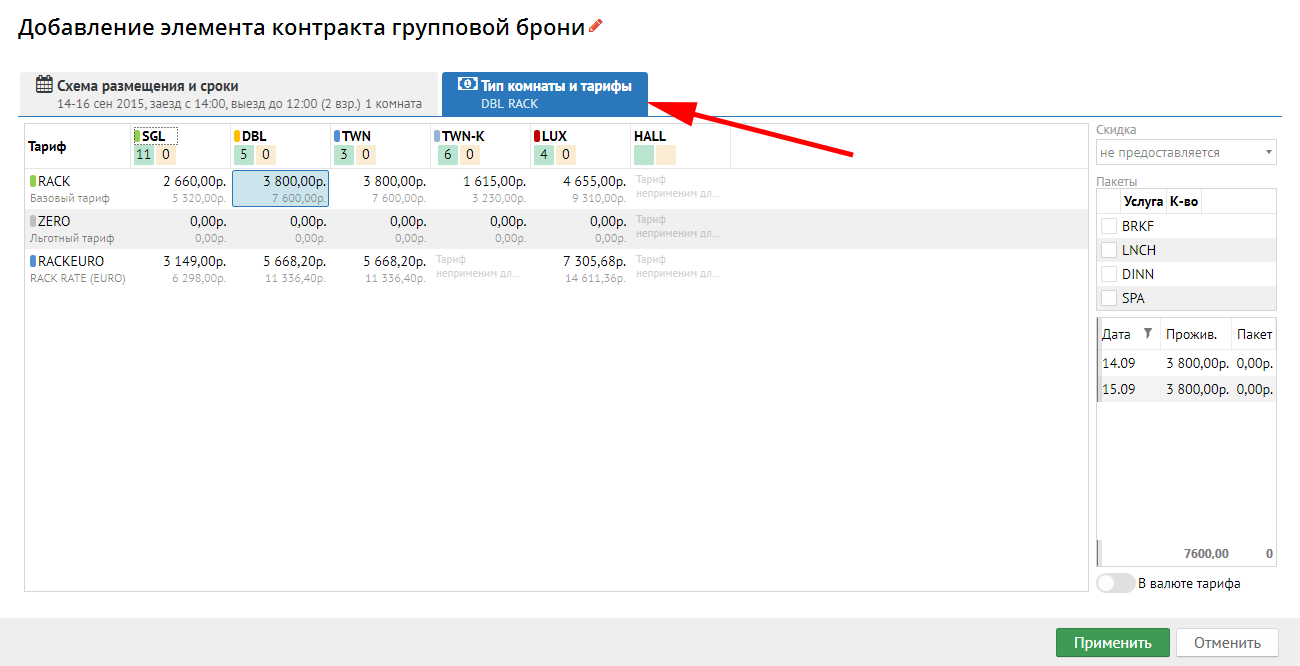
Then press "Apply":
Your contract will be added:
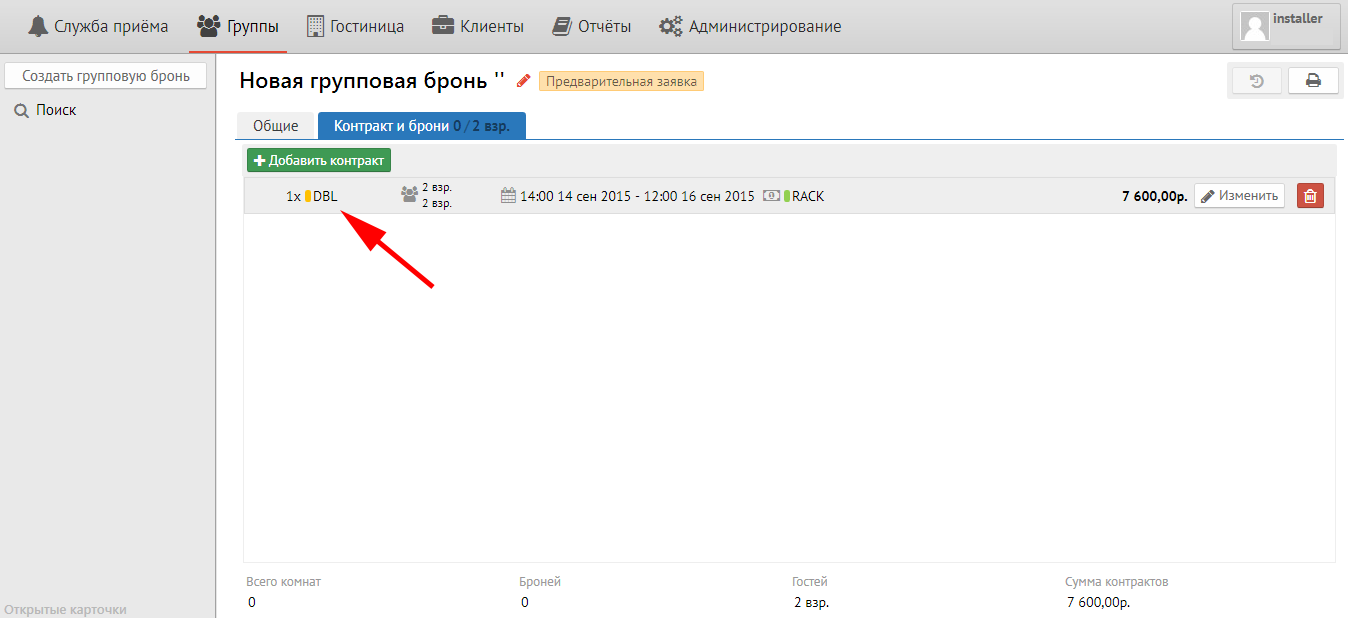
You can change contract if you click to  or highlight the contract
 - delete the contract.
Then click «Save» button.
Reservations tab:
Room blocks tab:
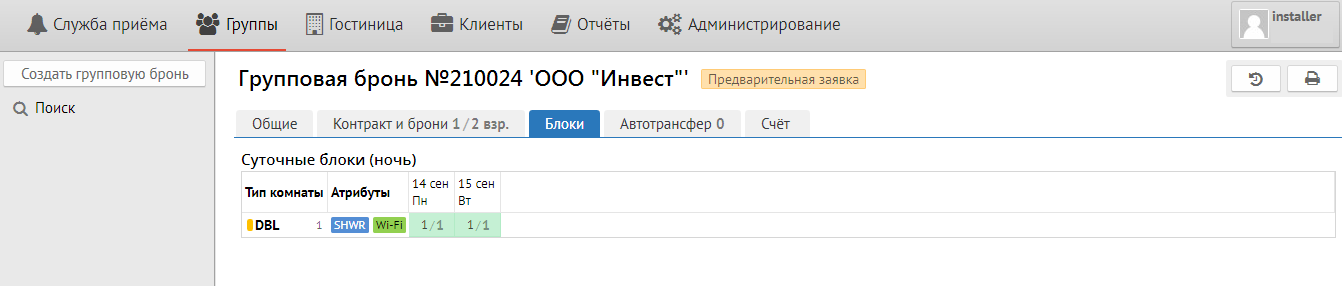
Services tab:
Autotransfer tab:
It is used for
для добавления автотрансфера необходимо нажать кнопку "Добавить".
3) вкладка "Счёт" - групповой счет, где при настройке автотрансфера появляются начисления. Отличие от обычного гостевого счета - отсутствие кнопки «Прогноз».
Для того, чтобы контракт превратить в блоки, необходимо нажать кнопку "Подтвердить" внизу окна. После нажатия кнопки необходимое количество блоков будет заморожено из общего наличия комнат.
Чтобы превратить блок в бронь необходимо нажать кнопку "Создать брони". После этого появится следующая вкладка «Контракт и брони»:
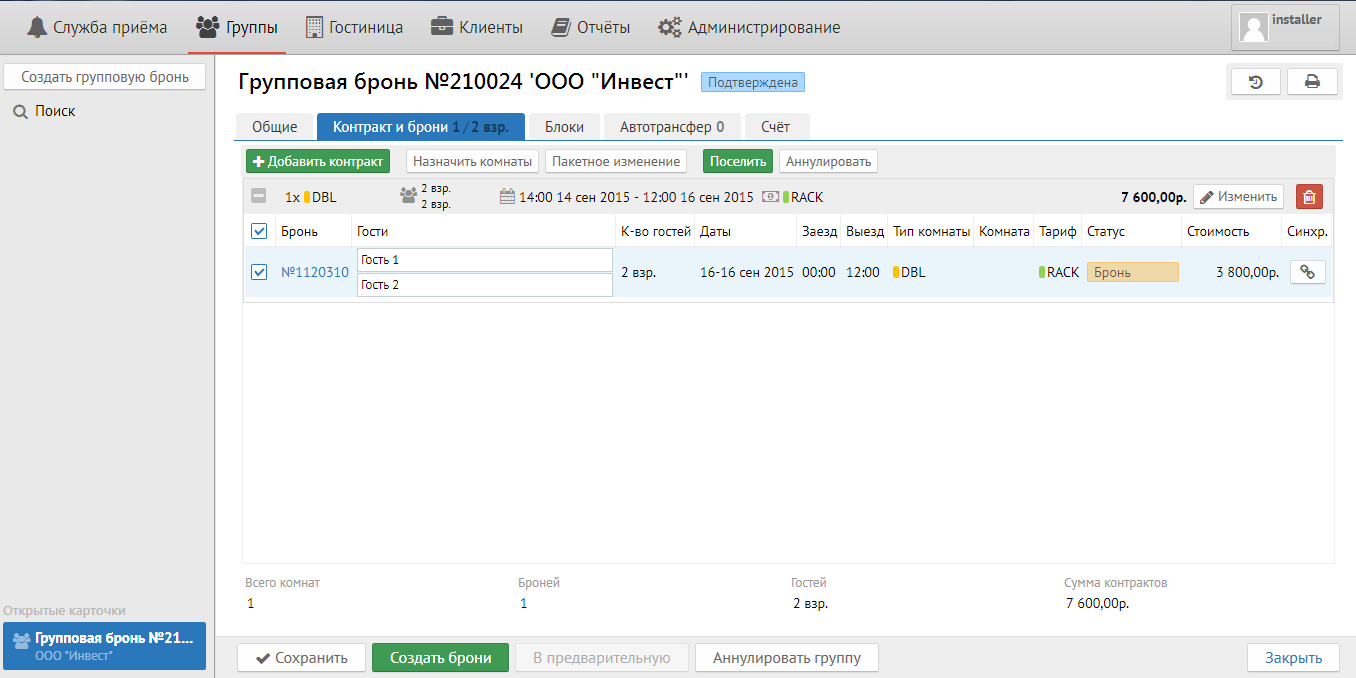
Кнопка "Добавить контракт " позволяет добавить новый контракт.
Кнопка "Назначить комнаты" дает возможность распределить полуавтоматом комнаты на групповые брони. При ее нажатии всплывает следующее окно:
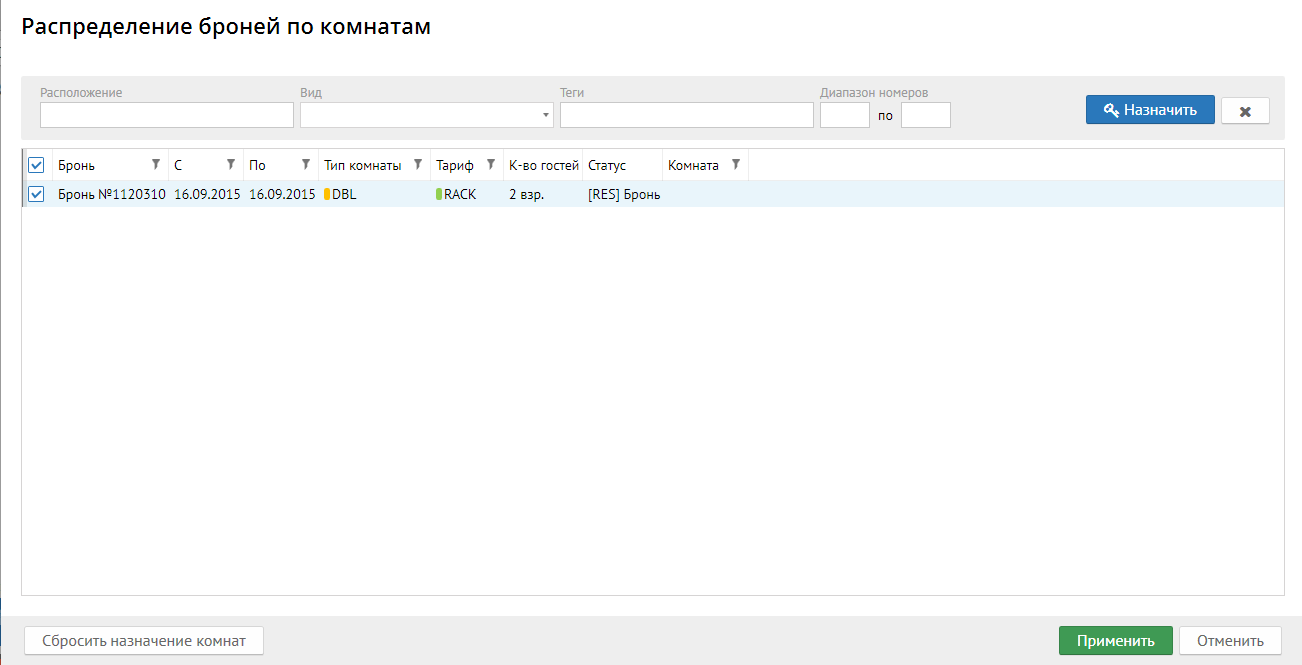
Поле "Расположение" - обозначает этаж и\или корпус.
Поле "Вид" - вид из окна комнаты.
Поле "Теги" - выводит необходимые вам теги.
Поле "Диапазон номеров" - позволяет назначить конкретный диапазон комнат.
Кнопка "Пакетное изменение" - при ее нажатии всплывает следующее окно:
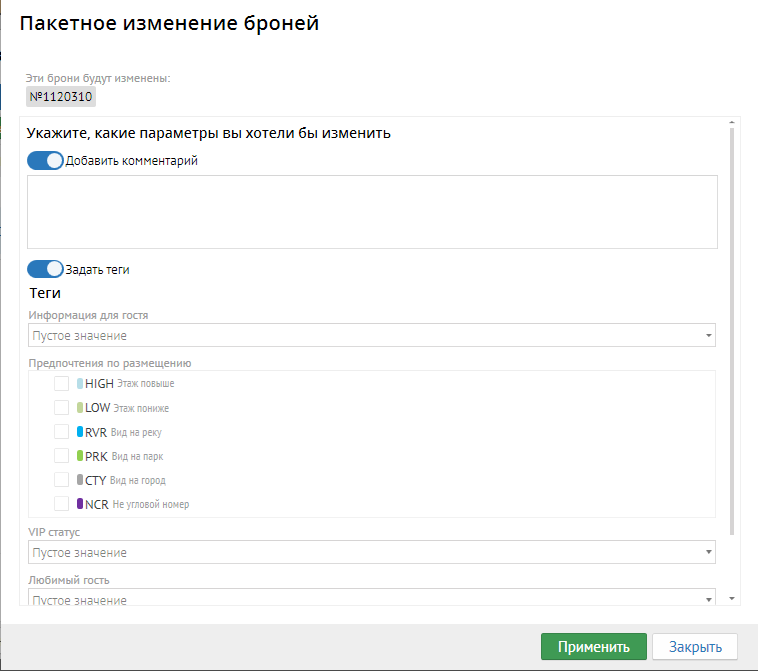
Кнопка "Добавить комментарий" - позволяет добавлять комментарий на выбранные (или все) брони.
Кнопка "Задать теги" - позволяет добавлять теги на выбранные (или все) брони.
Кнопка "Поселить" - позволяет поселить выбранные (или все) брони.
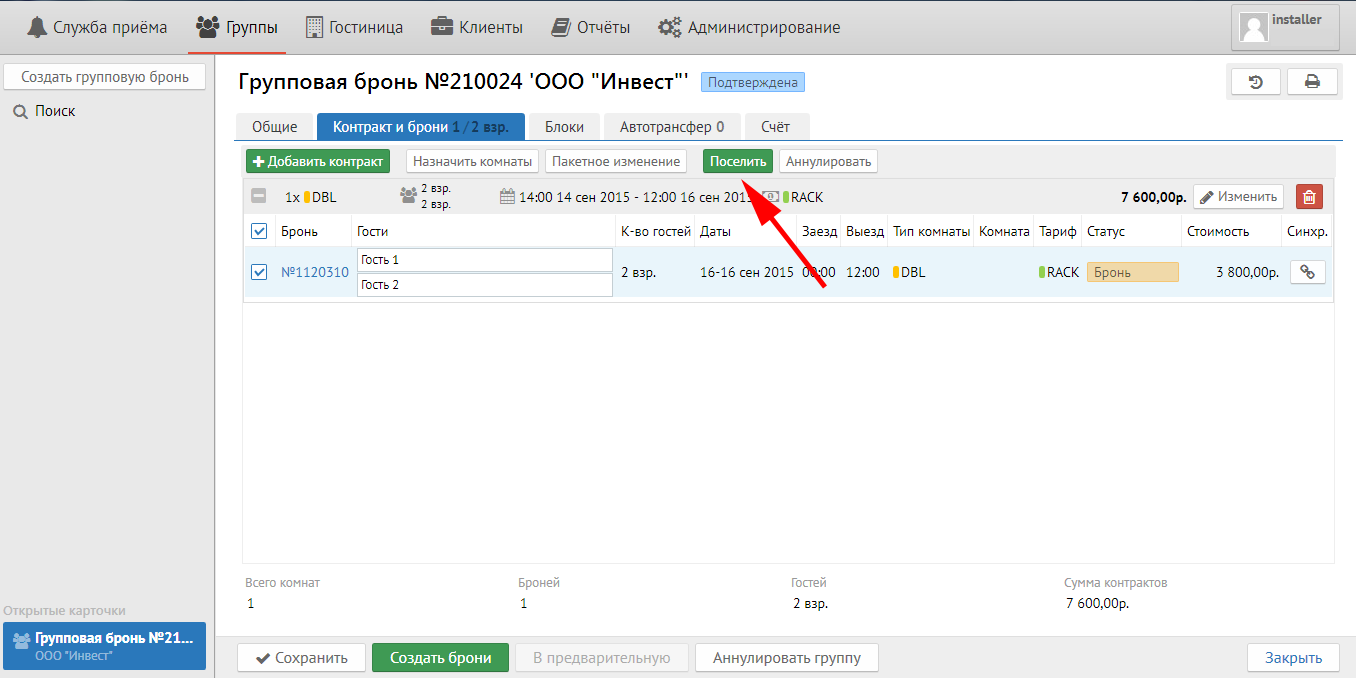
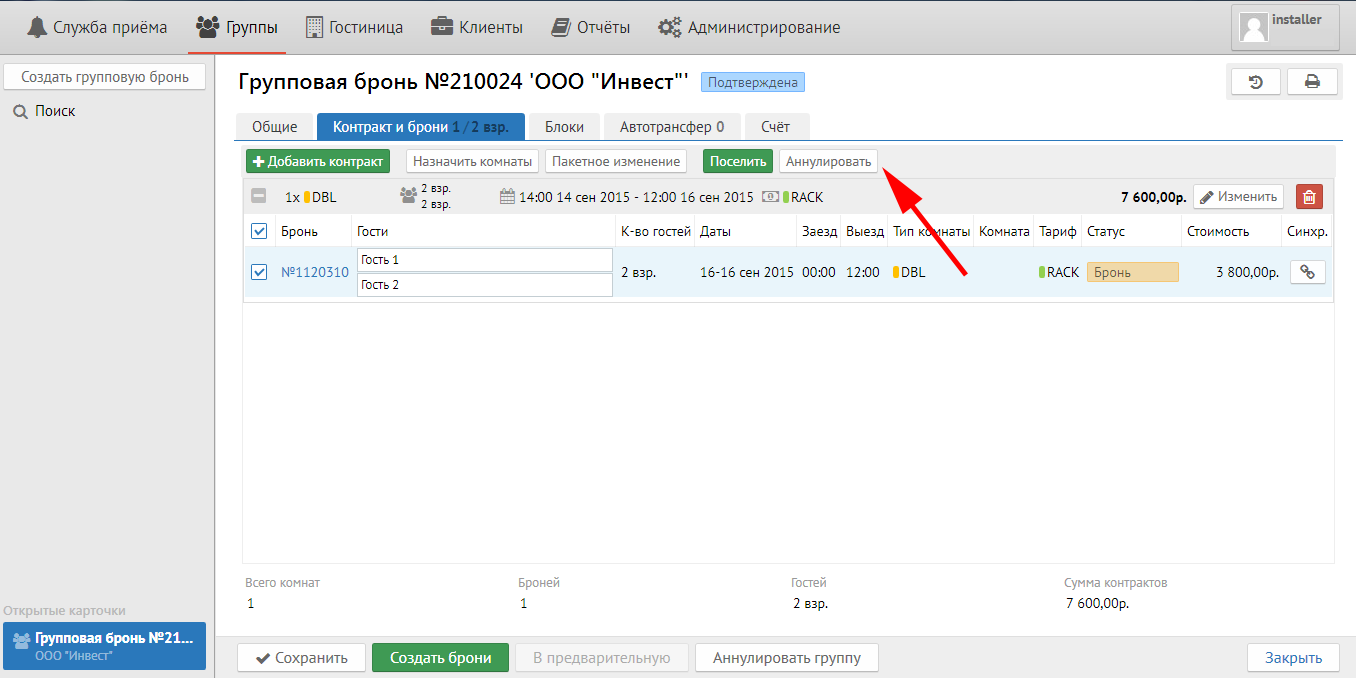
Кнопка "Аннулировать" - позволяет аннулировать выбранные (или все) брони.
Кнопка  позволяет отключить бронь от синхронизации, то есть на эту бронь не не будут распространяться групповые изменения.
Reservation tab
You can make reservations from contract here.