| Release | 2.7 |
| Logus The Box | Yes |
Модуль лицензируется отдельно.
Logus v2.4 introduces an option of automatic rate changes based on the hotel's occupancy. It is managed by adding additional "occupancy (load) segments", which are arranged automatically for every room type per day depending on the occupancy of this room type. While configuring rate codes there is a new option now that allows you to tie a rate code with an occupancy segment. That's how the dependance between prices and occupancy is being built. Occupancy updates automatically according to a pre-set schedule and prices are updated automatically as well. Also, the prices are sent to other booking channels.
Initial Settings
Users will need the following rights:
- Administration/Property/Load segments
- Property/Rates
By default 10 load (occupancy) segments are added with 10% difference between them. Should you need additional segments with other % value, you may add them or those change those which are already configured (Administration/Load segments).
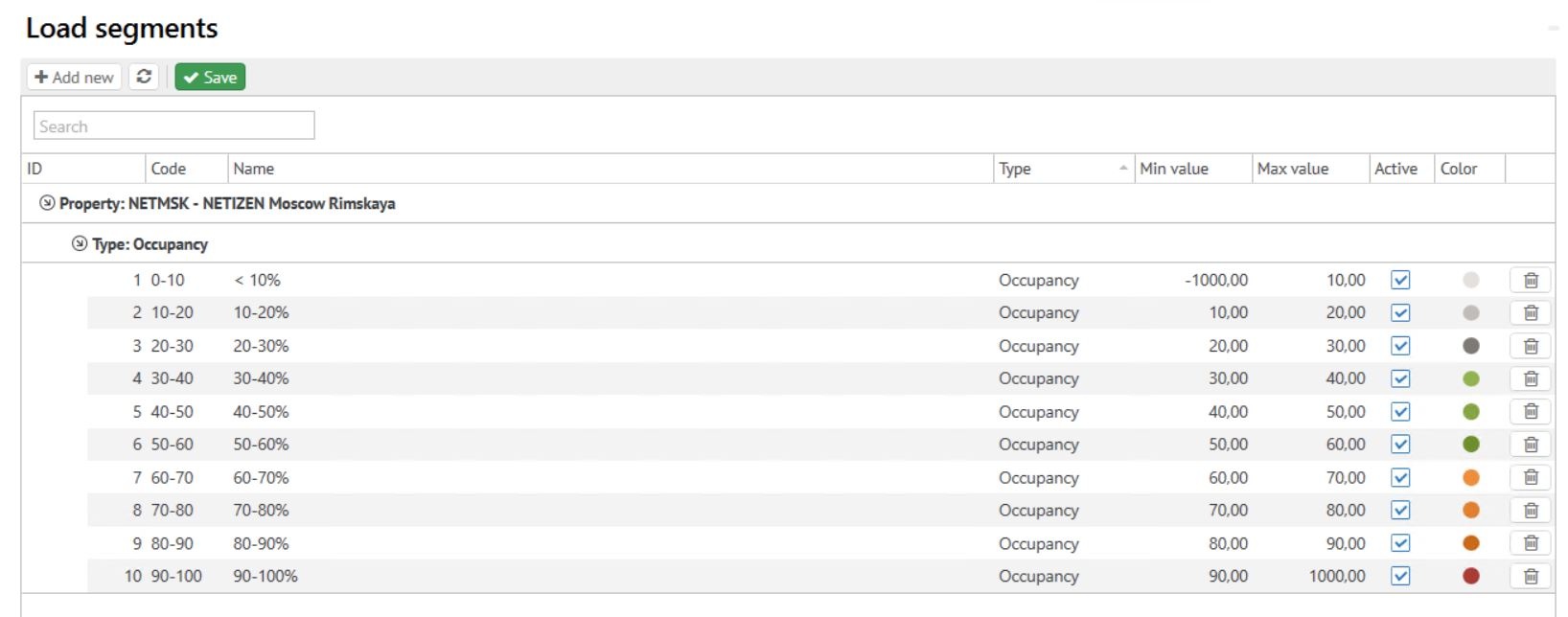
The following set up in Property/Revenue Management/Configuration is needed:
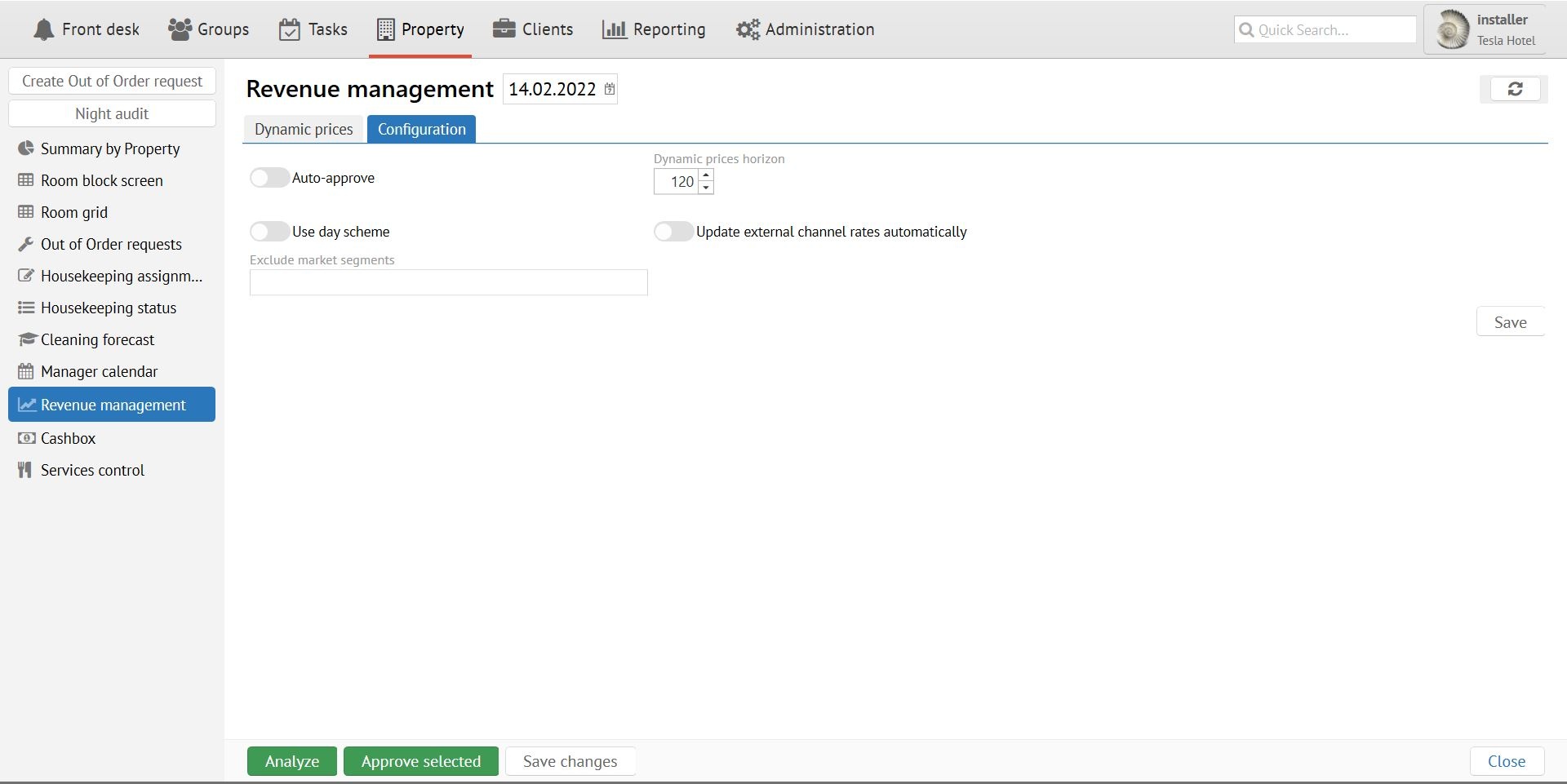
| Item | Description |
|---|---|
| Auto Approve | Dynamic Rates Module can work in two modes: Manual or Automatic. In Automatic mode load (occupancy) segments will update automatically every morning (в 6:00), prices will change immediately. If Manual mode is used, it will be necessary to look through and approve segments which are suggested by the system. Prices will change only after manual approval. |
| Dynamic prices horizon | The number of days from today's date for which the system will analyze occupancy and will set up segments. Please pay attention that reducing the horizon will not delete the segments which are set up before and which fall outside of the new horizon dates. |
| Exclude market segments | Occupancy calculation will not include rooms with rates from these market segments. It may be used to exclude house use/complimentary rates and guests from occupancy. |
When using Automatic Mode for segments approval, rates will be exported to external booking channels as well.
Occupancy will not include Day Use reservations (reservations with same check in/check out dates), and the time frame for early arrival/late check in.
Manual Mode
If you choose Auto Approve in settings Dynamic Module activates and functions automatically. No other actions are necessary. If you decide to use Manual Mode you will work in the below screen in Property/Revenue Management/Dynamic prices to manually approve occupancy levels which are calculated by the system.
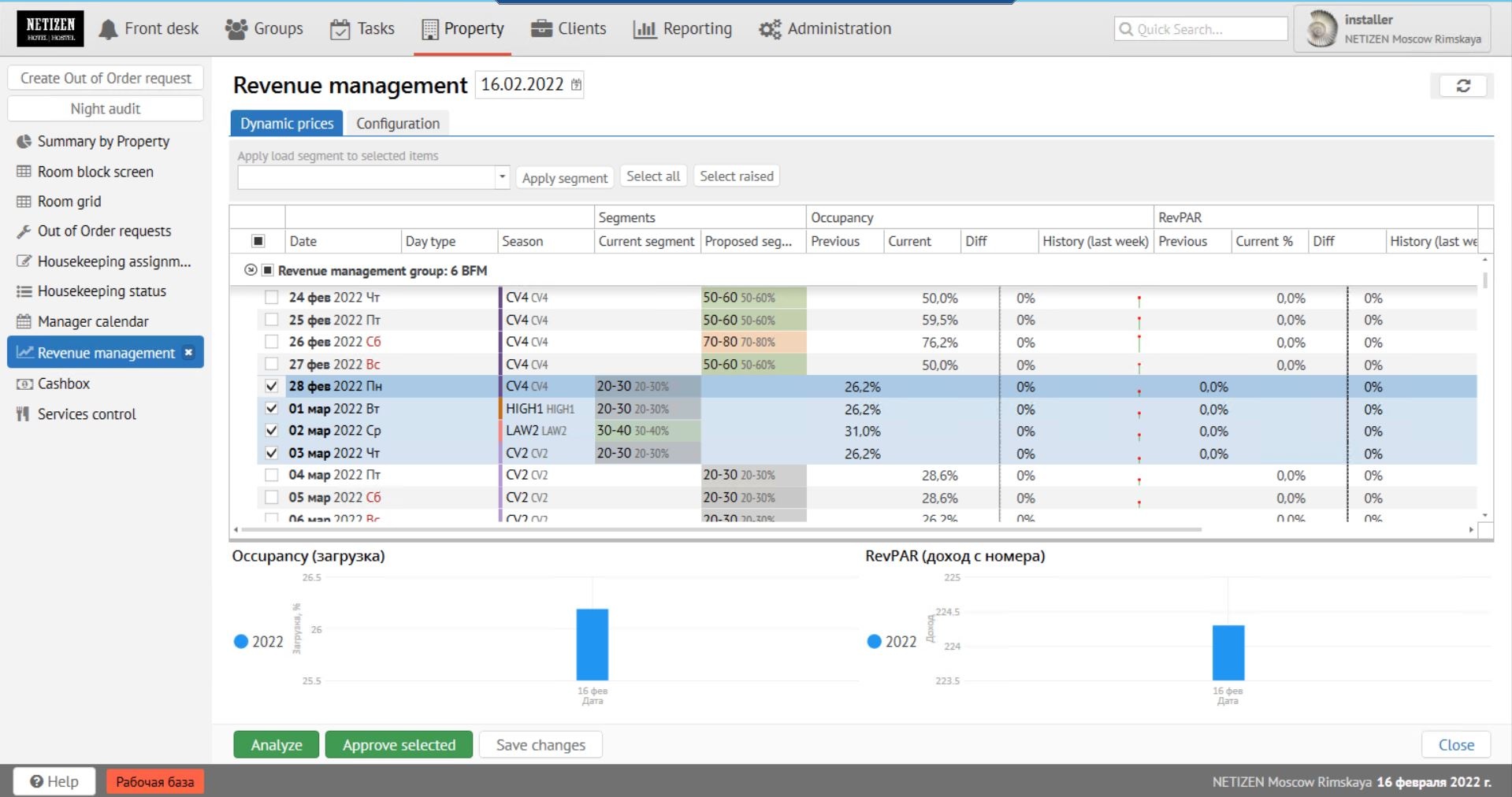
The screen will show approximately the following:
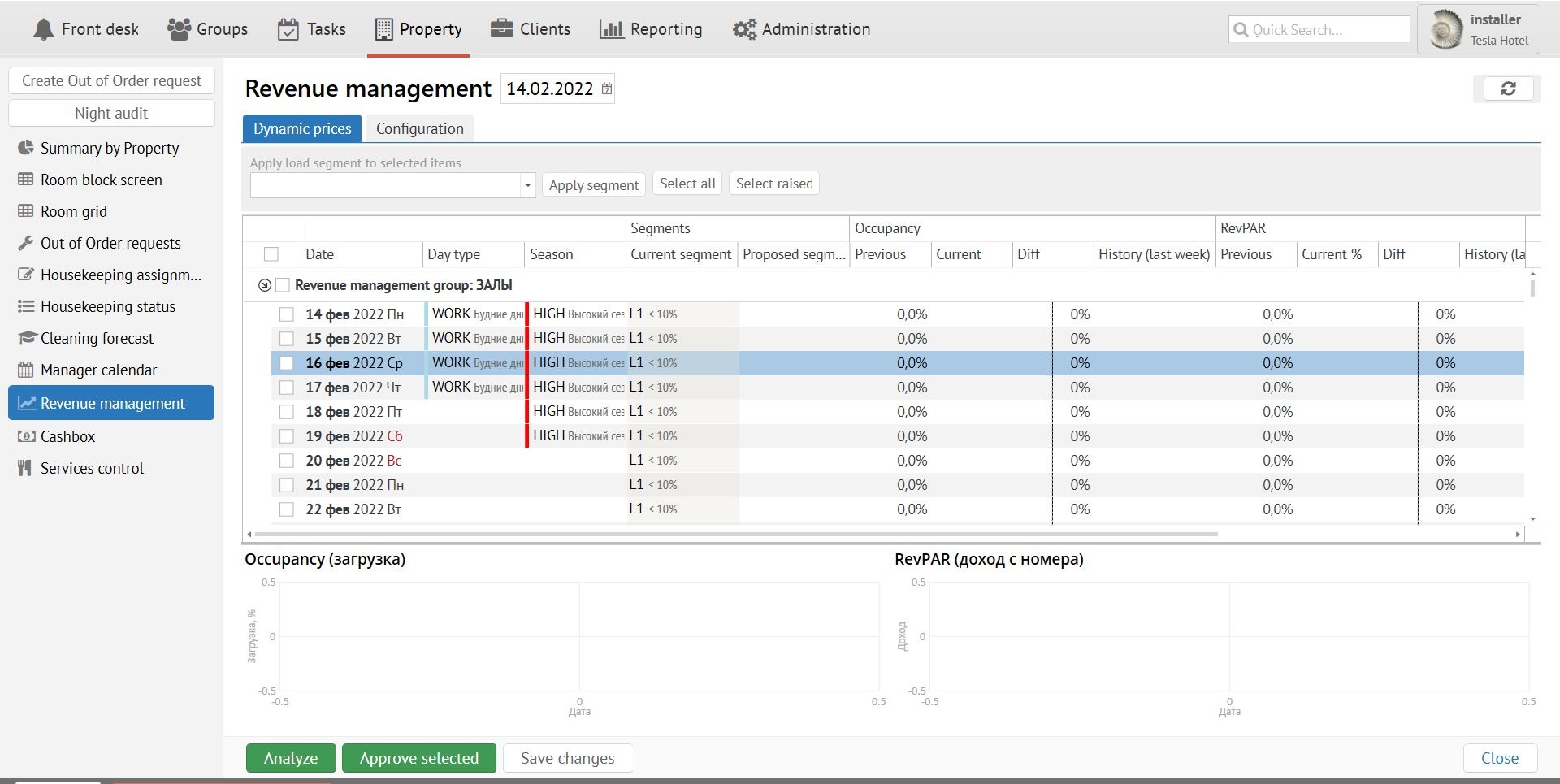
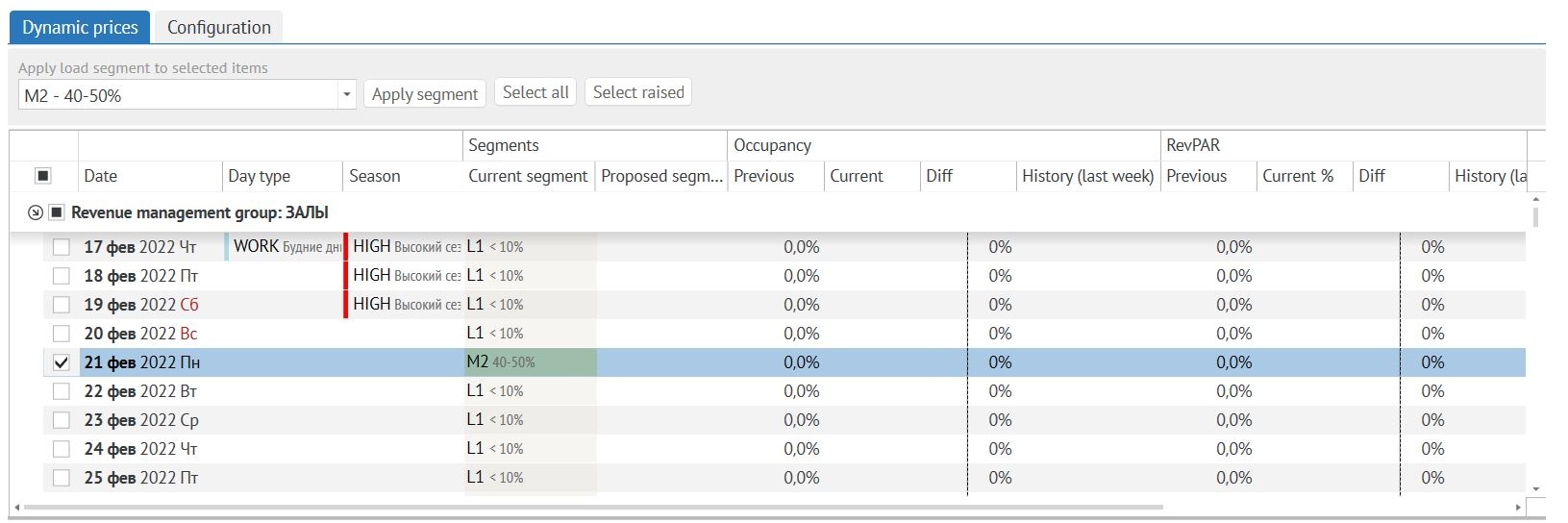
The screen shows the data within planning horizon, grouped by room type category. You can see a current active segment per day per category (which is used to calculate rates), and also a segment suggested by the system, if there is a change in occupancy for that day. If occupancy is the same then there will be no suggested segments and the column Proposed Segment will be empty. Choose the dates for which you decide to set a new suggested load (occupancy) segment (to choose all the dates click an icon on top of the column with check marks) and then click Approve selected.
Please pay attention! After you approval rates will be updated in external channels automatically!
You may re-calculate occupancy at any time by clicking the button Analyze.
RevPAR Dependency
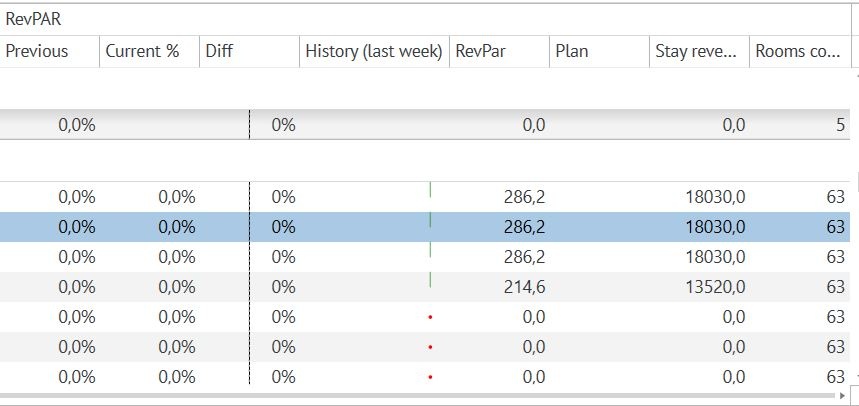
In Logus v.2.6 in addition to the existing functionality (from occupancy %) a new option is added - RevPAR % plan performance may influence Dynamic Rates. There are two options new options now that depend on RevPAR-plan performance.
The following features are added:
- There are new columns "Current RevPAR", "Plan RevPAR" on the Revenue Management Screen. Plan value may be changed manually.
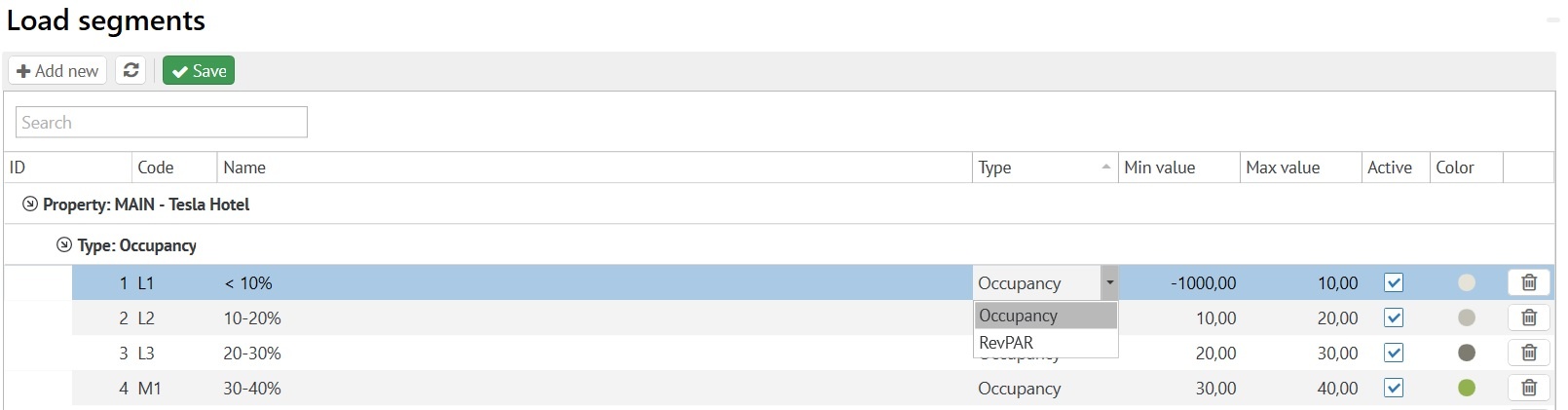
- Segment types in Load Segments now have a new attribute - RevPAR or Occupancy. Revenue segments determine RevPAR plan performance % , Occupancy segments determine Occupancy%.
- Load segments are being chosen according to the following logic:
- first the system looks for a revenue load segment (according to RevPAR plan performance %) - if such a segment is found then this segment is being set on a date
- if a revenue segment is not found then the system looks for an occupancy segment, and if such a segment is found then it is being set on a date.
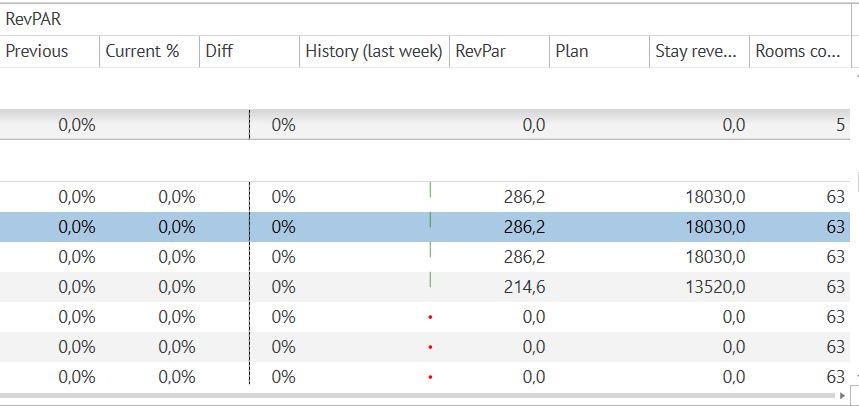
Hidden columns of Stay revenue by room type were added to the Load segments screen.
Calculation of all the indicators is being done not by room types but by "groups of revenue management" - this is a new parameter (line code) which is added to a room type.
All calculations of occupancy and revenue are being done within those set groups. Load segments and RevPAR plan are being set within those groups too.
It gives an opportunity to detach from room types structure and add a different option of grouping especially for revenue management.
Revenue management group must be created for a room type, so that it is used in occupancy and revenue calculation.
If you decide to use occupancy indicators of the whole hotel, then all room types may have one and the same group.
Combination of Occupancy & RevPAR
The following logic of choosing a load segment is used:
1. first of all the system searches for a revenue load segment (according to a RevPar plan performance % ) - if it is found, it will be set on a date.
2.if a revenue segment is not found, the system will search for an occupancy segment.
Compare Occupancy+RevPar with last year
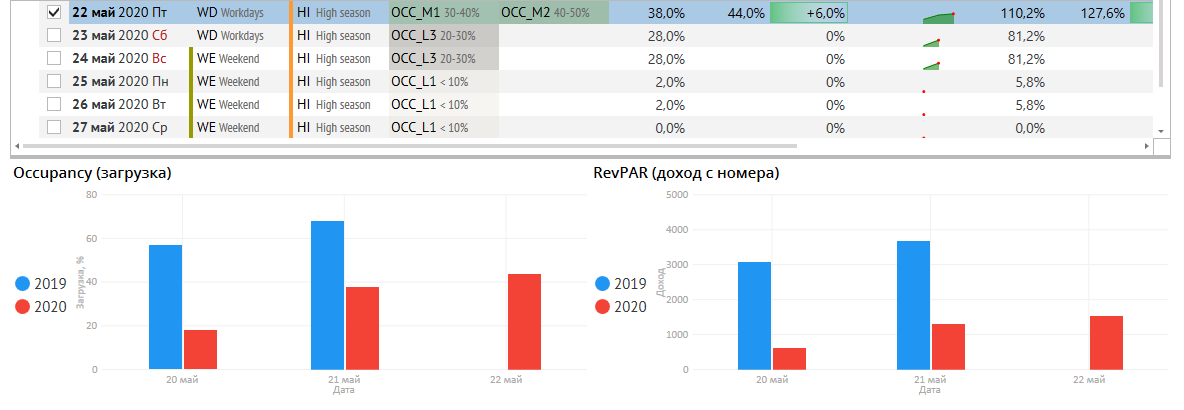
Now you may compare Occupancy and RevPAR with last year values on the Revenue management screen.
Настройка динамического тарифа
Любой из имеющихся тарифов можно легко превратить в "динамический". Чтобы переопределить стоимость какого-либо варианта тарифа для определённого пояса загрузки (например мы хотим увеличить цену в высокий сезон при загрузке свыше 90% на 20%), необходимо создать вариант тарифа, настроить ему применимость на высокий сезон, среди поясов загрузки указать "> 90", а затем пронаследовать этот вариант от базового варианта для высокого сезона, указав стоимость 120%. Таким образом при подборе стоимости на высокий сезон на дни с загрузкой более 90%, система будет подбирать вариант, который наиболее точно подходит под критерии. Т.е. будет выбран созданный нами вариант с применимостью на загрузку "> 90%".
Аналогичные действия можно повторить для любых вариантов тарифа, подстроив стоимость наилучшим образом к загрузке.