This guide walks you through the process of refunding of previously posted transactions
Please, make sure to follow the instructions below in case you have previously posted transactions in the folio
When paying in euros, you do not need to recalculate the amount in local currency or change the date of the exchange rate.
- Go to Folio section
Open an invoice and mark the required revenue transactions
Click Correct button
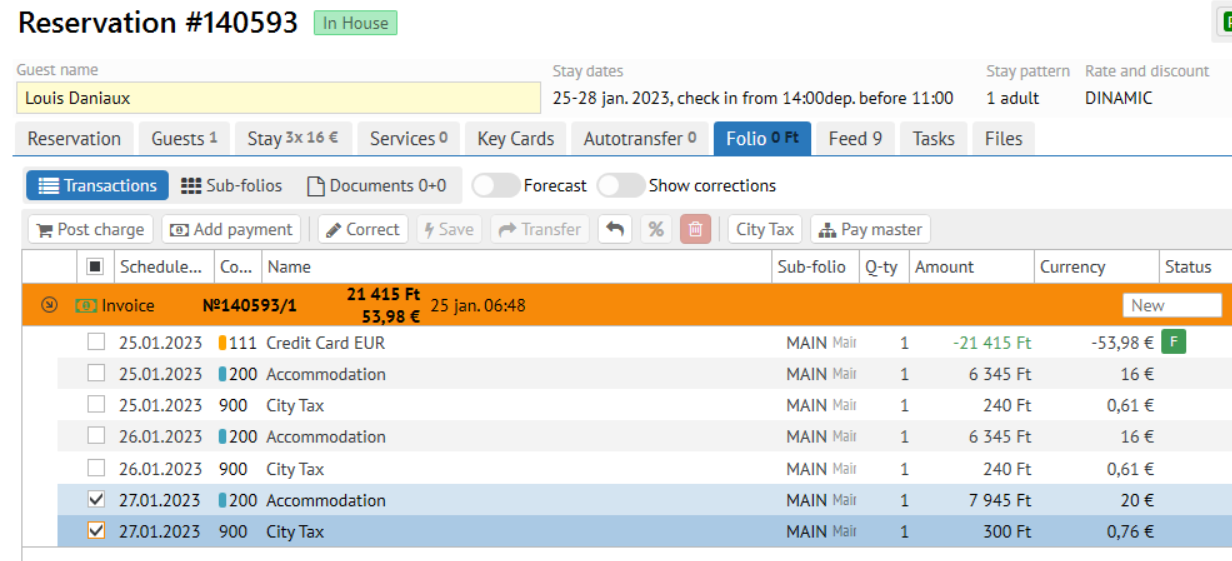
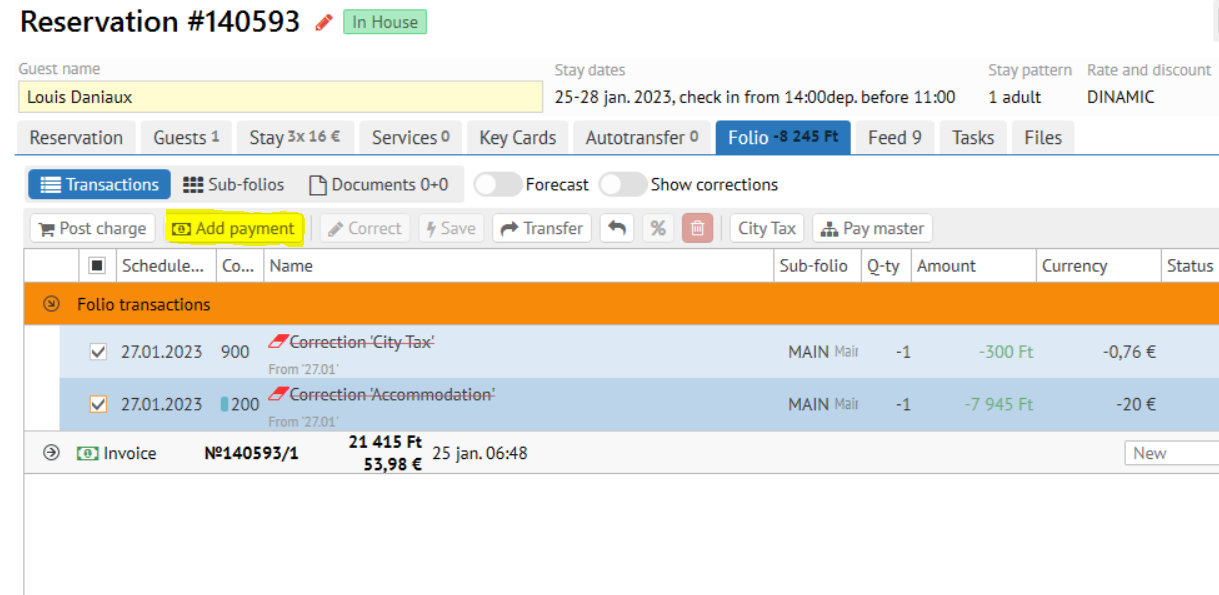
- Tick the corrections
- Click the "Add payment" button like it shown on the screen below
- Pick the necessary EUR payment method / Accept the payment
- Confirm the payment fiscalization.