First of all types of cleaning need to be set up in Administration - "Cleaning types":
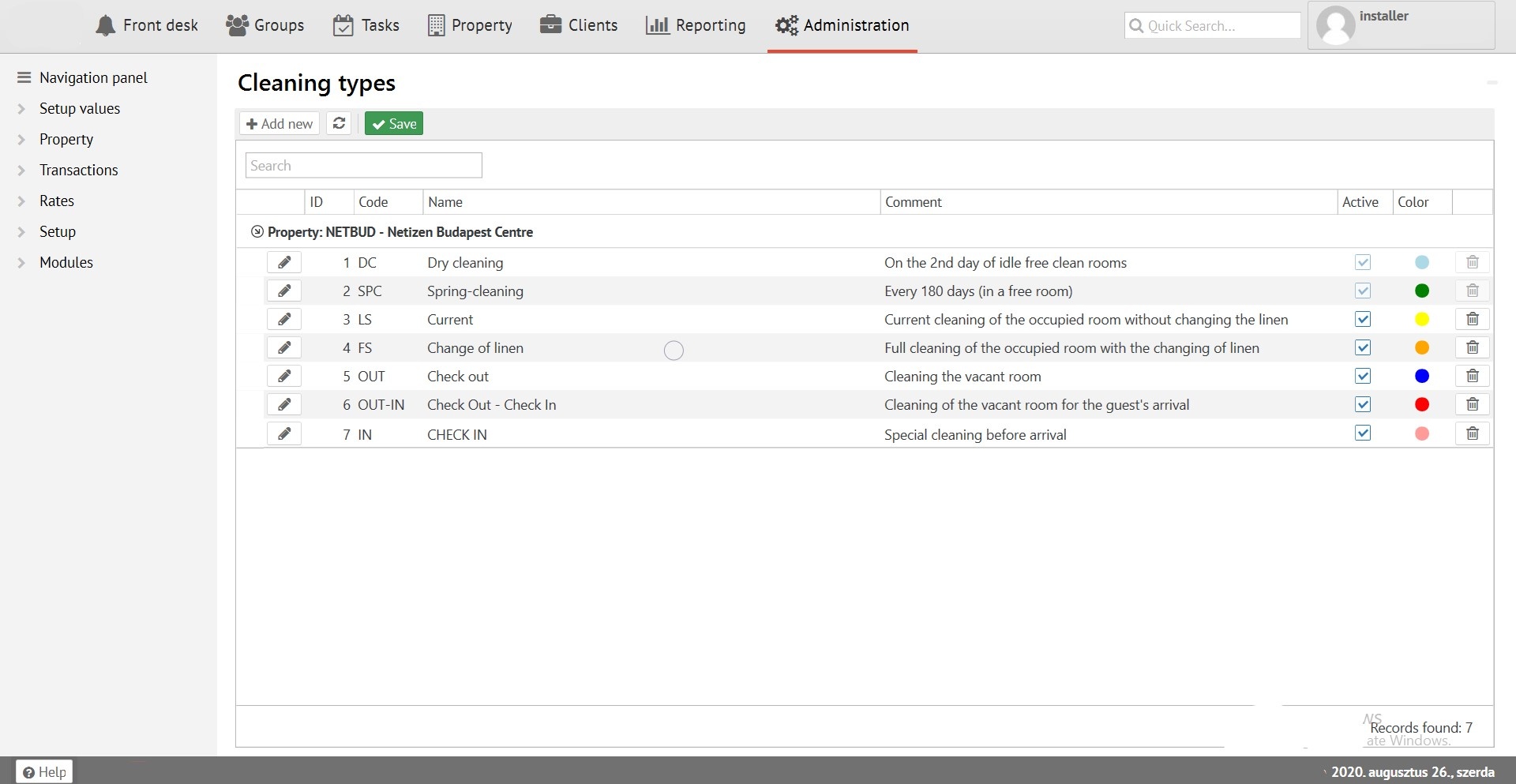
Logus has two cleaning system types - General and Dry. Delete or modify it not possible. Each of them has its own global cycle and has priority over other types of cleaning. If you need to control the consumables used for cleaning, read more in the Materials section.
In Administration – Room types you can manage cleaning parameters in tap “Cleaning”
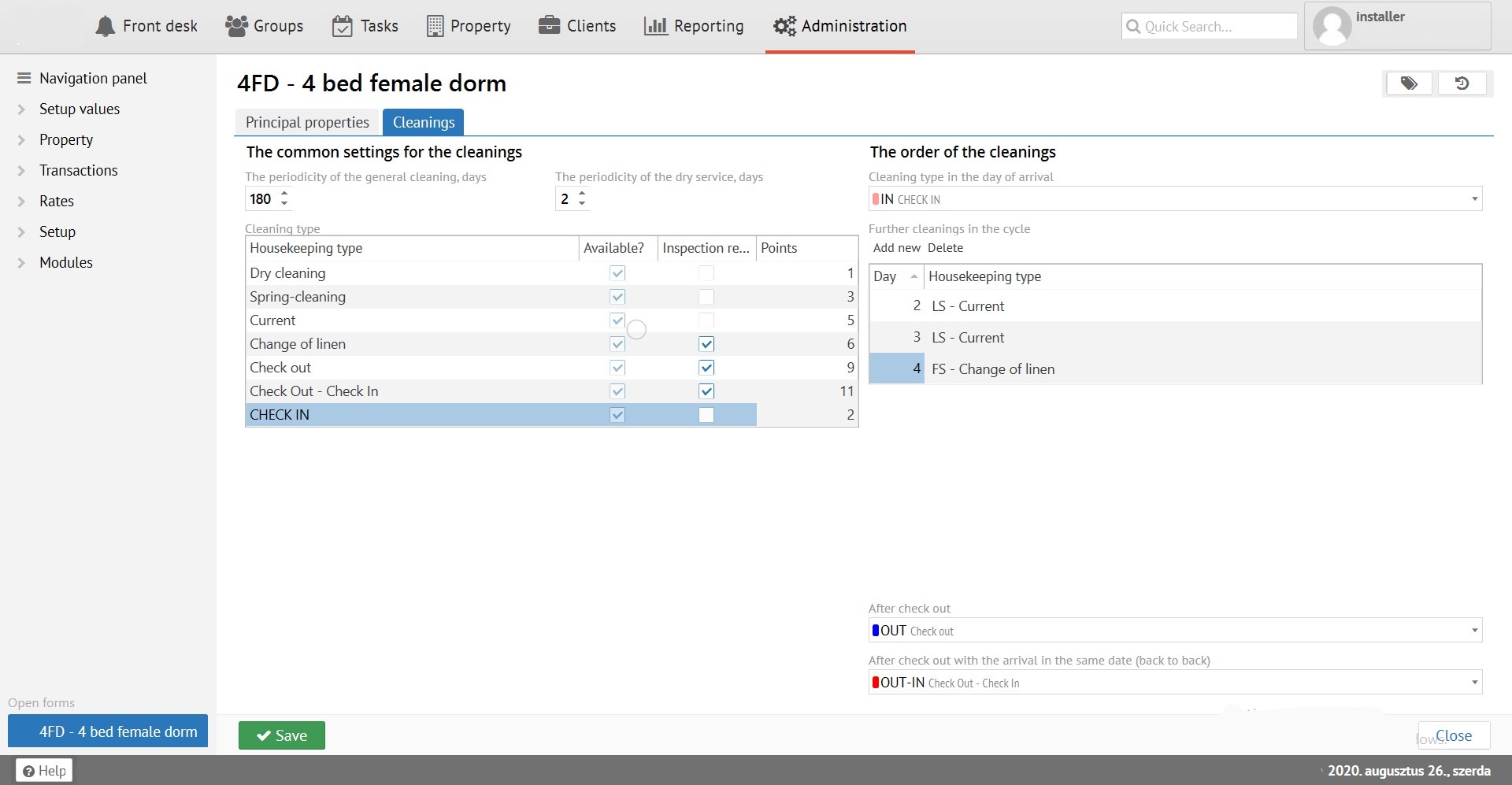
You should set the frequency of general and dry cleaning (in days). Such cleanings will have priority over other types of cleaning, and the number of days is counting despiteof whether the room is occupied or not. If you are not using general or dry cleaning, you should clear the frequency value - this cleaning will never be scheduled.
Further, in cleaning types list, you should select available cleanings for specific room type. They can be used in setting of cleaning, as well as from the system interface when cleaning setting is done manually. Section "order of cleaning" is for all the setting a room for cleaning rules indicating. The cleaning cycle starts from the second day (as the first day is cleaned on the “arrival day”) and then the cleaning is repeated. If another guest arrives the same day previous checked-out - junction cleaning will be assigned for this room (if this was set in the cleaning directory).
Transfer of outstanding (или вообще failure) cleanings from the previous day
Starting from version 2.1, outstanding cleanings are automatically carried over from the previous day to the next.
(if parameters <MoveIncompleteAssignments>True</MoveIncompleteAssignments> are on)
But priorities are respected anyway, for example - if, as a result of audit, the room should get up for entrance cleaning, but general cleaning was not done from the previous day, then on the new day the room will be ordered for the general cleaning first. The cleaning priorities are as follows (the higher in the list - the higher priority):
- General cleaning (always the highest priority)
- Junction cleaning
- Field cleaning
- Any current cleaning (priority between them are determined according to sorting order in the cleaning directory, higher the cleaning in the list - higher its priority)
- Entrance cleaning
- Dry cleaning (always the lowest priority)
Cleaning inspections setting up
For each room and cleaning types, you can determine whether a cleaning inspection is required. After the sign "inspection request" is set, the process of moving a room from the status "dirty" to "clean" is supplemented by an intermediate status - "inspection". Cleanups in this stage will be seen to a user with the "cleaning inspection" permission, regardless of which maid they are assigned to. And only users with this permission will be able to move rooms from "inspection" to "clean" by changing status of room for clean. For more information, see Housekeeping status.