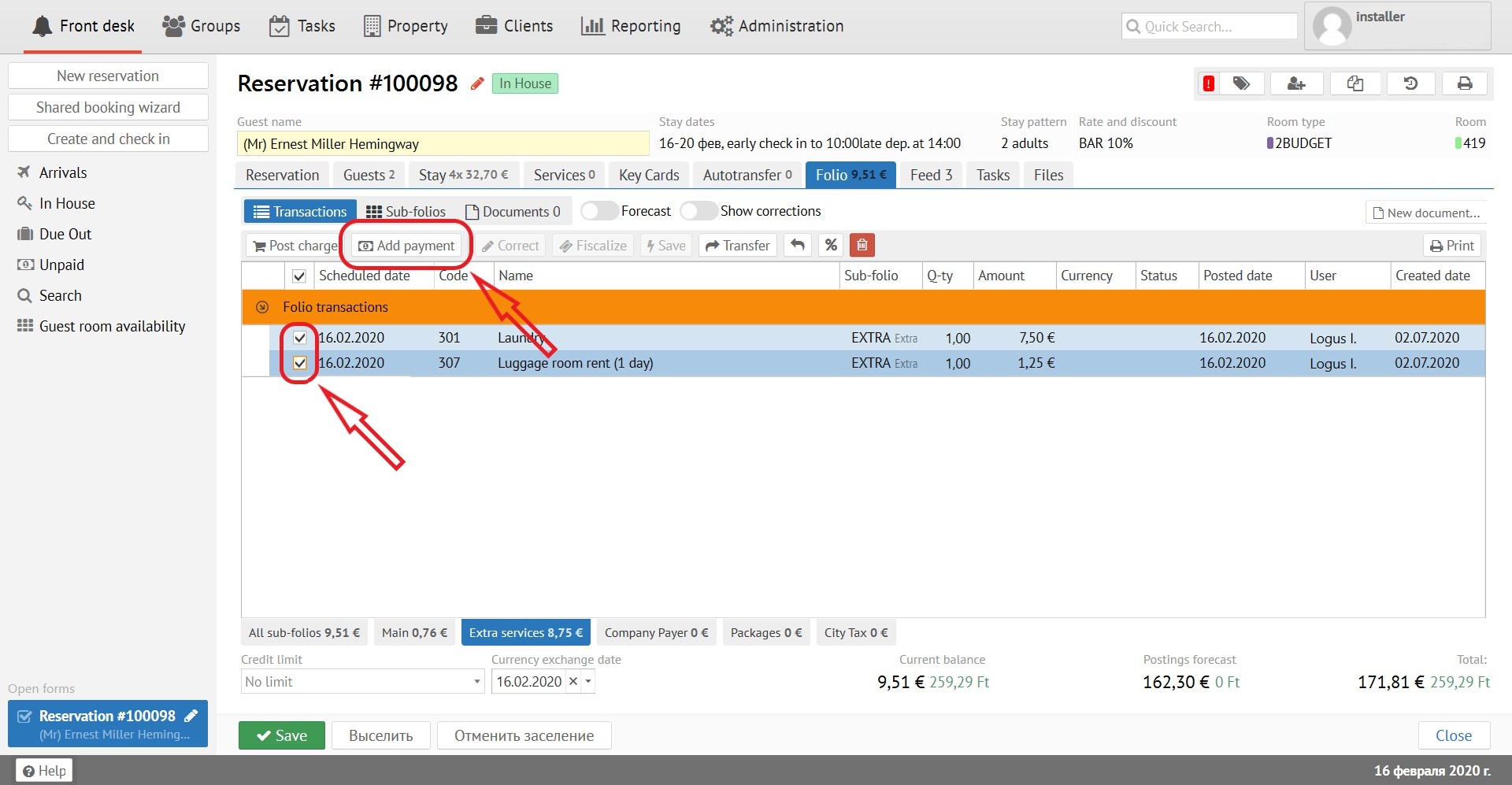
It is an ability to pay for several transactions at the same time by different amounts and types. If you mark the transactions by the tick, and click "Add payment", the amount of settlement can be changed manually:
Payment can be indicated in a smaller amount - in this case, the payment wouldn't be fiscalized:
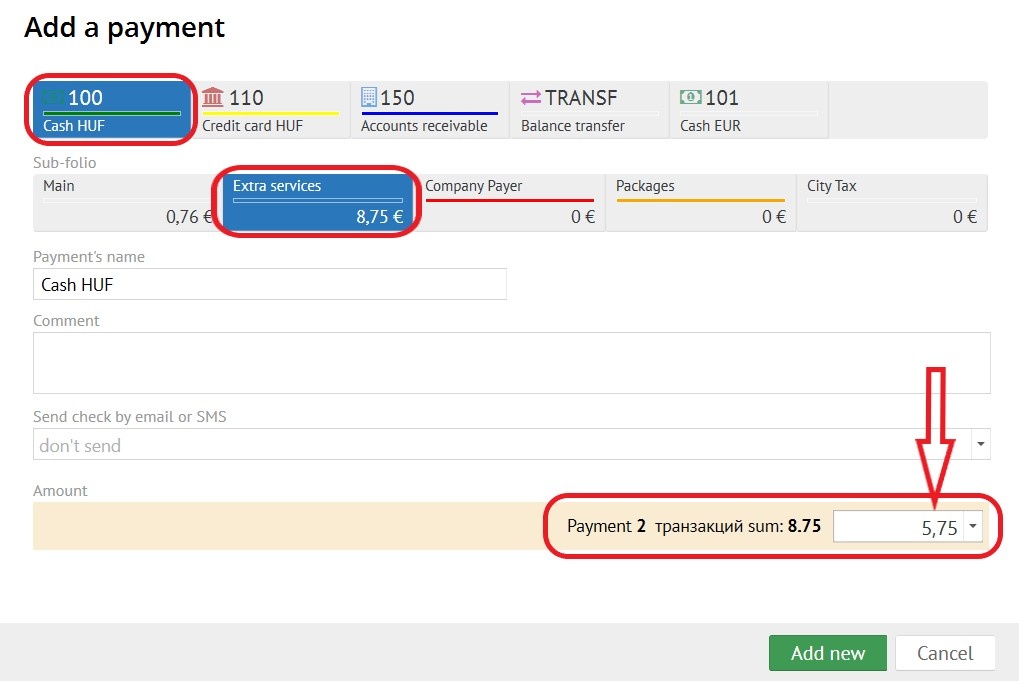

To add the rest of amount by another payment method, you need to click the "Add payment" button on the created settlement. In this case, the amount of the previous payment will be included into the settlement accepted earlier:
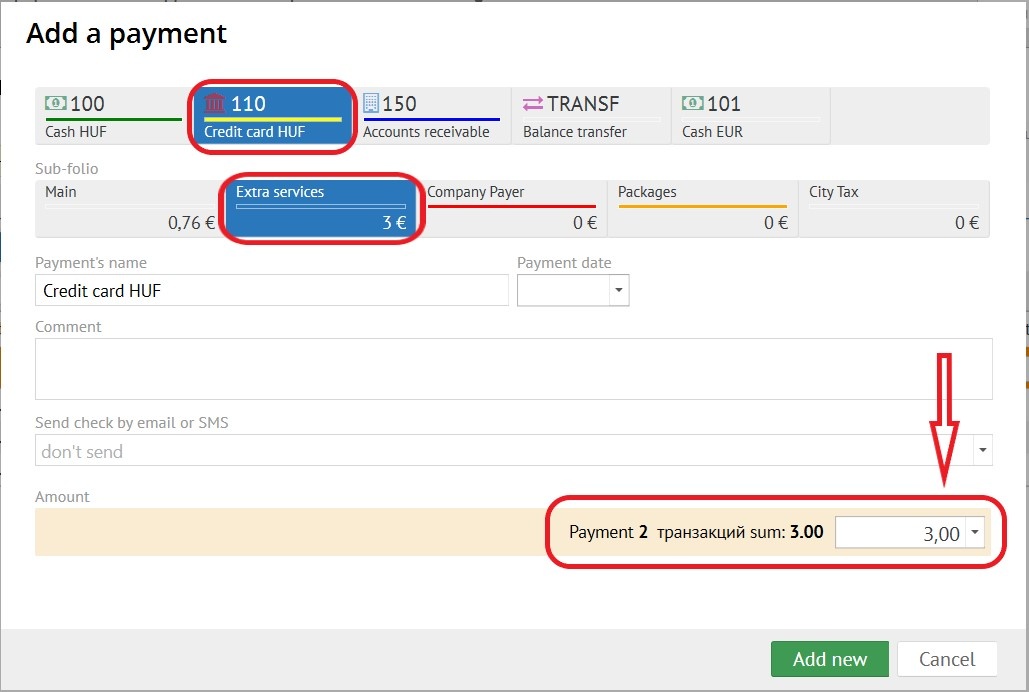
Such an operation can be repeated as many times as necessary, adding to the settlement with other types of payments.
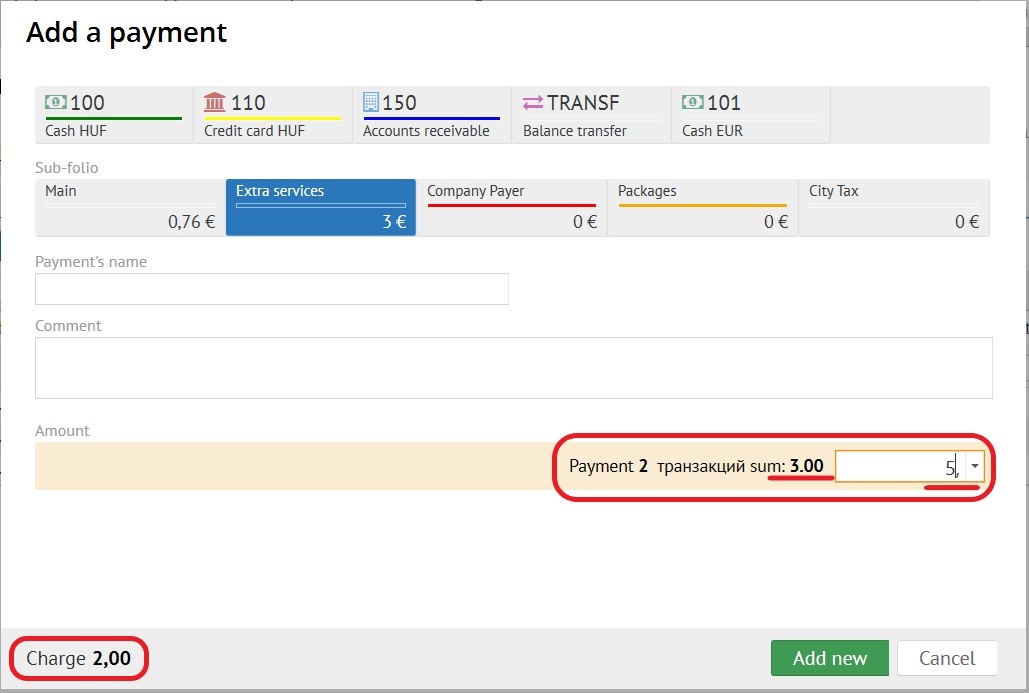
If you specify an amount greater than the cost of transactions, settlement will still be accepted exactly for the amount of transactions, and the difference is shown as the amount for change:
In case of payment by loyalty points, and the points is a part o payment (type of payment - LOYLT "Loyality"), the amount of points will be proportionally deducted from all transactions in the settlement (as a discount).