Autotransfer is used for automatically transfer transactions selected by code or type to another Logus card.
There are three variants of using "Autotransfer":
1. To transfer transactions to the "Group reservation" folio.
2. To transfer transactions to "Company payer" sub-folio.
3. To transfer transactions to another reservation.
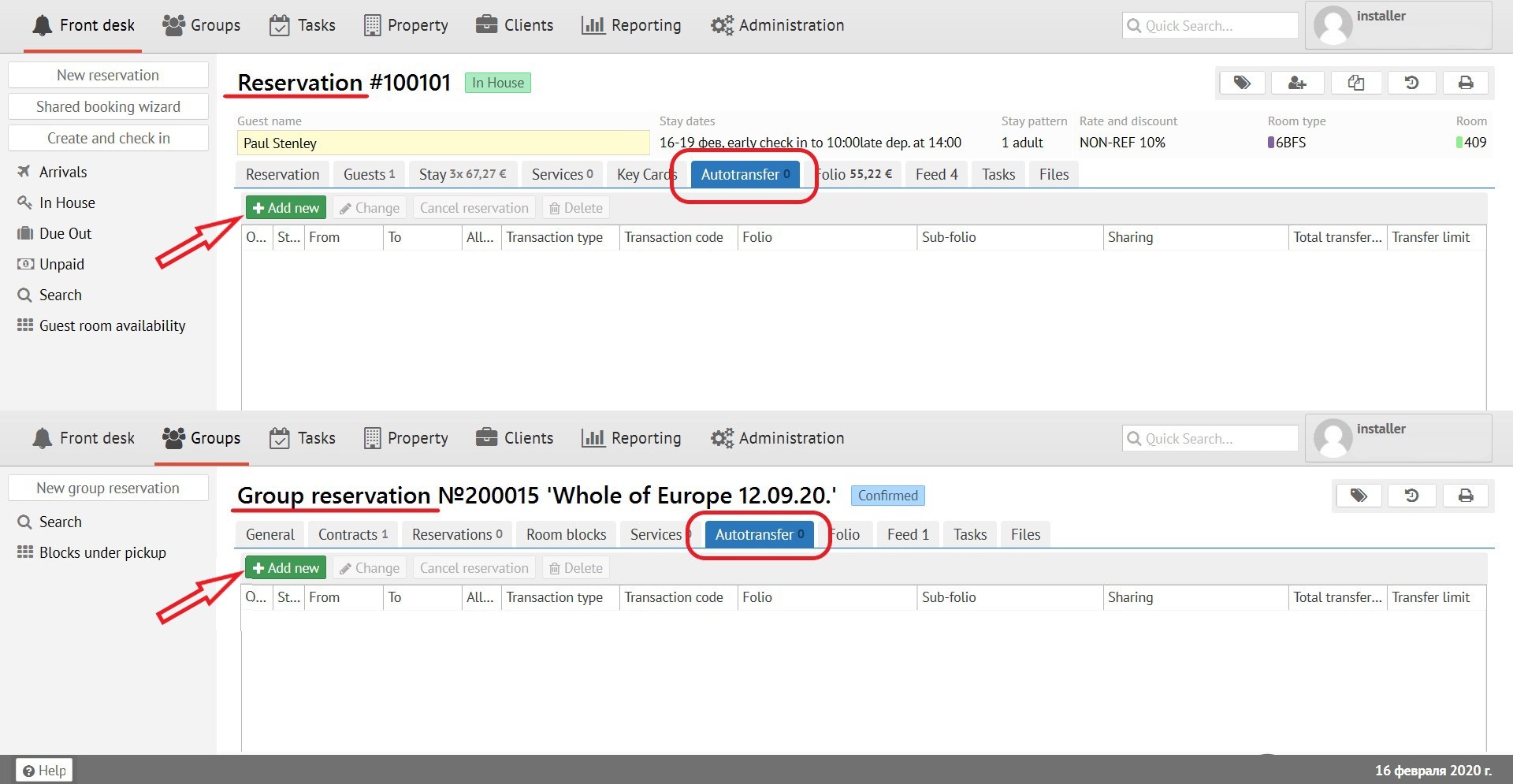
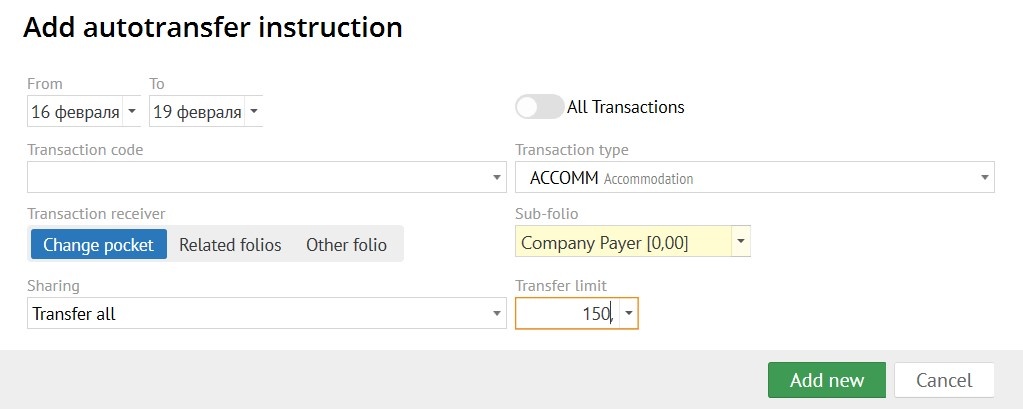
To add autotransfer click the "Add" button. In the pop-up form, you need to fill in the following fields:
- Period of "Autotransfer" (in what dates to transfer)
- Transaction variant (what exactly to transfer, choose one):
- all transactions;
- transaction code;
- transaction type.
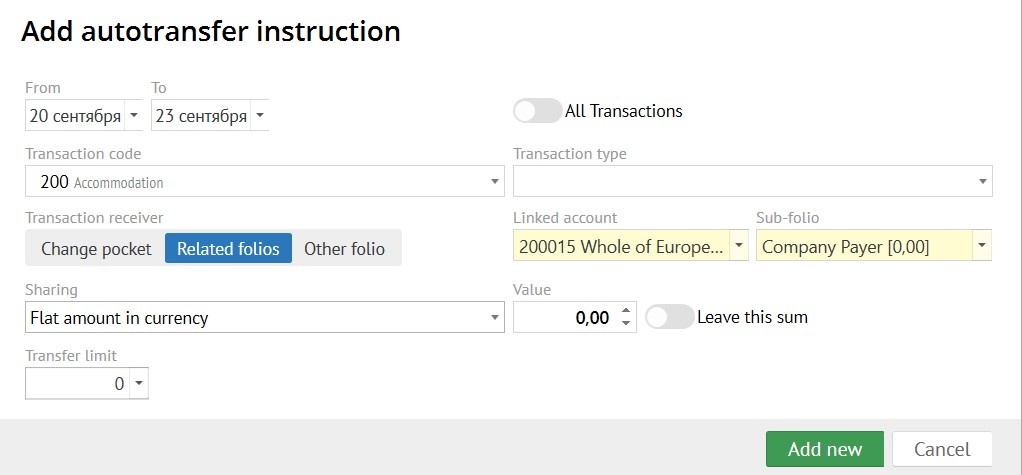
- Transaction receiver:
- change pocket (used for transferring transactions to another sub-folio in reservation.);
- related folios (related folios to your reservation: Group reservation, Guest profile or Company profile folios);
- other folios.
- Linked account - choose a related folios to your reservation: Group reservation, Guest profile or Company profile folios.
- Sub-folio - folio receiver of a transactions.
- Sharing:
- transfer all (all selected transactions are transfer by the "autotransfer");
- percentage (transfer percentage of the transaction, the percentage value can be specified in the "Value" field);
- flat amount (the amount specified in the "Value" field is transferred);
- flat amount in currency (the amount in currency specified in the "Value" field is transferred).
- Value - write the amount to be transfer, when you use "Sharing".
- Leave this sum - if you enable the "Leave this sum" switch, then the selected amount of the transaction leave in the original sub-folio, and the remaining amount is transferred by the autotransfer rule. If you disable the "Leave this sum" switch, then the selected amount is transferred by the autotransfer rule.
- Transfer limit - if necessary, write a "Transfer limit" to limit the amount of transaction transfer by the "Autotransfer".
An "Autotransfer" created in a "Group reservation" will be applied to all individual reservation belonging to a group.
"Autotransfer" automatically generated when a "Account receivable" is applied.