| Release | 2.5 |
| Logus The Box | Yes |
Create a Travel Line company profile in the "Clients" section.
To configure the joining, enable the "Sales master" role for the company.
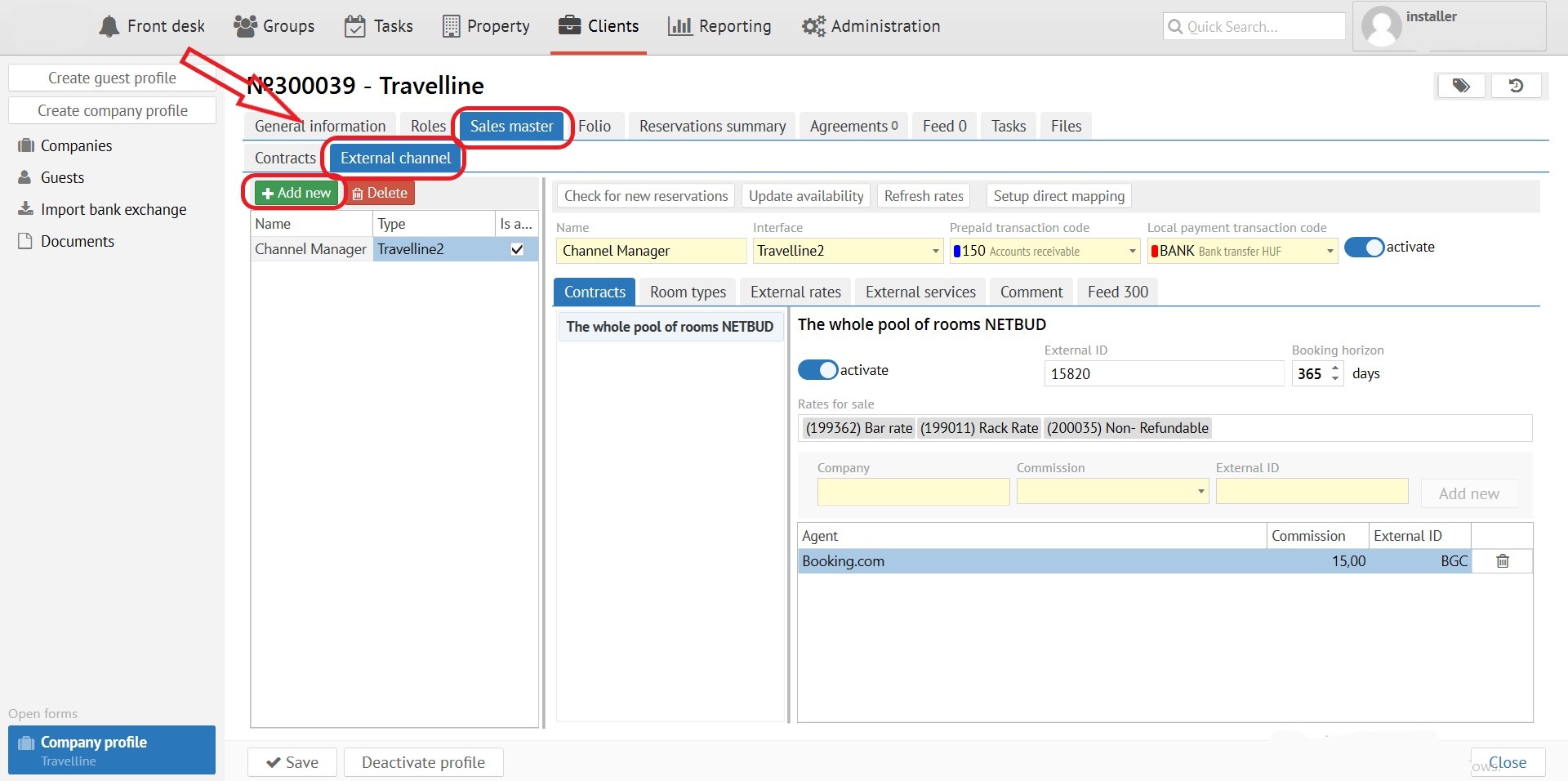
Use correct prepaid transaction codes for non-cash payments (from agents) and for direct payments via hotel acquiring (if such is connected in Travel Line).
Acquiring hotel payment can’t be non-cash – such reservations will come without payer company and 150 code could not be used. Payment code “Payment by hotel acquiring” should not be non-cash – for this type “Bank” or “External” type of payment must be used. |
Important!!! HotelCode, Which is shown on TL website can differ from external hotel code we use in configuration. If not sure, please clarify with technical support of client. |
With “Add new’ button create External sales channel.

| Tab name | Description |
|---|---|
| Contracts | Reservation rooms contracts. Usually used for the whole pool of MAIN rooms |
Room types | Room types for booking |
| External rates | Rates, set up in your TL account |
| External services | External services codes |
| Comment | External API descriptions, got from TL |
| Feed | General changes / operations |
Make sure kids categories in Logus and TL are similar – age must me the same to get into a correct category |
Each rate can be added in a separated lines. One rate in LOGUS can be compared with different rates codes from TL. For example, if TL rates from personal account set up as lined and prices do not downloading from LOGUS. |
In cases where more than one package must be linked with tariff, you need to add separated line for each package. On tab “External rates” you need to specify the same external identification as you can see on screen.
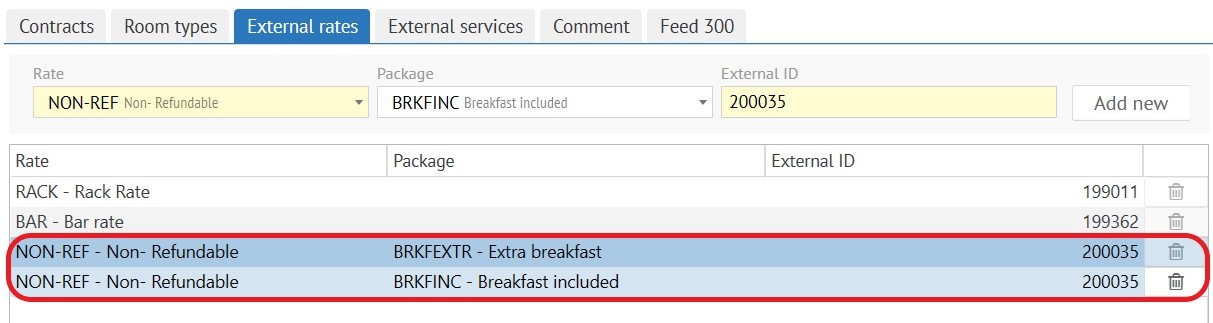
In case when reservation comes with external code 200035, tariff with "NON-REF" reservation and 2 packages will be created.
Attention! One of the reason why reservations with set up rates don’t displayed in Logus – rate is not available for reservation
|
|
Attention! Each Client with the "Agent" role must have a default commission set. |
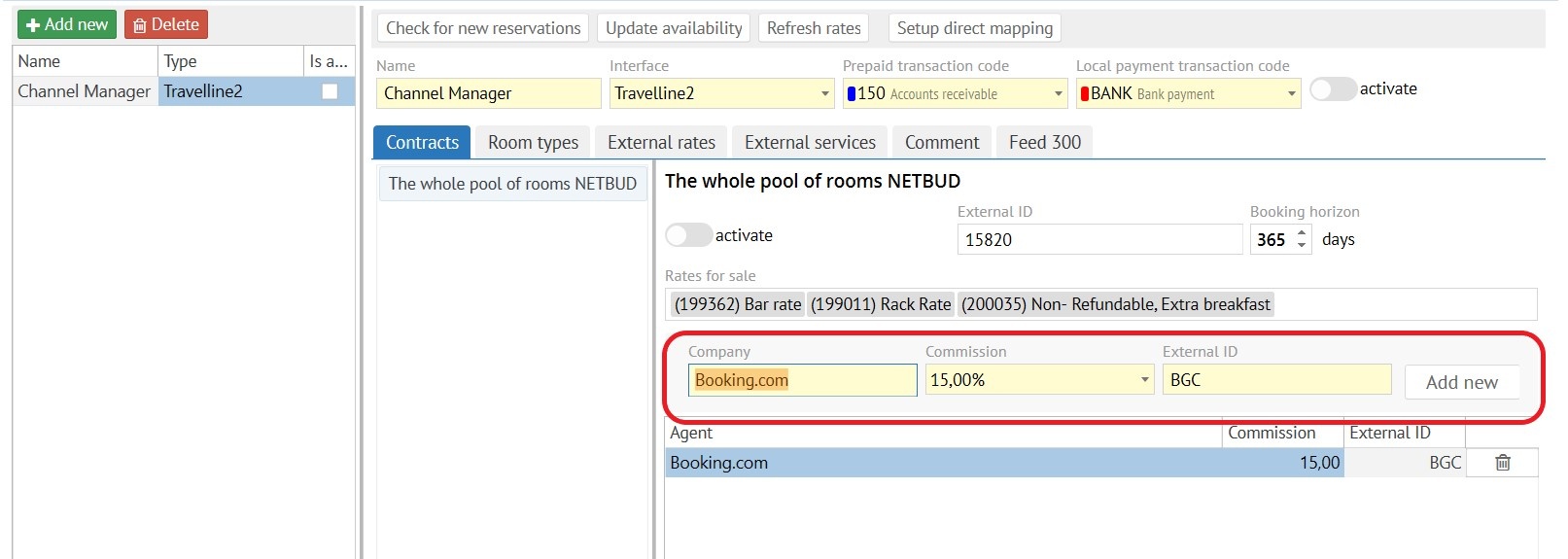
Page with all codes of sales channels - https://docs.travelline.ru/pages/viewpage.action?pageId=14549221 * IMPORTANT!!! Channels/website with asterisks can work with hotel on a FREE SALE conditions, in this case LOGUS data with room availability can be ignored |
When “Refresh rates” button is selected, prices from Logus to TL is unloaded.
Attantion! Please consult with your Travel Line manager before this action. If you see error log “Price integration is disabled”, when unloading prices, it means Travelline doesn’t include price sync for tariffs. |
Force availability update
To force the update of room availability, click the “Update Availability” button |
