The loyalty system is a separate module that need to have separated licensing. Therefore, before settings set up, you need to make sure that the license includes into the loyalty module. The license file must contain the following line:
<GrantedPermissions>
    <GrantedPermission>Loyalty.Access</GrantedPermission>
</GrantedPermissions> |
To activate users module (viewing balance, using special offers, issuing cards, etc.), you must add the "Loyalty / Access to the loyalty system" rights.
"Loyalty" tab will appear in the reservation card after user's roles correct configuration, which will display data from the loyalty system:
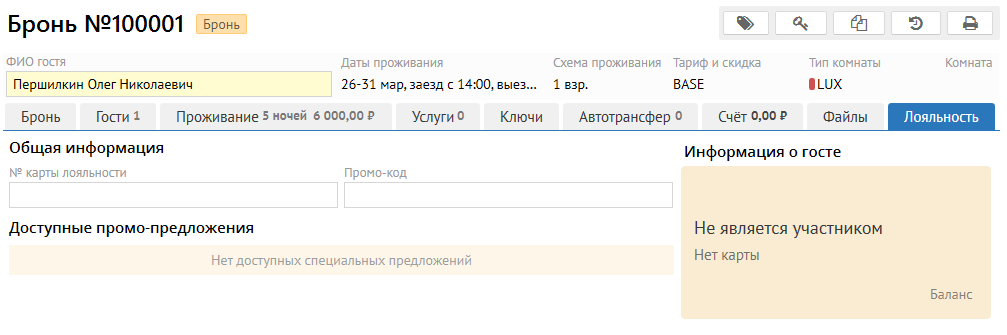
In order for a guest to become a member of loyalty program, several conditions must be met:
After specified fields will be filled in the guest's profile, he will automatically receive his personal account in loyalty system, it accumulate and write-off available points.
This is how "Loyalty" tab will look like after registration is done:
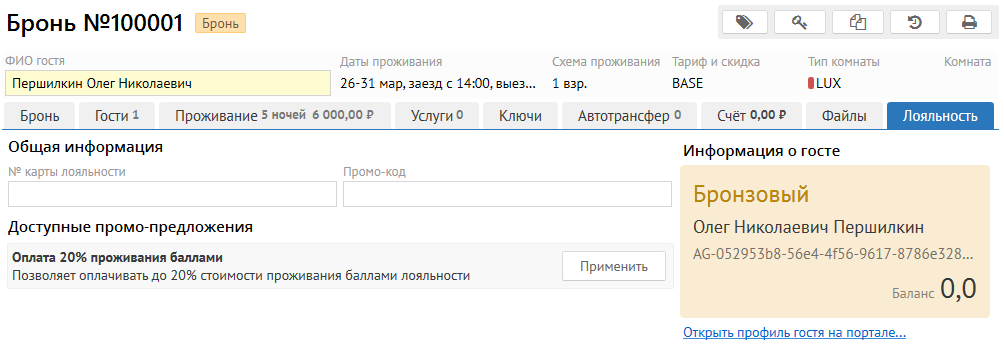
Under guest card you can see link "Open guest’s profile on the portal ...", it show more details about the balance of the guest account in loyalty program:
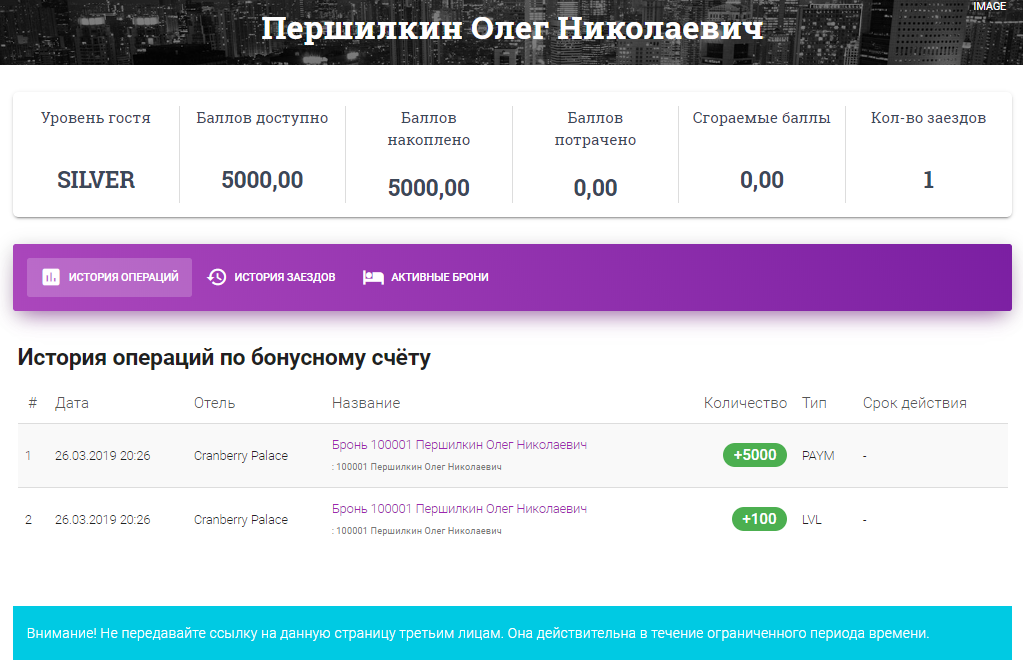
Here you can see full accrual and write-off of points, guest’s visits history (including visits to other participating hotels), active reservations (future reservations). The link to this page is time limited, and after some time (10 minutes by default) it becomes invalid.
To process payment via bonus points conditions below needs to be follow:
To set up this rule, you need to go to the administration of the loyalty portal, and add a new one in the rules of promo offers that will indicate which transaction code can be paid with bonus points and in what percentage. There can be several rules - you can set separate limits for each transaction code.
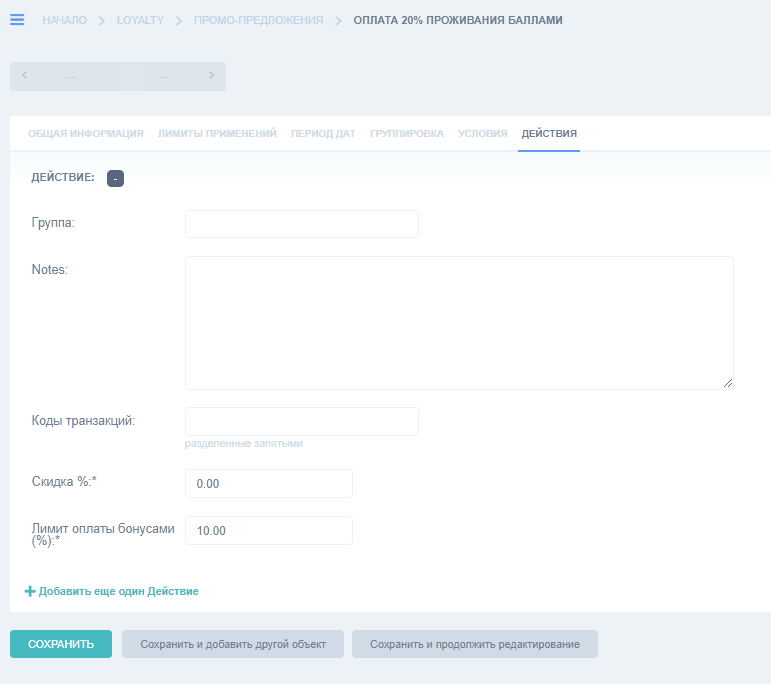
The payment limit can be tied to many conditions: to the current guest’s "level" in loyalty system, to several transaction codes, to a specific point of sale.
Once the payment rule is created, you can accept payment by points in Logus. On the screen you can see example where ability to pay 10% of any services with bonus points has been set up.
You can pay with points by selecting a special payment code "LOYALTY":
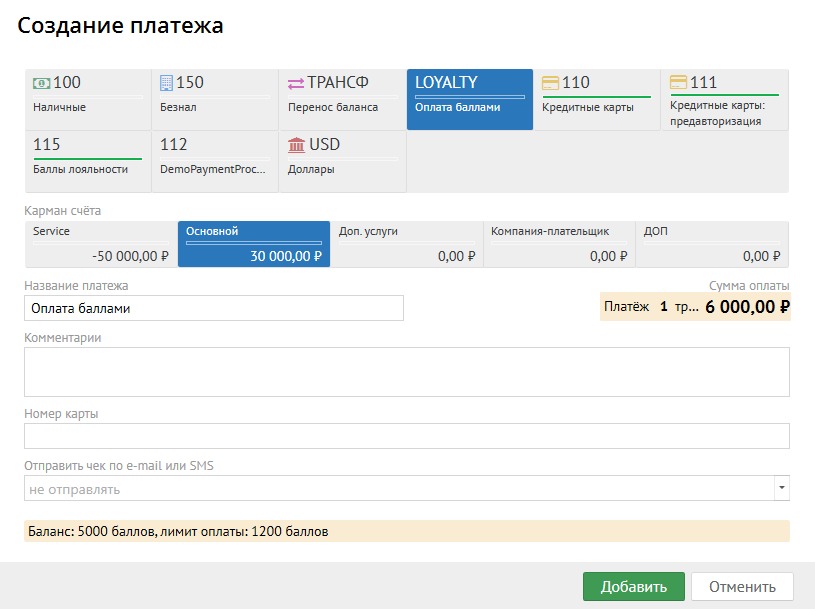
This code see guest's current balance and payment limit. When payment process needed points amount will be debited from the guest's account. If such payment is adjusted - amount of bonuses will be returned to the guest's account.
When fiscalizing a check, where payment by points is involved, a proportional discount for the amount of points will be made for all check positions.