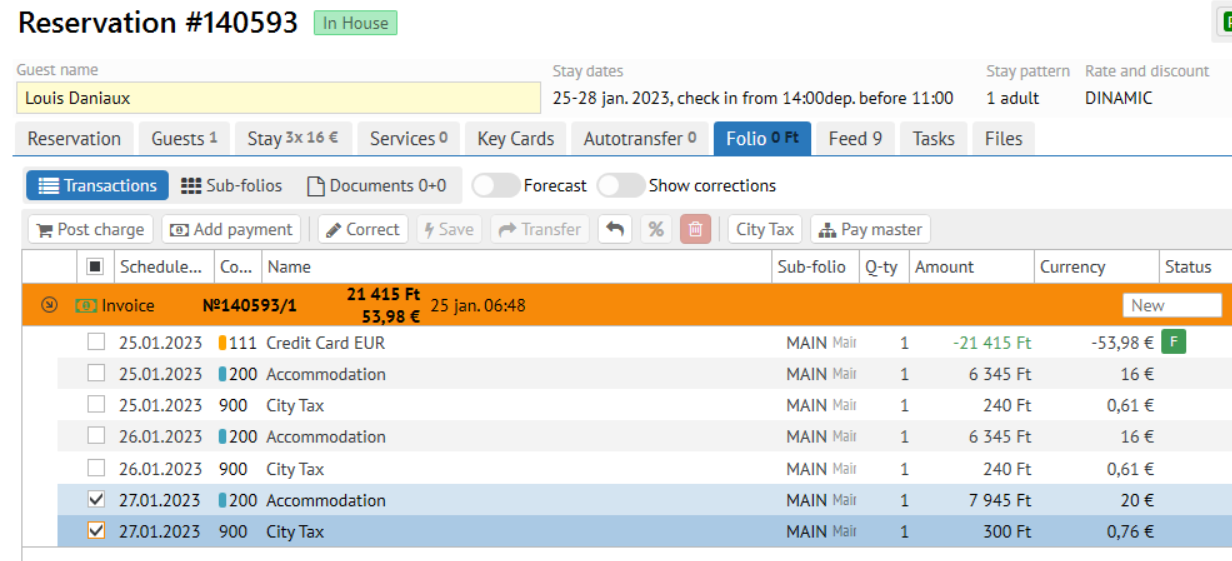
Open an invoice and mark the required revenue transactions
Click Correct button
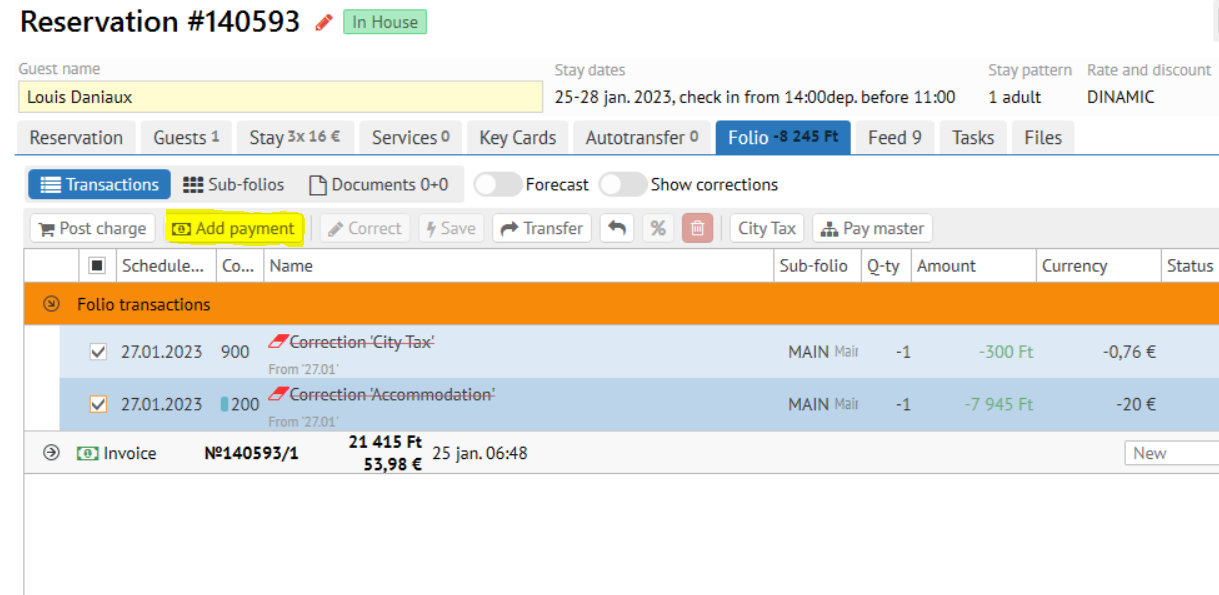
When paying in euros, you do not need to recalculate the amount in local currency or change the date of the exchange rate. |
Open an invoice and mark the required revenue transactions
Click Correct button