...
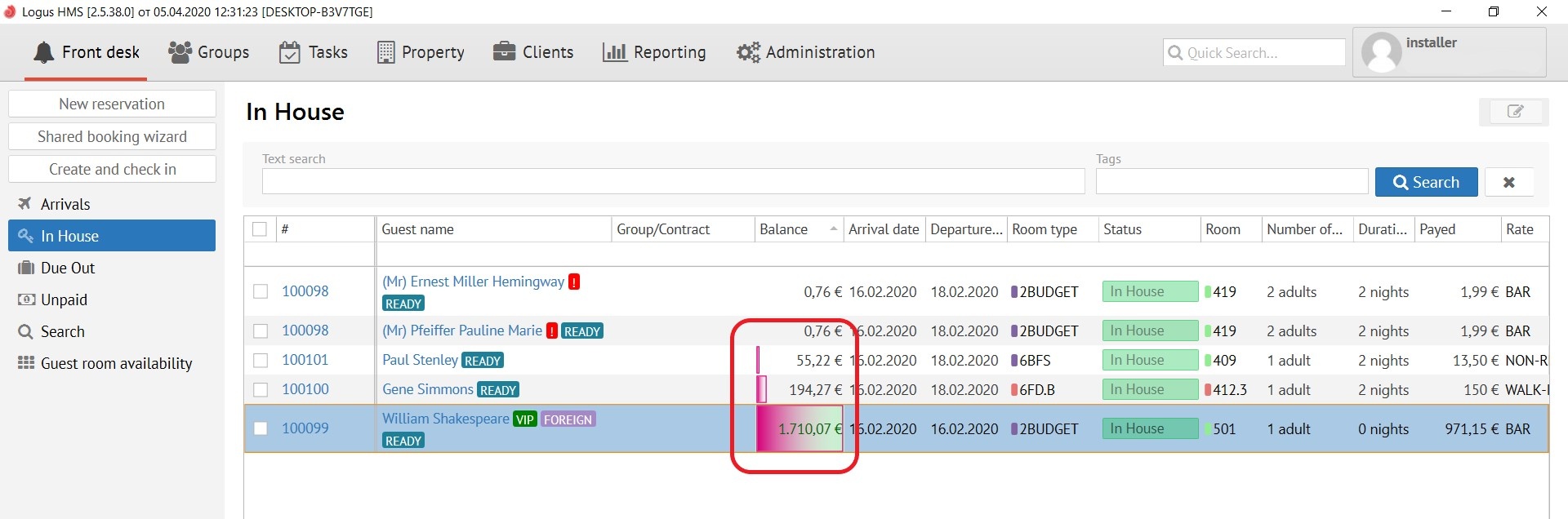
This button applies colour schemes to already configured rules, for example:
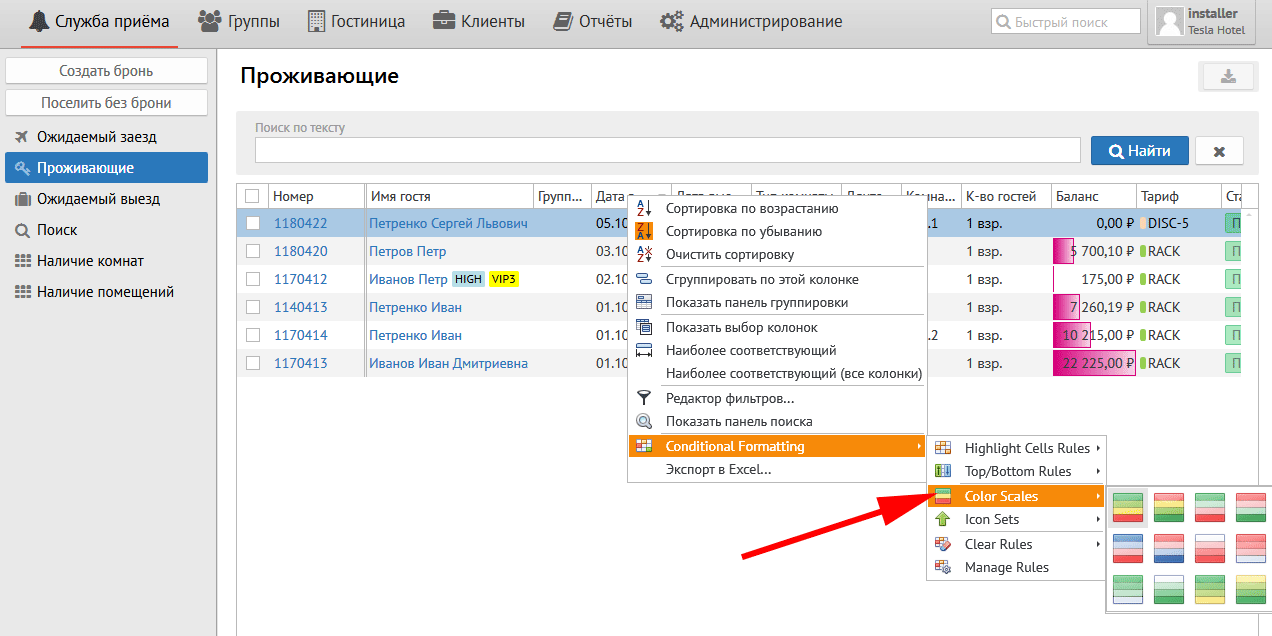
Color Scales ( рус. цветовые схемы):
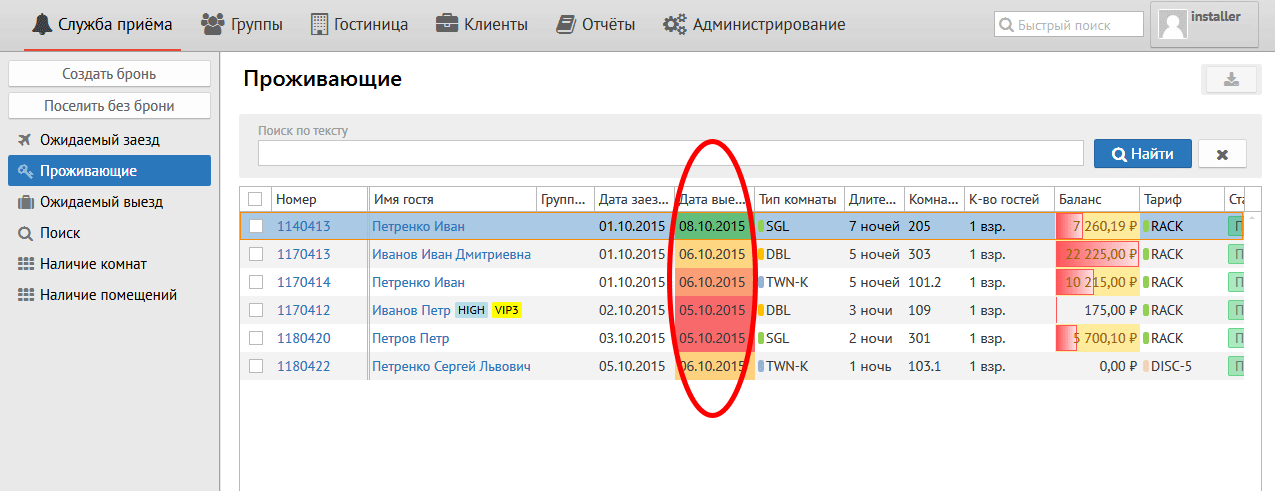
Данная кнопка выравнивает по нескольким цветам колонки, например:
Icon Sets (рус. иконки):
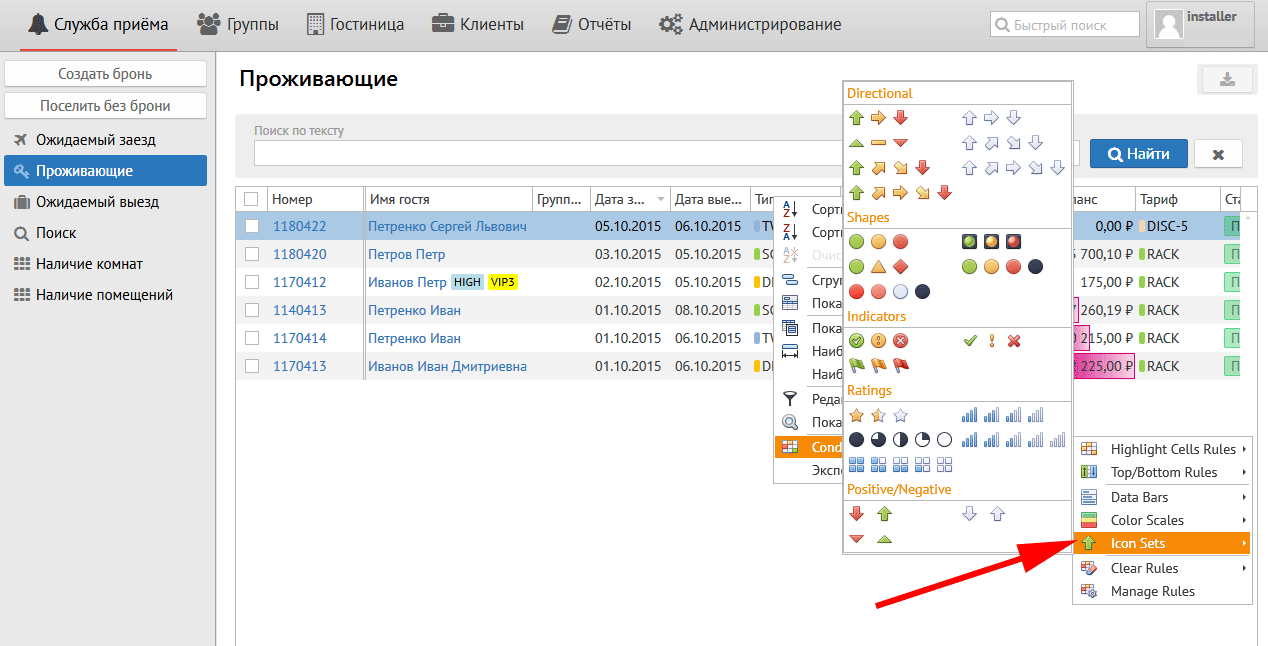
Данная кнопка позволяет поставить на выбранную колонку иконку, например:
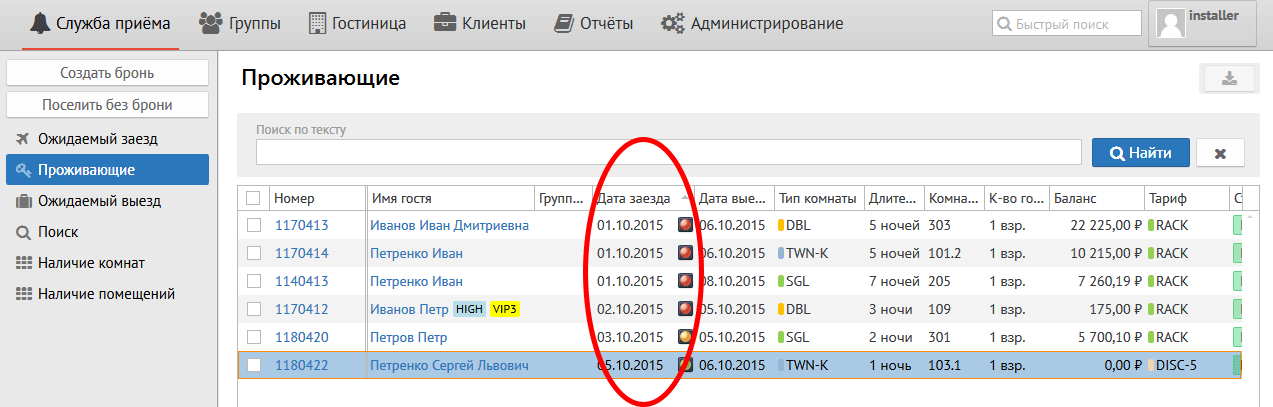
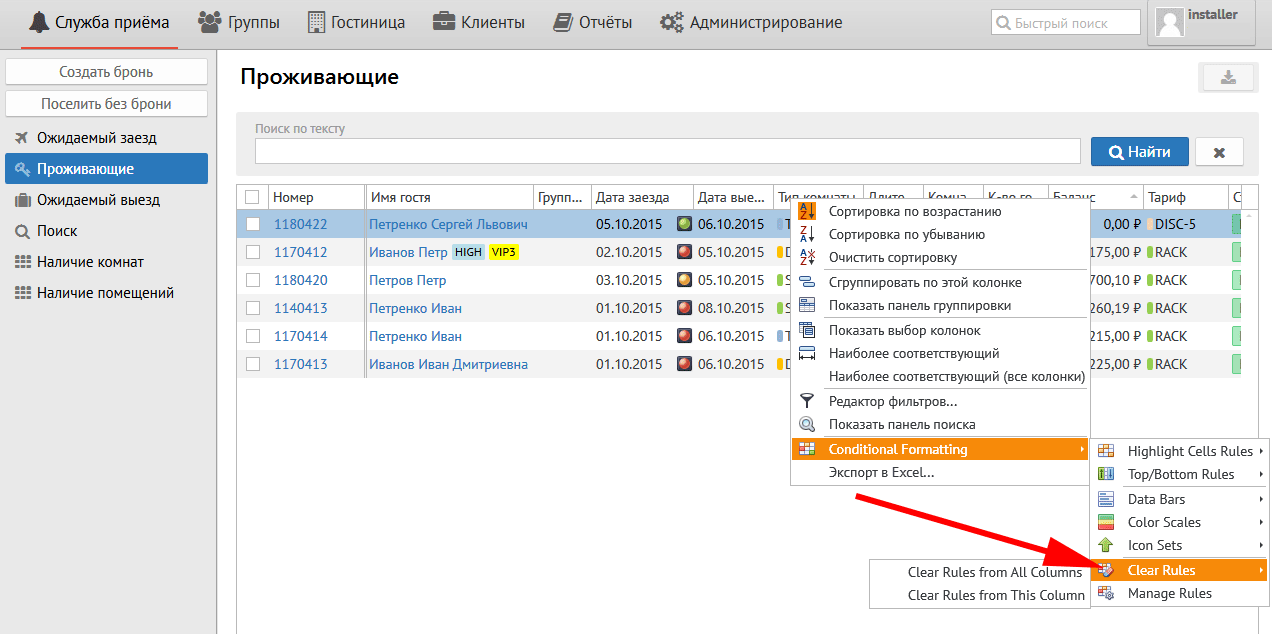
Clear Rules (рус.очистить правила):
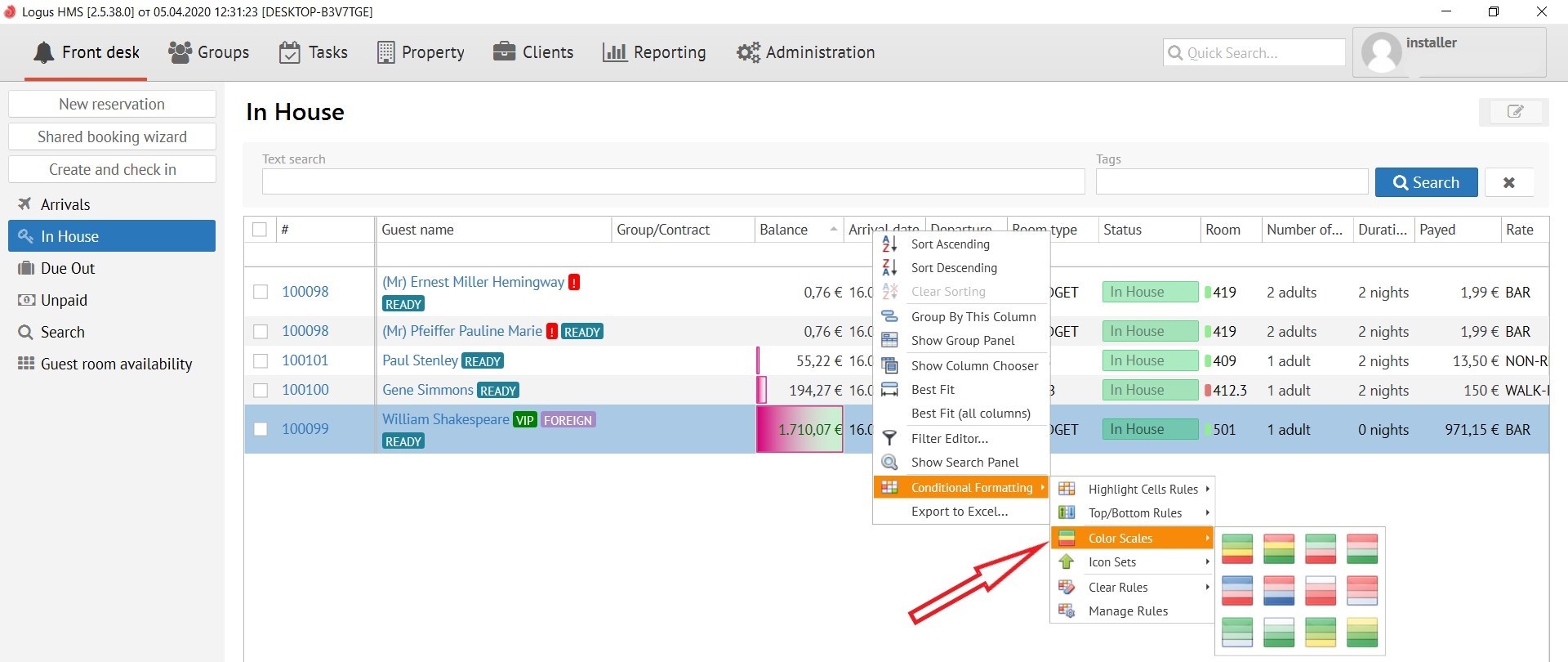
this button coloring different data in different colours:
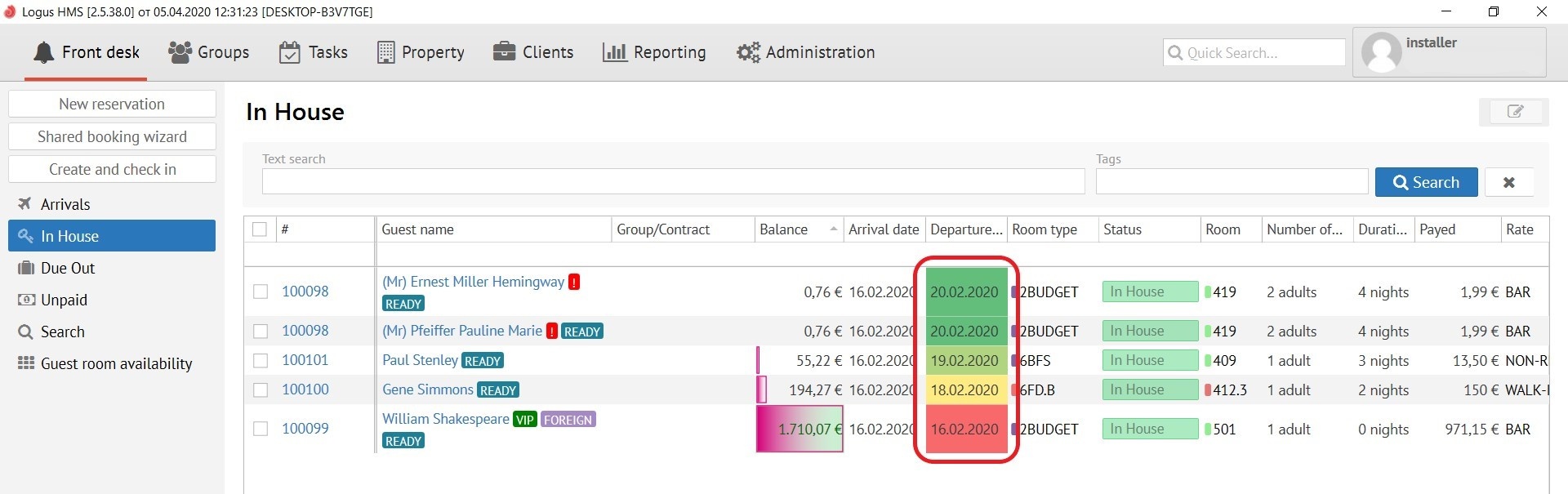
Icon Sets:
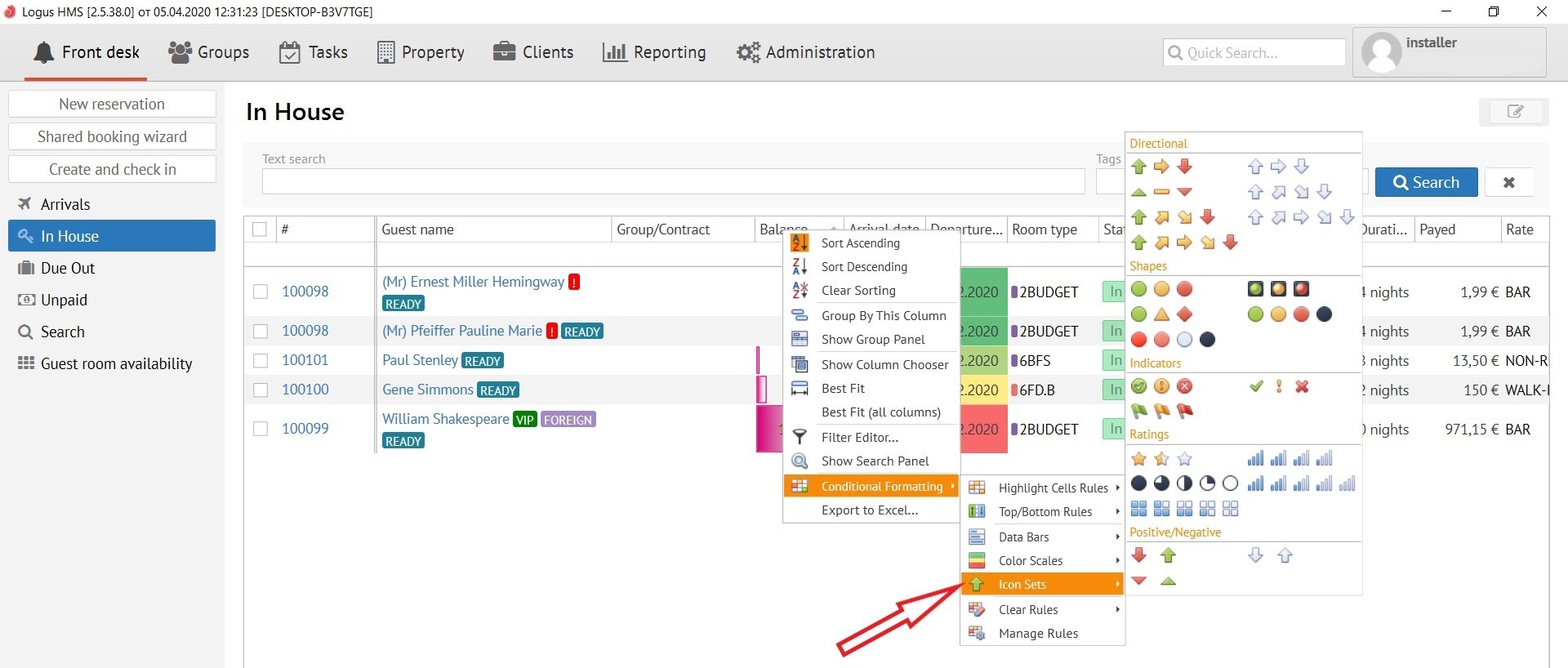
This button allows you to put an icon on the selected column, and mark it by different colour, for example: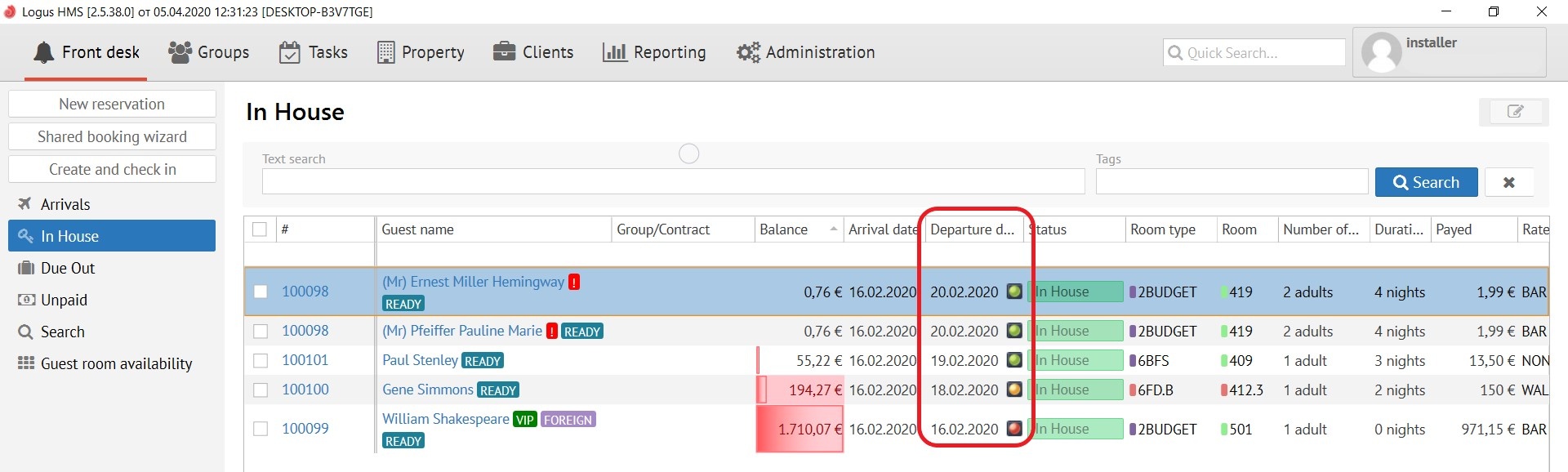
Clear Rules:
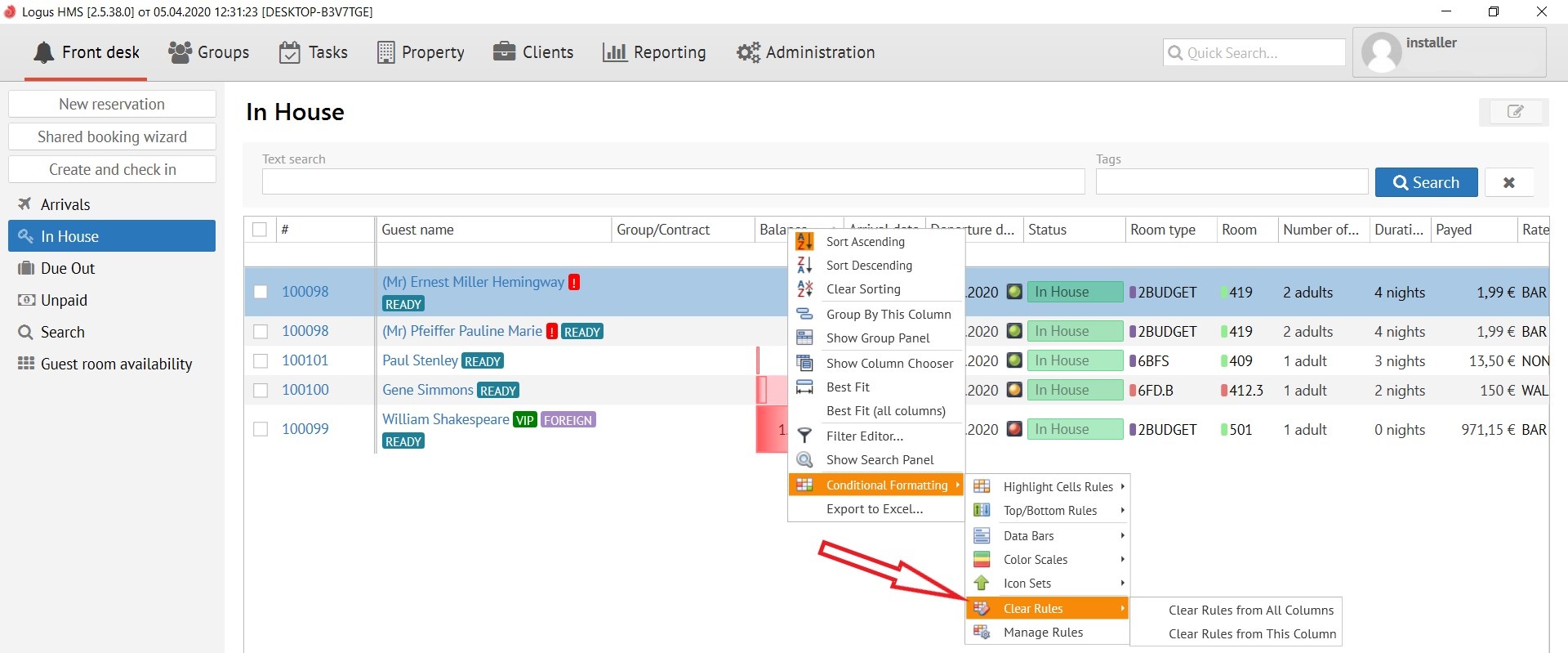
The button allows you to clear the rulesКнопка позволяет очистить правила:
Clear Rules from All Columns - очистить правила со всех колонок
Clear Rules from This Columns - очистить правила с этой колонки
Manage Rules (рус.управление правилами):
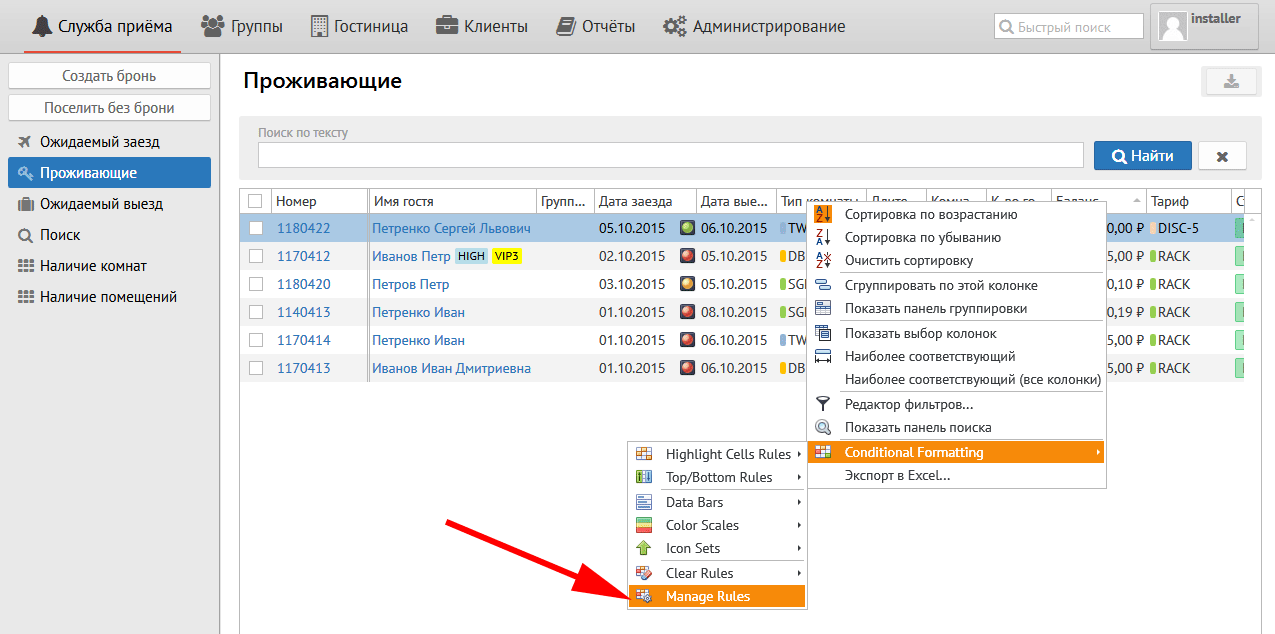
После нажатия на эту кнопку появляется следующее окно:
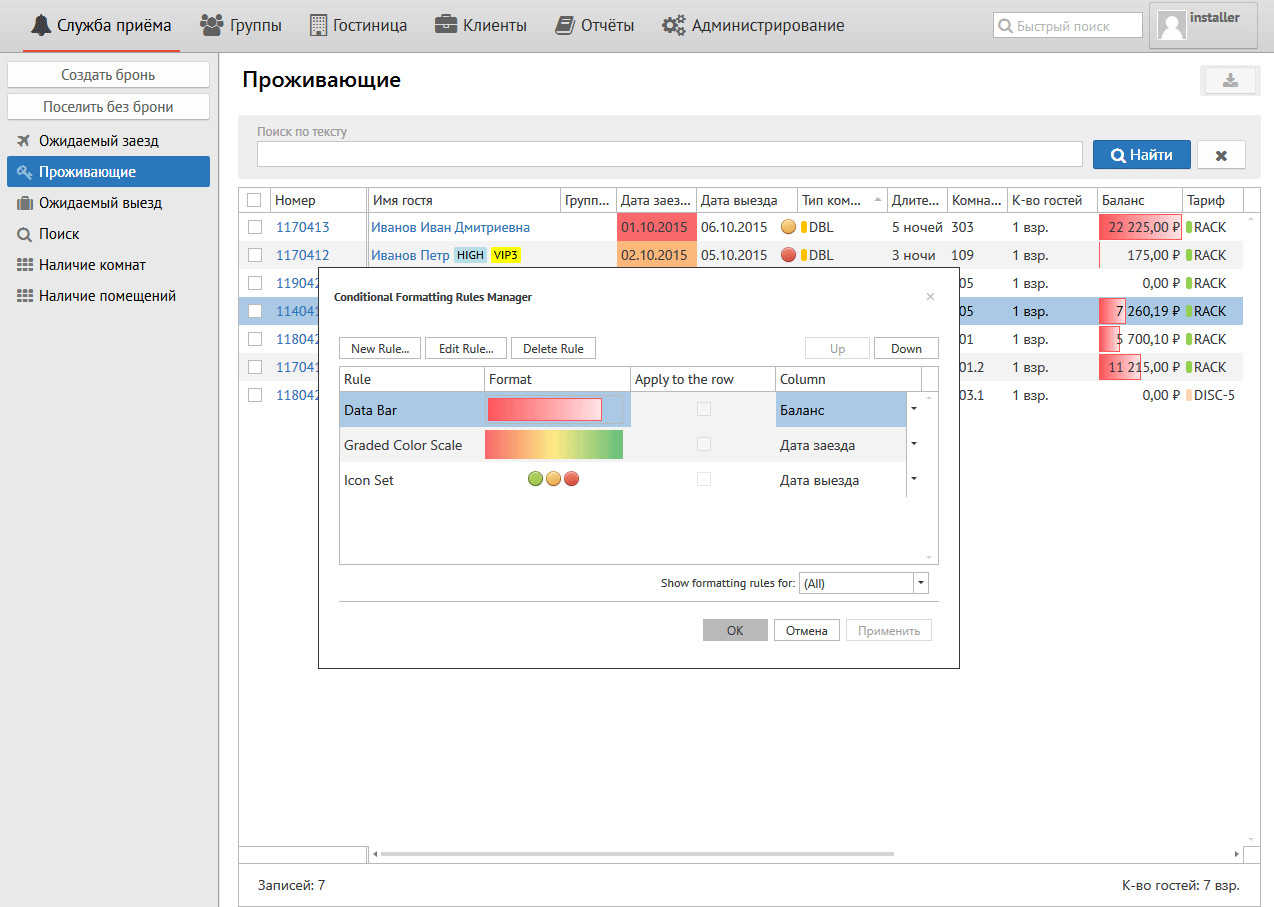
Здесь Вы можете управлять колонками:
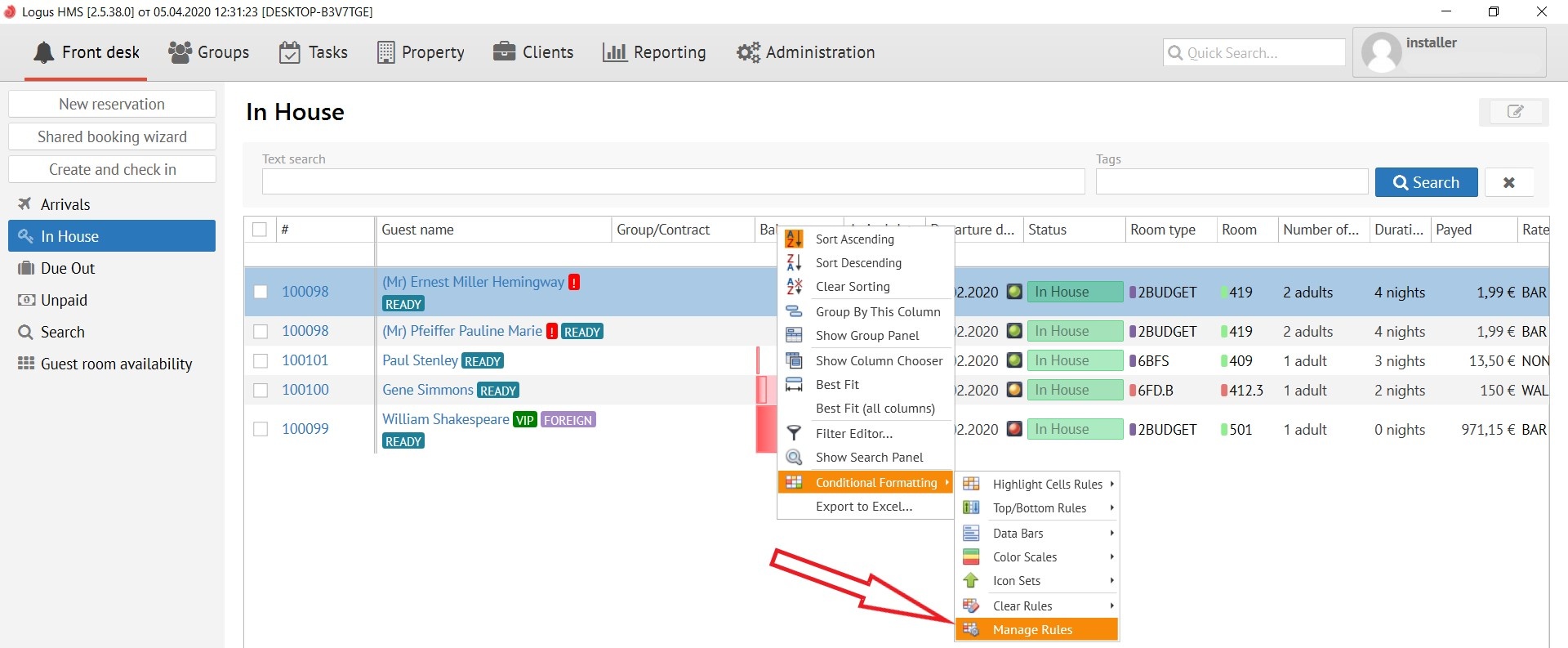
After clicking on this button, the following pop-up window appears:
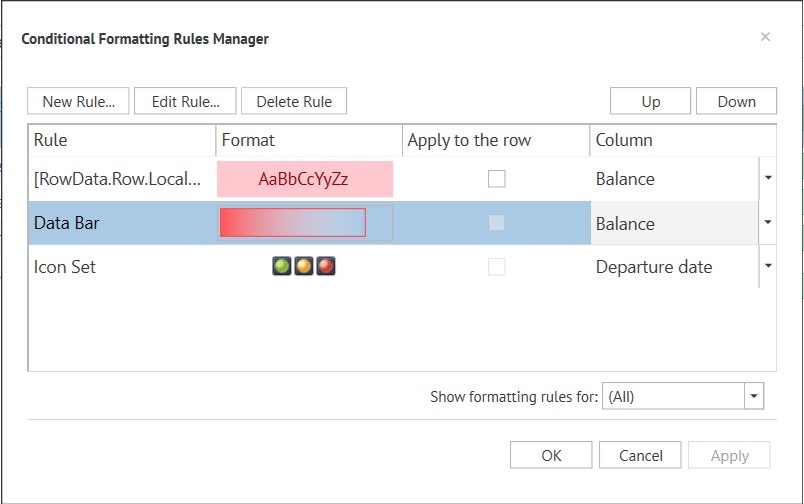
Here you can manage the rules for a columns:
ButtonsКнопки:
New Rule (рус. новое правило) - позволяет создать новое правило на выбранную колонку- allows you to create a new rule on the selected column.
Edit Rule (рус. редактировать правило) - позволяет отредактировать уже созданное правило - allows you to edit an already created rule.
Delete Rule (рус. удалить правило) - позволяет удалить созданное правило.
Окно созданных правил:
Rule (рус. правило) - название правила.
- allows you to delete the created rule.
Created rules section:
Rule - A name of a rule.
Format - format of the created rule (letters or icons)Format (рус.формат - буквы или значки) - формат созданного правила.
Apply to the row (рус. применять к строке)
Column (рус. Колонка) - название колонки.Внизу справа Show formatting rules (рус. Показать правила форматирования) - возможно выбрать необходимые Вам колонки из списка - A name of a column.
Bottom right Show formatting rules - allows you to select the columns you need from the list.