| Page properties | ||||
|---|---|---|---|---|
|
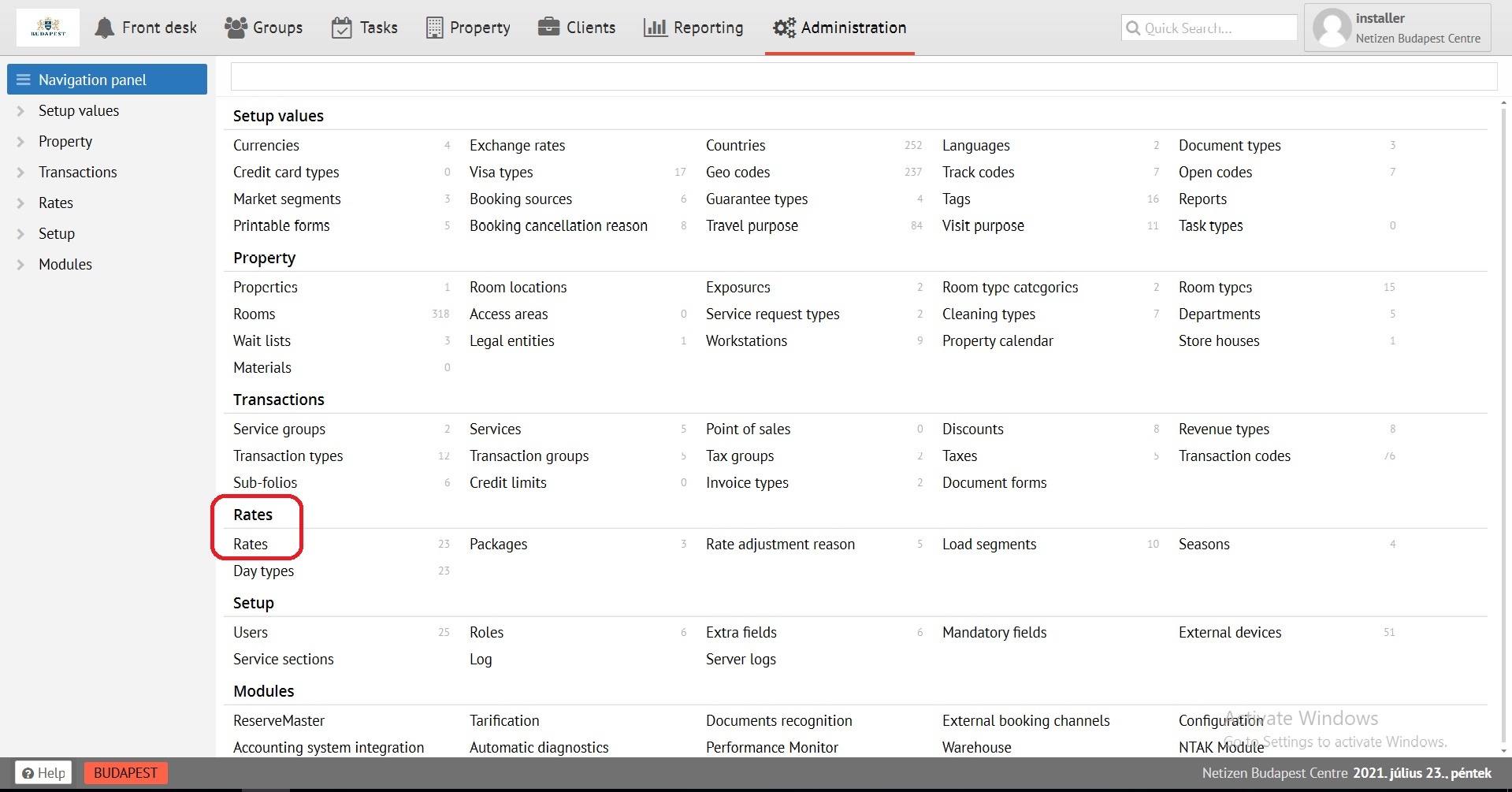
Create a rate using the "Add new" button in Administration, section Rates.
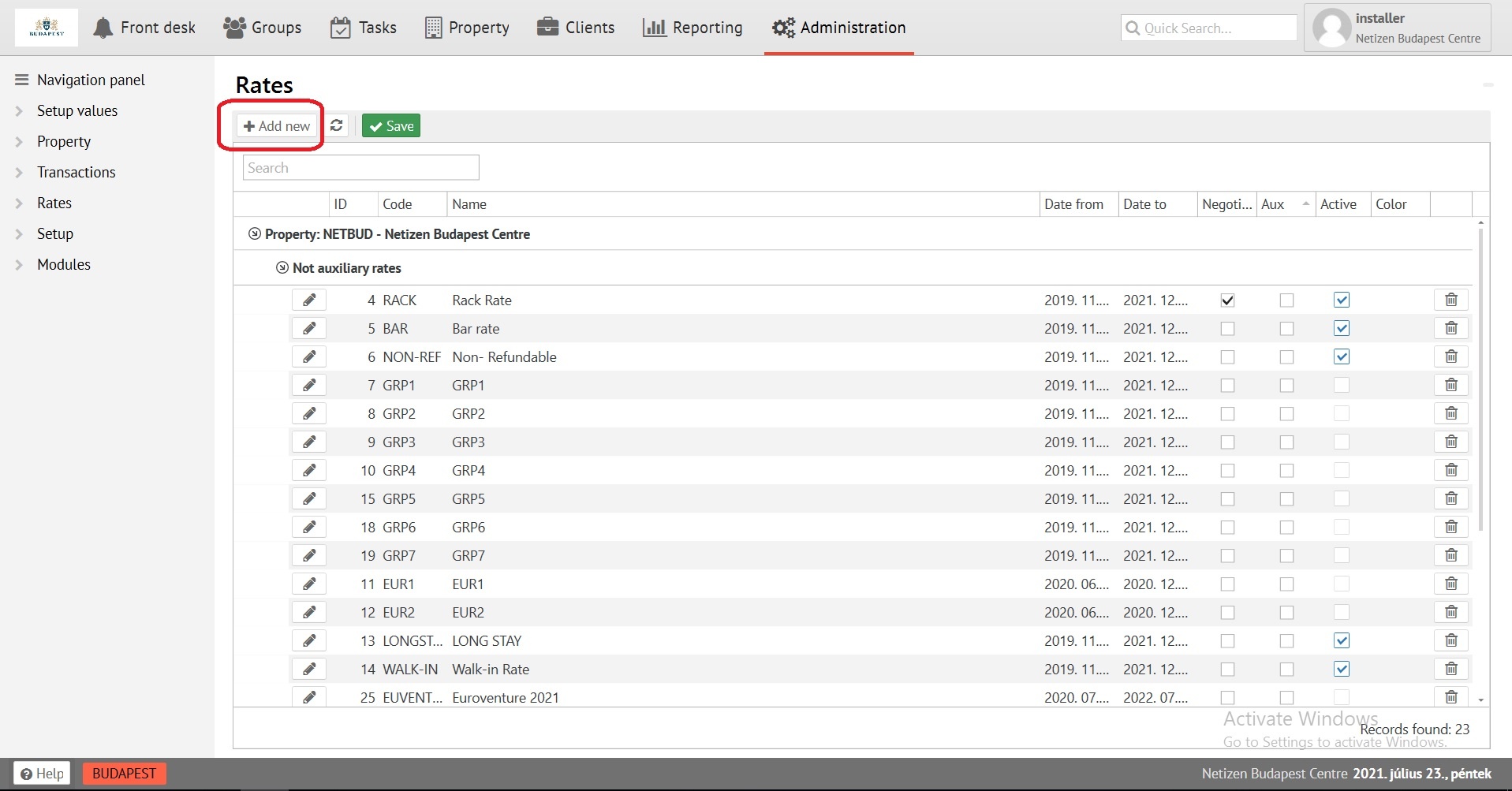
Fill in the first tab of the «General information»
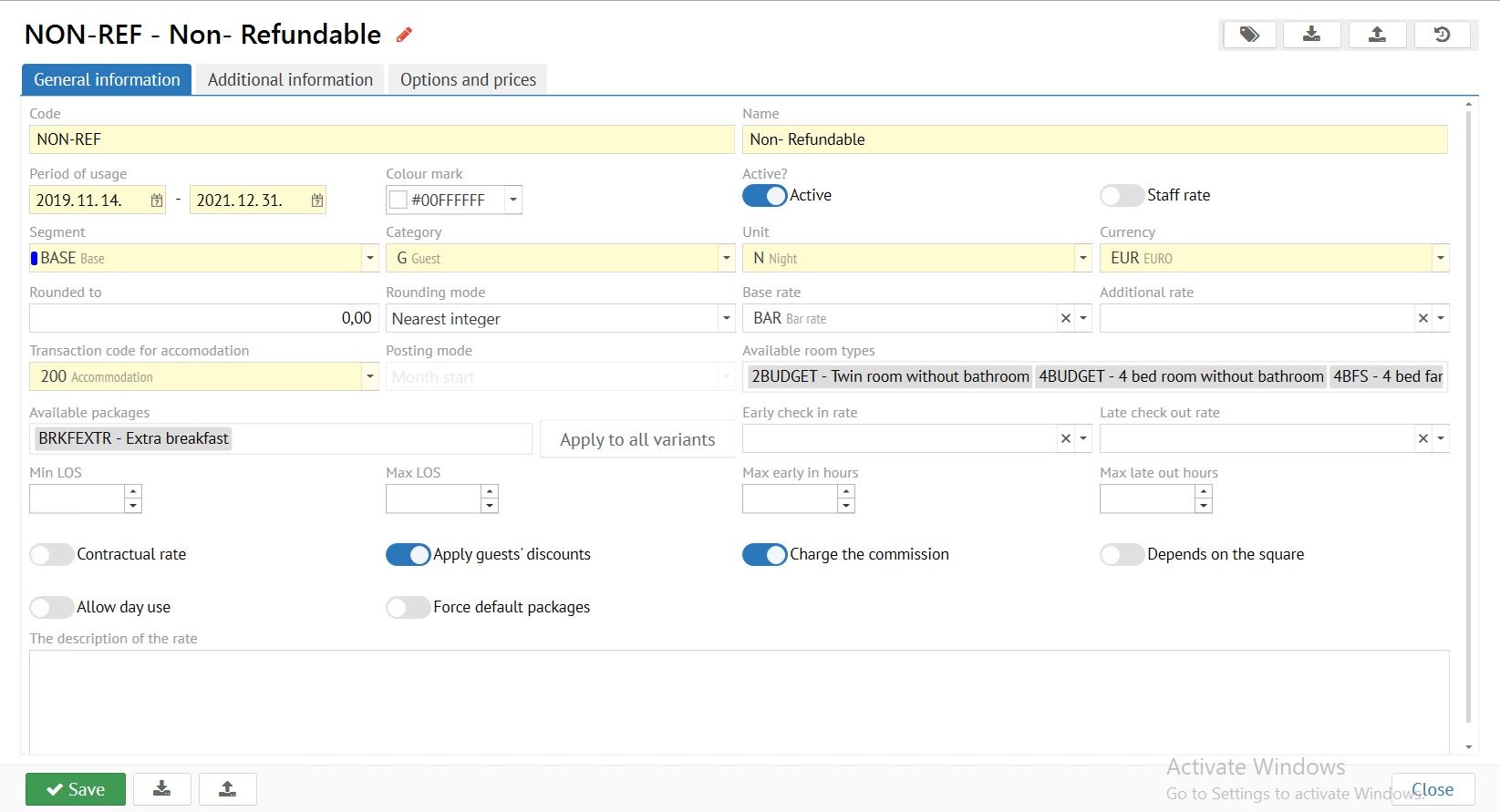
Code - maximum 8 digits, displayed as rate identifier in all cards.
...
Base rate - if it is necessary to calculate a rate from the already available, select it for further calculation.
Select available room types for rate
Transaction code per stay - 200, or stay by voucher (other codes are possible, but mandatory with type of transaction BYW)
Additional rate - used only in Apartmentsmode.
Transaction code for accomodation - transaction code for room/bed rent - 200. For premises For rental rates, choose a lease code (210 in standard base filling) or a code with RENT transaction type
Packages that will be available for surfing
Limit P3, PB in duration if necessary
.
Posting mode - used only in Apartments mode.
Available room types - select available room types for this rate.
Available packeges - packages that will be available for applying in "Options and prices", "Set options" for use by default. Or packages available for selection when booking at this rate.
Early Check-in rate - rate for automatic calculation early Check-in price to the maternal rate.
Late Check-out rate - rate for automatic calculation late Check-out price to the maternal rate.
Min LOS - used only in Apartments mode.
Max LOS - used only in Apartments mode.
Max early in hours - Limit early Check-in in duration if necessary.
Max late in hours - Limit late Check-out in duration if necessary.
Triggers:If P3 rates are available, add P3 to these fields
Contractual rate - only applies when adding to the company’s profile, and to the company in armorReservation.
Apply guest guests discounts - applies a specified percentage discount to the sum of the rate.
To charge a Charge the commission - charges the commission to the agent on a given rate.
Depending Depends on the area square - calculated according to the area square of the Room type.
Allow Day Use day use - the calculation of the cost of accommodation is a multiple of the number the quantity of hours in reservations.
Default packages are mandatory - will not allow to untie Force default packages - will not allow to disable the package from the rate, will fix packages on different variants of the price in "Set options" tab if the reservation lives with the transition on the price variants of the rate, and in them different packages are set.
After filling the necessary fields SAVE, ENABLE THE RUNNER ACTIVELY, SAVE Exactly in this sequenceall settings save the Rate tab!
| Warning |
|---|
When you save a rate for the first time, fill in the tab "General information" of the rate, the slider "Active" DO NOT turn on!!! |
Fill in the «Additional information» tab, if necessary.
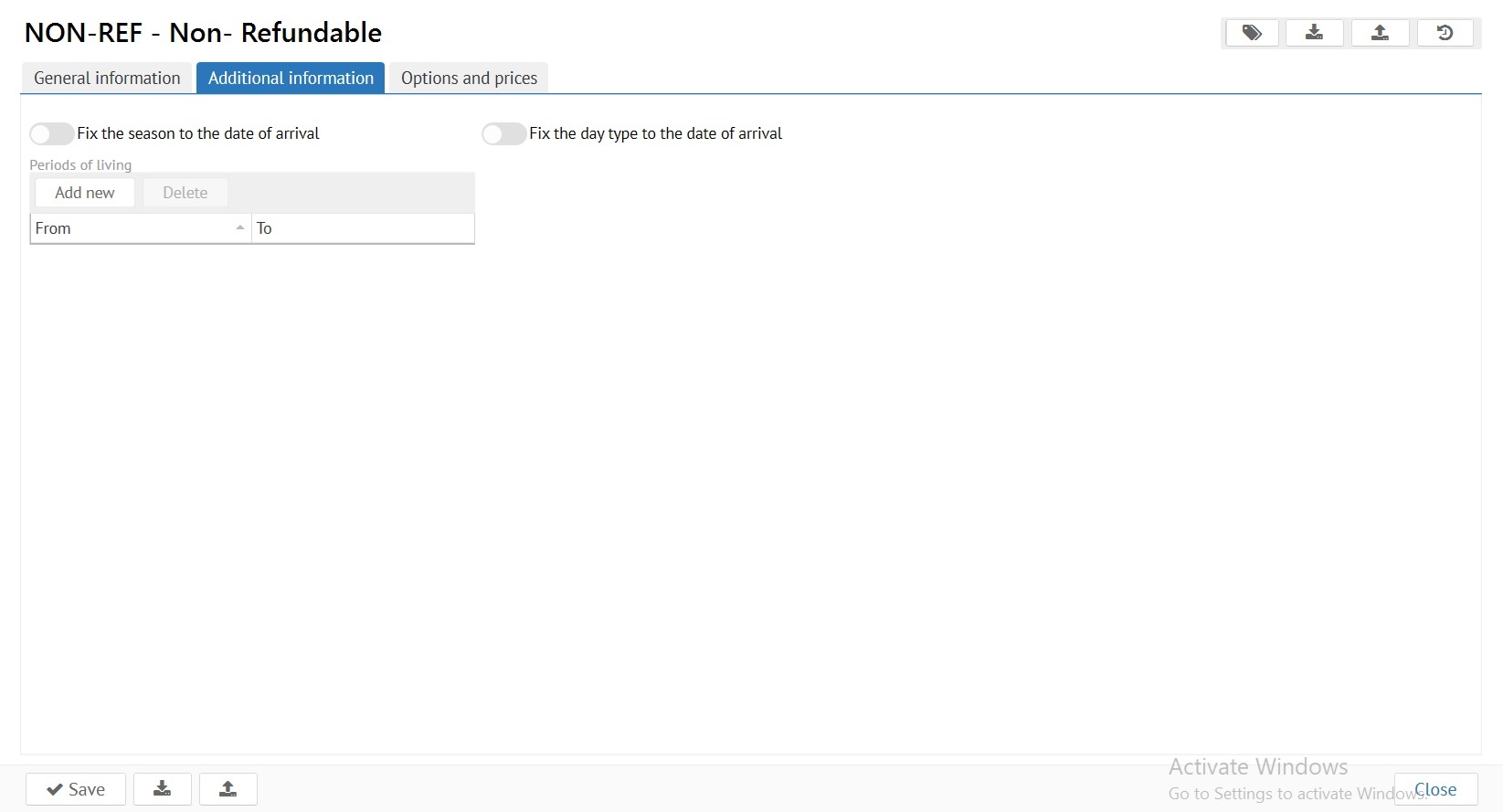
The Advanced Settings Additional information tab is used to fine-tune the rate
Rigid package locking, for specified periods. It is applied if different price variants, different packages, for different seasons / types of day.
.
Fix the season/day type for date of arrival - It is used to fix the cost of the rate on the day of arrival, if the reservation is staying through different seasons / day types.
Periods of living - a period A period is considered to be that time period that is added to the field «Units of measure» in the tab «General characteristics»tab «General information», «Unit». DAY - The option of the option is regulated, from how many days of stay will apply to the rate is regulatedwill be applied in reservation. HOUR - the tthe option of is regulated, how many hours from FROM the time of departure time and how many hours from arrival time BEFORE the time of arrival, early Check-in and late Check-out will be calculated early arrival and late departure.
In the
...
"Options and prices" tab you can set the room price for different periods
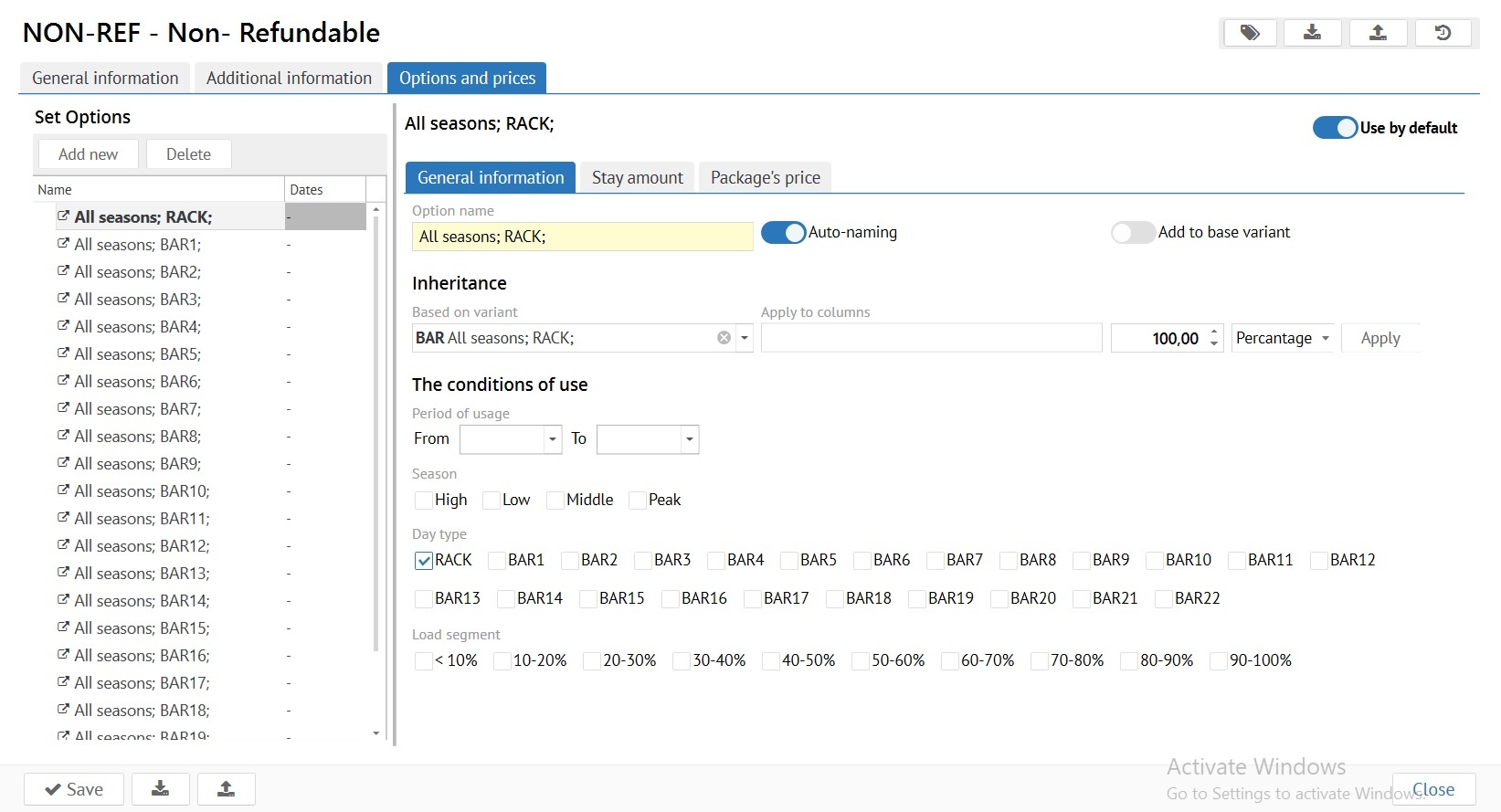
One price option has to be set for the use of theon. In case of an error in rate settings, this option will be used when booking.
...