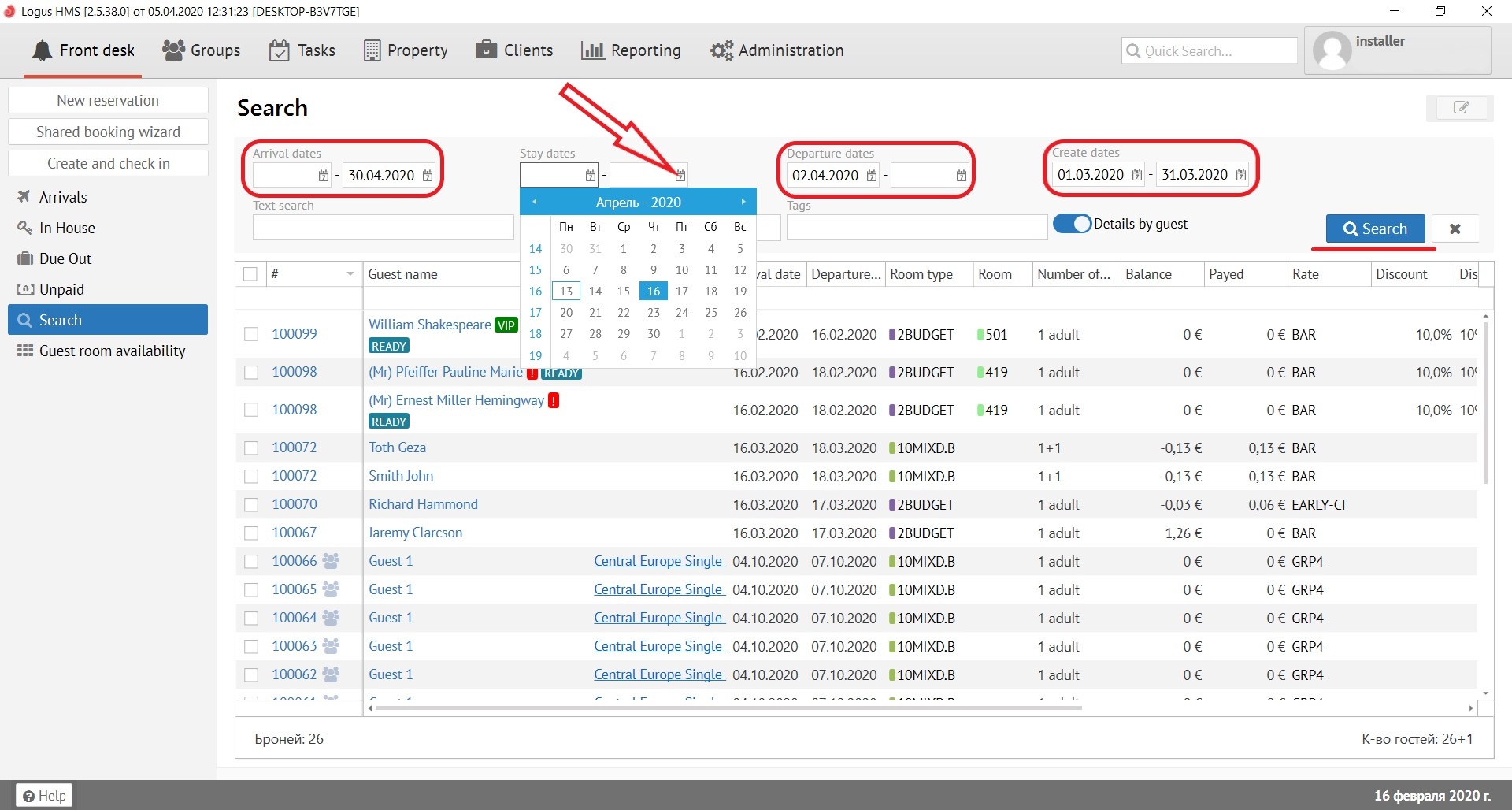
«Search» button - this is a global search that allows you to search for reservation using various tools:
Search by arrival dates (section “Arrival dates”) - the ability to search reservation by arrival dates.
Search by the period of stay (section “Stay dates”) - the ability to search reservation by the period of stay.
Search by the departure dates (section “Departure dates”) - the ability to search reservation by departure dates.
Search by the creation dates (section “Create dates”) - the ability to search reservation by the period of creation.
There is also a "Calendar" button next to each the date. It opens a calendar pop-up window.
Button "X" resets all search queries.
After all changes press "Search" button.
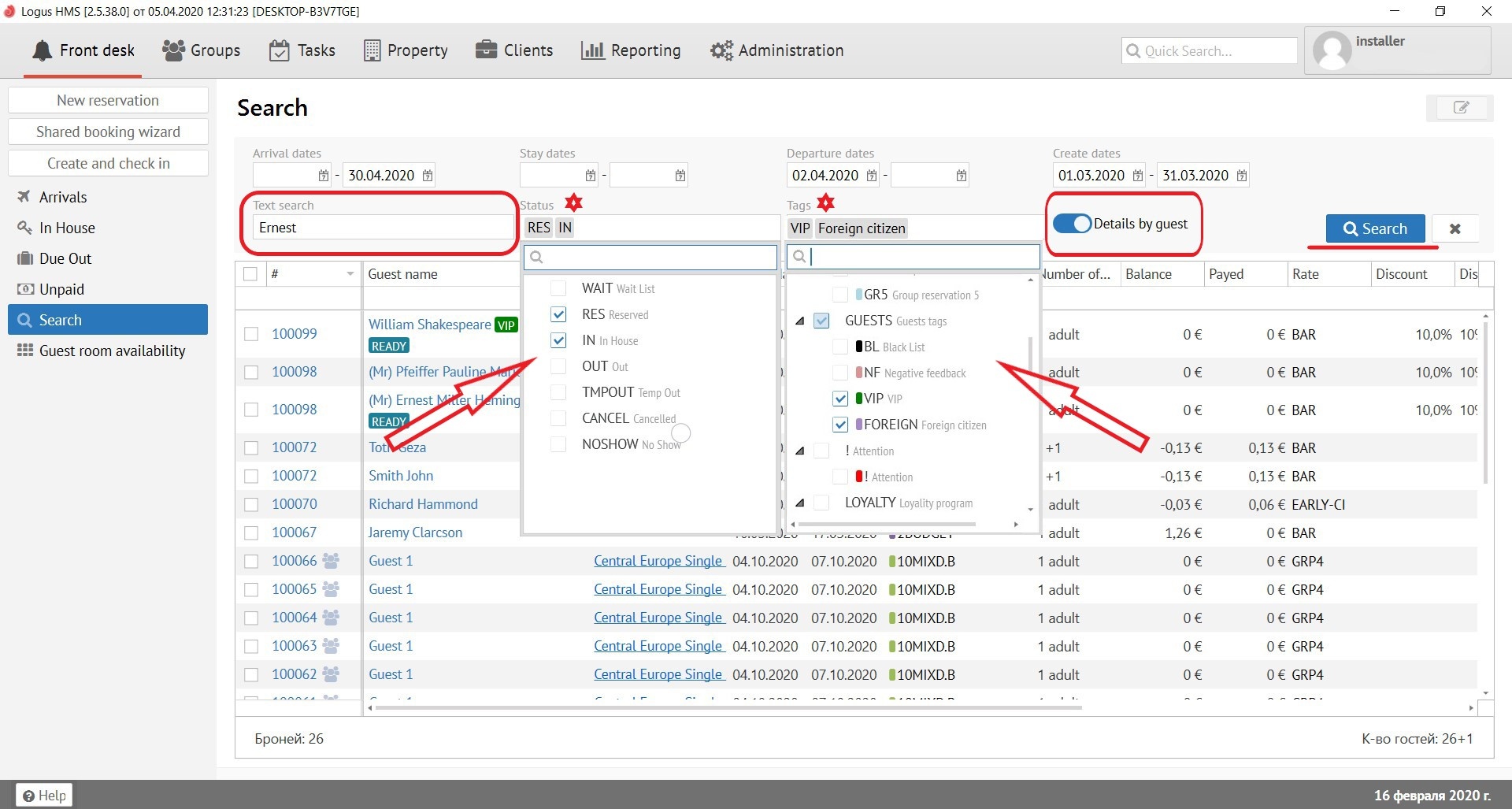
The search bar, which is called "Text Search", is located just below the date and allows you to search for the reservations you need by name of guests, room number, reservation number, CRS number and company.
Search by status (section “Status”) - the ability to search reservation by current status.For example: Wait list, Reserved, In house, Out, Temporary out, Cancelled, No show.
Search by tags (section “Tags”) - the ability to search reservation by different tags.
"Details by guest" button - show all guests in reservation.
Button "X" resets all search queries.
After all changes press "Search" button.