Foreign currency accounts allows to fix reservation costs in any currency (different from local facility's/hotel's currency), with possibility to convert local price on transaction date exchange rate.
Example:
- Reservation costs is fixing in currency on the date of the reservation;
- For the prepayment process in foreign currency, the cost of services converts into local currency on prepayment date exchange rate;
- At the time of final settlement, the cost of services converts into local currency on this date exchange rate, and payment proceed in local currency.
Preconfiguration of currency rates
After currency rate creation, base rate (in local currency) need to be specified.
Next, mandatory parameters need to be added in accordance on base rate settings. Furthermore, currency (differ from the base rate currency), room types availability and available packages needed to be specify. All other settings will automatically come from base rate.
For example, in base rate (FUH), you can specify "Round to" 1.00, and for foreign rate (EUR), "Round to" 0.01.
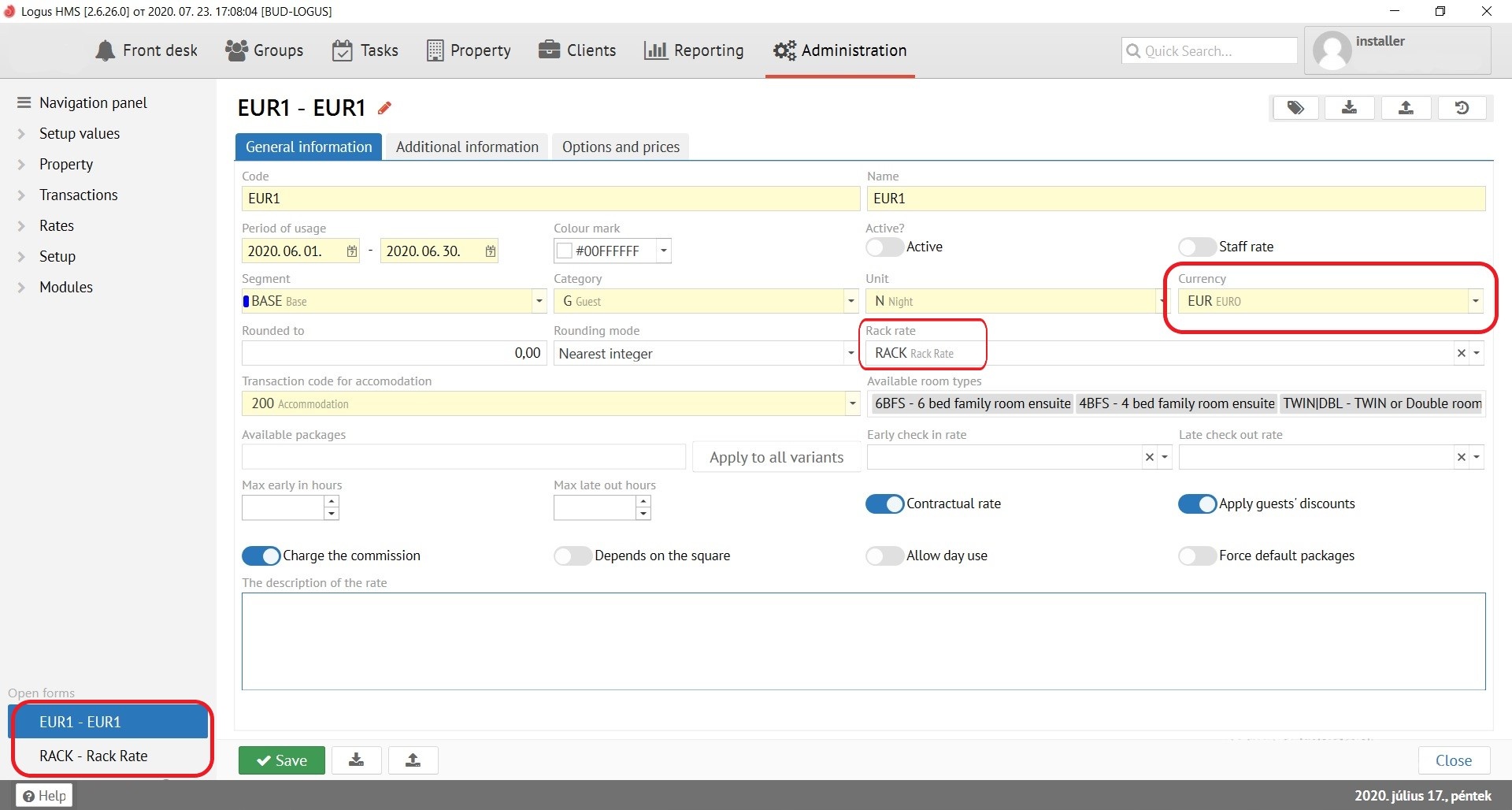
Foreign currency rate is better to set up as a “Contractual rate” and use for specific Companies to avoid waste of time on prices loading for ordinary reservation.
Making a Fixed Rate Booking
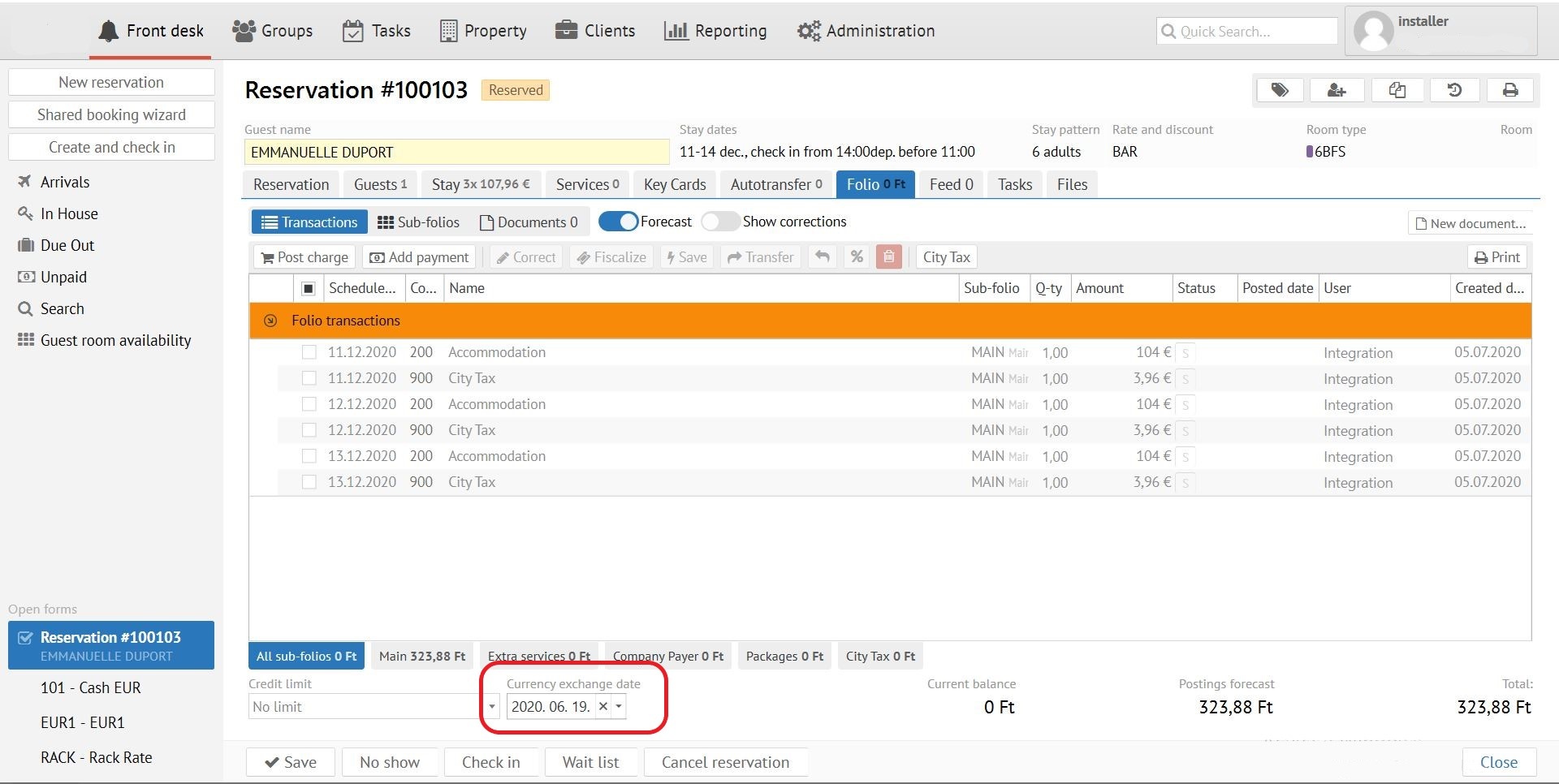
While resrvation creation in foreign currency rate - exchange rate date varies automatically. If exchange rate date need to be changed, go to tab “Folio” and change the date.
Обязательно
After date change go to tab “Stay” and recalculate reservation cost. After these steps save this booking.
Exchange rates adding
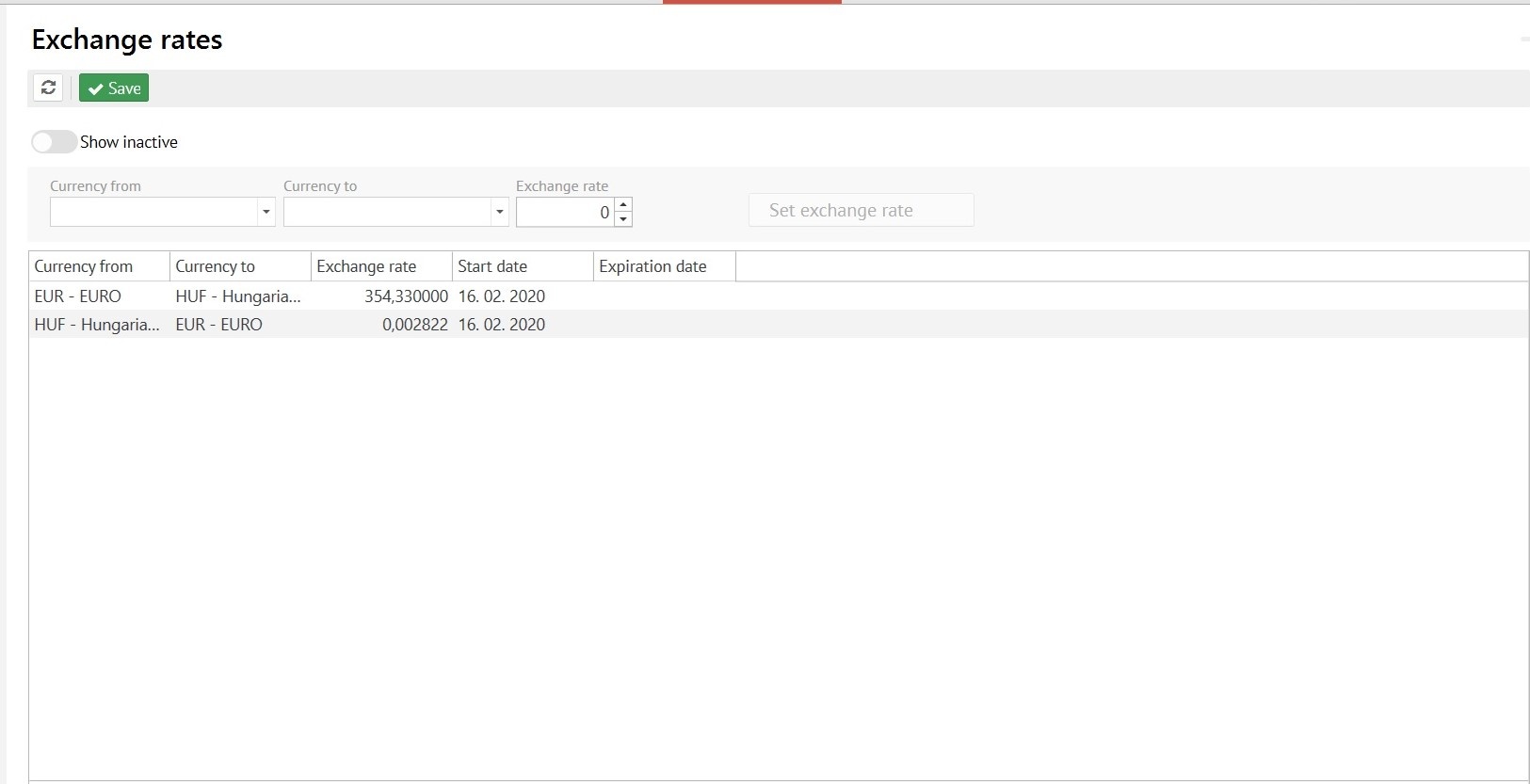
Go to Administration - Exchange rates. Set the exchange rate. Save. The new rate will be effective from this date.
Важно
For foreign currency rats affected by base rate reverse exchange rate need to be set up. It can be calculated by the “1/rate” formula.
Payment date
For payments with “Bank” or “Direct bill” types payment date can be chosen. It also affects on exchange rate date.
Foreign-currency payments
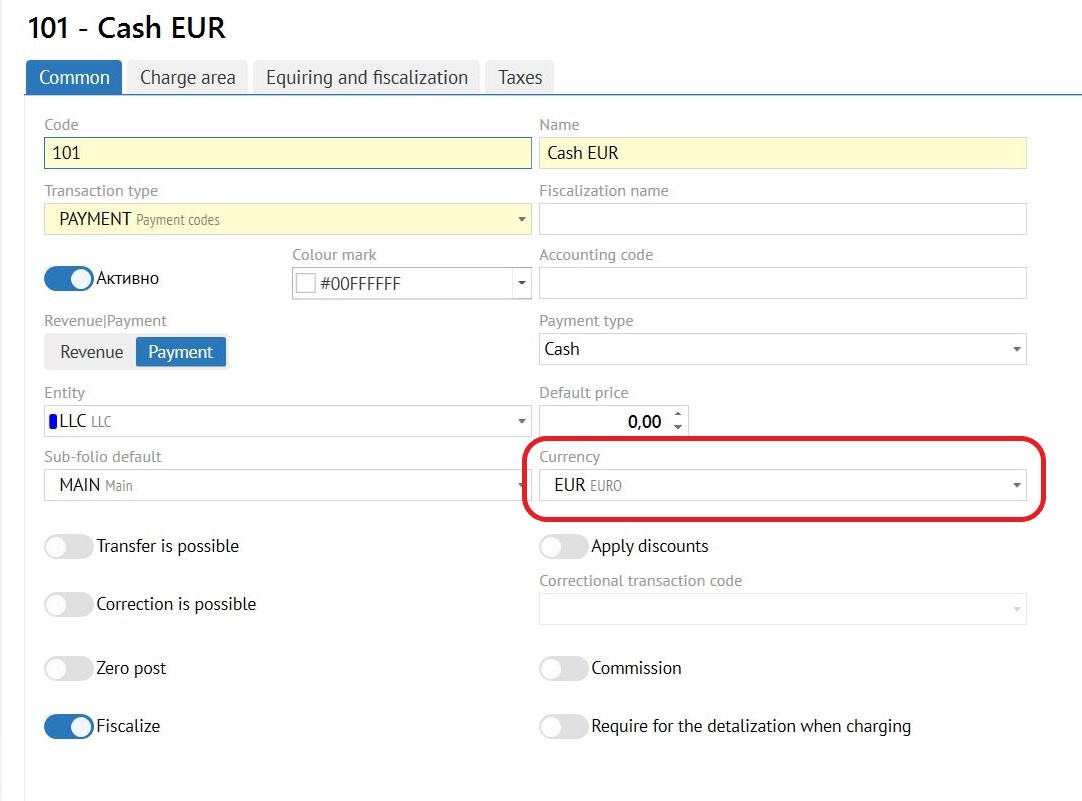
For foreign-currency payment possibility tab «Currency» has been added into "Administration Transaction code" settings.
Prepayment in foreign currency
Go to “Folio” “Add payment”, select the needed currency, select payment date (to fix the rate) and enter the amount of payment in currency.
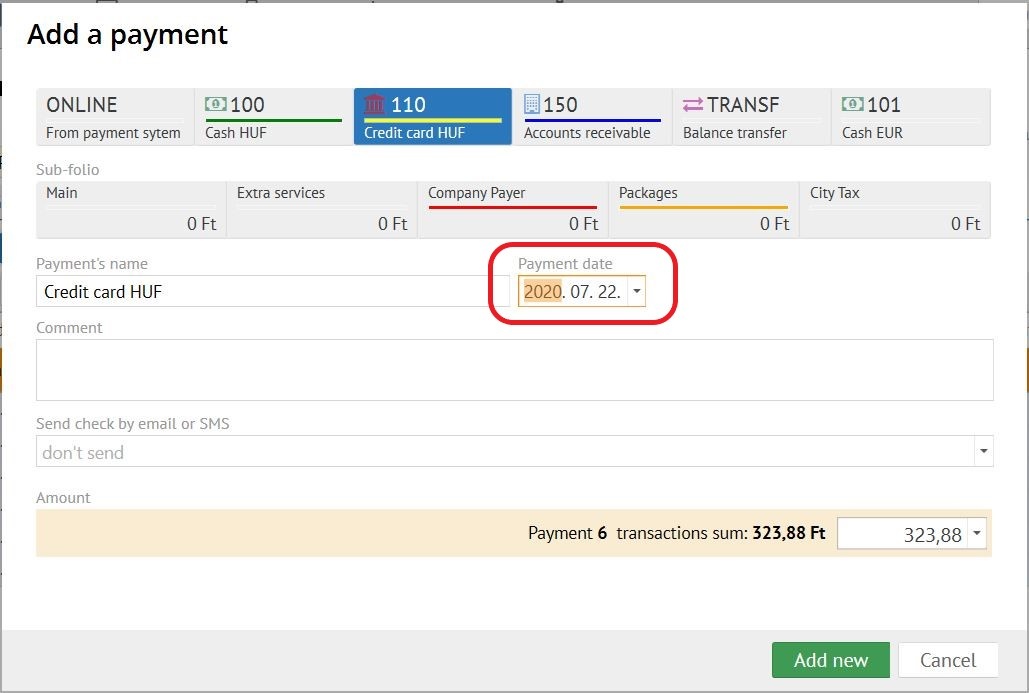
When paying with a transaction with a specified currency, follow the steps:
- Logus creates fin. document (first strict one with the sign "convert local currency")
- Invoice transactions will automatically come from into document in the same currency on payment sum.
For example: Period of stay is 3 days for $50 per day - $150 in total. If guest prepay 70$ , Logus will add one transaction in fin. document for 50$ and divide second into two (20$ and 30$). Where $20 will be added to the financial doc. So when guest will have to pay remaining $80 (system will post as $50 and the rest part $30). - Document will have fixed exchange rate date (based on payment date).
- Fin. document transactions will be calculated into local currency on payment date.
Final settlement in foreign currency accounts
One feature of the final settlement of foreign invoice is that the local services rate must be converted on the date of settlement, even if the final settlement is carried out in the local currency.
Поэтому окончательный расчёт происходит в 2 этапа:
- Post the remaining transactions from the forecast, generate document with the sign "recalculate the local currency" - as a result of its, the transaction prices in the local currency will be converted into the Currency Conversion Date;
- Future payment in local currency.